banner

Blog

Home

Blog

  • Fixed vs. Handheld RFID Readers: How to Choose for Asset Tracking?
    Fixed vs. Handheld RFID Readers: How to Choose for Asset Tracking?
    Mar 27, 2026
    In the era of digital transformation, RFID technology has become a cornerstone for enterprises seeking real-time asset visibility. Whether you're managing manufacturing tools, tracking medical equipment, or conducting retail inventory counts, selecting the right RFID reader directly impacts system efficiency, return on investment, and day-to-day operational smoothness.   The choice often comes down to two main categories: fixed and handheld. Each serves distinct purposes, and understanding their differences is critical to building a successful RFID asset tracking system. This article breaks down the key considerations to help you make an informed decision.   Fixed vs. Handheld: Understanding the Core Difference   Fixed RFID Readers A fixed RFID reader is typically installed at entry/exit points, conveyor belts, racks, or specific workstations, using external antennas to create a stable reading zone. The defining characteristics are automation and non-intrusive operation. When an asset with an RFID tag enters the coverage area, the system automatically captures the data without any manual intervention. Common form factors include portal-style readers, integrated units, and modular readers. Handheld RFID Readers A handheld RFID scanner, often built into an industrial-grade PDA, is carried by an operator who moves close to the assets being tracked. The key strengths are flexibility and directional precision. Handheld devices are ideal for scenarios that require manual intervention, scattered reading points, or complex environments where assets are difficult to reach. These devices are frequently referred to as handheld RFID scanner units or industrial Bluetooth RFID scanner models that offer wireless flexibility. Key Decision Factors: 5 Dimensions to Evaluate   1. Read Frequency and Automation Needs A.Choose fixed readers when you need 24/7 automatic tracking of asset movements—such as warehouse gate monitoring or production line work-in-progress tracking. Fixed systems eliminate manual steps and ensure real-time data accuracy. B.Choose handheld units when reading tasks are intermittent—such as monthly cycle counts or spot checks—and when full automation is not a requirement.   2. Read Range and Environment A.Fixed advantage: With high-gain antennas, a long range RFID reader can cover distances of several meters to over ten meters, making it ideal for large doorways and open areas. However, in environments with dense metal or liquid, antenna placement becomes critical. B.Handheld advantage: Operators can position a handheld RFID scanner close to tags, ensuring high read accuracy even when assets are stacked or tags are placed in challenging locations. For outdoor use, elevated work areas, or locations without a stable power source, handheld devices offer unmatched portability.   3. Tag Type and Read Volume A.Fixed readers excel at bulk, simultaneous reads. For example, a fixed UHF RFID reader installed at a loading dock can read an entire pallet of tagged items in a fraction of a second. If your scenario demands high-volume concurrency, fixed infrastructure is the way to go. B.Handheld readers are best suited for one-at-a-time or small-batch reads. While modern industrial handhelds support anti-collision algorithms, their concurrent read capacity generally does not match that of a high-end fixed UHF RFID reader system.   4. Workforce Integration and Workflow A.Fixed readers embed data capture into the physical environment, requiring no additional labor. However, they demand engineering resources for network cabling, integration, and commissioning. B.Handheld readers rely on operator routes and actions. They offer plug-and-play flexibility but introduce the possibility of human error and add to frontline staff workload.   5. Budget and Total Cost of Ownership A.Initial investment: A single high-performance handheld RFID reader can range from several hundred to over a thousand dollars. A complete fixed system—including readers, antennas, cables, and installation—often requires a higher upfront investment. B.Long-term costs: Fixed systems typically have long depreciation cycles but require ongoing network and maintenance considerations. Handheld devices incur costs related to battery replacement, charging infrastructure, and—most importantly—labor time.   Matching Scenarios: Which Solution Fits? Application Scenario Recommended Solution Rationale Warehouse entry/exit control Fixed Automatically records inbound and outbound movements, eliminating missed scans and improving throughput. High-value tool/equipment tracking Handheld Assets are stored in multiple locations; a handheld RFID scanner allows staff to verify counts flexibly. Work-in-progress tracking on production lines Fixed Synchronizes with production cadence, capturing data at key stations for full traceability. Retail store inventory Handheld Enables quick shelf scans during off-peak hours without altering store layout. Hospital medical equipment tracking Fixed + Handheld Fixed readers monitor equipment movement through critical doorways; handheld units support periodic full-facility audits.   Active vs. Passive: Another Layer of Consideration   When designing an RFID asset tracking system, you'll also encounter the distinction between active vs passive RFID reader configurations. Passive RFID readers (both fixed and handheld) work with passive tags that have no internal power source. They are the most common choice for asset tracking due to their low tag cost and long lifespan. Active RFID readers communicate with battery-powered active tags, offering extended read range (up to 100+ meters) and continuous beaconing capabilities. Active systems are typically used for high-value asset tracking in large open areas where real-time location is critical.   Your choice between fixed and handheld may intersect with this decision. For instance, a long range RFID reader for active tags is often deployed in fixed locations to provide persistent coverage over a large facility, while a Bluetooth RFID scanner can serve as a bridge for both passive UHF and Bluetooth-enabled active tags in mobile applications.     Hybrid Deployments: Why "And" Often Beats "Or"   In practice, many organizations find that fixed and handheld readers are not mutually exclusive—they are complementary. A mature RFID asset tracking system often employs a hybrid architecture: Fixed readers serve as the backbone, automating capture at critical control points to create a continuous data stream. Handheld RFID scanners act as the last-mile tool for exception handling, spot checks, and deep dives into specific areas.   For example, in a large manufacturing facility, fixed UHF RFID reader portals at loading docks and line-side storage areas automatically record asset movements, while floor managers use handheld RFID scanner devices for daily spot checks and to quickly locate specific tools.   Actionable Selection Framewor   To make the right choice for your organization, follow this four-step approach: 1.Define your core objective Are you aiming for real-time, automated visibility, or do you need to improve inventory count efficiency? The answer sets the direction. 2.Map your workflow Identify every point where assets are read. If read points are fixed and high-frequency → lean toward fixed readers. If they are scattered or unpredictable → lean toward handheld. 3.Conduct on-site testing Test both device types in your actual environment. Evaluate read range, accuracy, interference tolerance, and operator acceptance. 4.Calculate total cost of ownership Compare hardware, installation, maintenance, labor, and training costs over a 3‑ to 5‑year horizon.   Conclusion   There is no one-size-fits-all answer when choosing between fixed and handheld RFID scanner solutions. The right choice depends on your asset types, operational workflows, workforce structure, and budget. A well-designed RFID asset tracking system aligns technology with real-world business processes.   Before making a decision, ask yourself: “In an ideal state, do I want asset data to be collected automatically by infrastructure, or manually by staff with handheld devices?” Your answer will point you toward the right path.     ---------------------  
    Read More

  • How to Integrate PDA Scanning Software with Your ERP and WMS Systems
    How to Integrate PDA Scanning Software with Your ERP and WMS Systems
    Mar 23, 2026
    Discover how to integrate PDA scanning software with ERP and WMS systems. Learn about inventory management apps, custom PDA application development, and offline barcode scanning solutions for seamless warehouse operations.   Introduction In modern warehouse and supply chain management, efficiency depends on how well your systems communicate with each other. At the heart of this communication lies PDA scanning software—the technology that bridges frontline operations with your digital infrastructure.   However, implementing a scanning solution is only half the battle. The true value emerges when you successfully connect your PDA barcode scanner software with your Enterprise Resource Planning (ERP) and Warehouse Management Systems (WMS). Without seamless integration, you risk creating data silos, manual errors, and operational bottlenecks.   This comprehensive guide will walk you through everything you need to know about integration—from planning and execution to overcoming common challenges. Whether you're considering custom PDA application development or evaluating ready-made WMS integration software, you'll find actionable insights to drive your project forward.     Why Integration Matters: The Business Case Integrating your Android PDA software with ERP and WMS systems delivers measurable business value across multiple dimensions:   1. Eliminate Costly Human Errors Manual data entry is prone to mistakes. A single typo in a part number or quantity can trigger stock discrepancies, delayed shipments, and accounting errors. With PDA barcode scanner software, data is captured automatically at the source—delivering near-perfect accuracy.   2. Achieve Real-Time Inventory Visibility When your inventory management app syncs instantly with your ERP and WMS, every scan updates inventory levels in real time. This visibility enables accurate demand forecasting, prevents stockouts, and supports confident sales commitments.   3. Boost Warehouse Productivity Workers no longer need to memorize tasks or walk to fixed terminals. With tasks pushed directly to their handheld devices, they can complete receiving, putaway, picking, and counting cycles significantly faster—often reducing labor costs by 20–30%.   4. Enforce Standardized Processes Integration allows you to embed your standard operating procedures (SOPs) directly into the workflow. Whether it's mandatory cycle counting or strict lot tracking, the system guides operators step by step, ensuring compliance without additional supervision.   5. Enable Data-Driven Decision Making Real-time operational data feeds into your ERP and WMS dashboards, giving managers unprecedented visibility into productivity metrics, cycle times, and exception rates.   Key Components of a Successful Integration Before diving into the technical implementation, it's important to understand the core components that make up a modern scanning and integration ecosystem.   Component Description PDA scanning software The application running on handheld devices that captures barcode data and guides operators through tasks Inventory management app The module responsible for tracking stock movements, quantities, and locations in real time PDA barcode scanner software The scanning engine that decodes 1D/2D barcodes, often with advanced features like batch scanning and image capture Android PDA software Applications optimized for Android-based rugged handheld devices, the most common platform in modern warehouses WMS integration software Middleware or API layers that facilitate communication between the PDA solution and your warehouse management system Offline barcode scanning app A critical feature that allows continued operation during network interruptions, with automatic sync once connectivity is restored   Step-by-Step Integration Guide   Step 1: Define Your Integration Goals and Scope Start by answering these foundational questions:   What business problems are you solving? Inventory accuracy? Order fulfillment speed? Labor efficiency? Regulatory compliance? Which processes will be covered? Will you integrate receiving only, or the full cycle—receiving, putaway, picking, packing, shipping, cycle counting, and replenishment? What systems will be involved? Identify your ERP (e.g., SAP, Oracle, Microsoft Dynamics, NetSuite) and WMS. Document their data structures, APIs, and integration capabilities. Who are the end users? Internal employees or third-party logistics (3PL) teams? What is their technical proficiency?   A clear scope prevents scope creep and ensures your custom PDA application development efforts remain focused on delivering maximum ROI.     Step 2: Select the Right PDA Software Solution Choosing the right software foundation is critical. Evaluate potential solutions against these criteria:   API-First Architecture Look for WMS integration software that offers open, well-documented RESTful APIs. API-first design ensures flexibility for current integration needs and future system upgrades. ERP and WMS Compatibility Does the vendor have prebuilt connectors or proven integration experience with your specific ERP and WMS platforms? Request case studies or reference calls. Offline Capabilities Warehouse Wi-Fi coverage is rarely perfect. An offline barcode scanning app allows operations to continue uninterrupted during network outages, with data automatically syncing when connectivity resumes. Customization Flexibility If your workflows are unique, consider solutions that support custom PDA application development. This allows you to tailor screens, workflows, and validation rules to your exact requirements. Android Optimization Most modern rugged devices run on Android. Ensure your Android PDA software is optimized for industrial use—with large touch targets, glove-friendly interfaces, and support for enterprise-grade scanners.   Step 3: Design the Data Flow Architecture A well-designed data flow ensures reliability and scalability. Here's a typical integration architecture: Data Flow Breakdown: Task Dispatch (ERP/WMS → PDA) The ERP or WMS pushes tasks—such as receiving orders, picking lists, or transfer orders—to the PDA software backend via API or database triggers. Execution (PDA Device) Operators receive tasks on their inventory management app. Each step is guided: scan location, scan item, enter quantity, confirm. Every action is timestamped and logged. Data Return (PDA → ERP/WMS) Upon task completion, the PDA software sends back actual data—quantities, lot numbers, serial numbers, operator IDs, and timestamps—to update the ERP and WMS in real time. Exception Handling When discrepancies occur (e.g., wrong item scanned), the system immediately flags the issue, preventing incorrect data from entering your core systems.   Step 4: Choose Your Integration Approach There are three primary approaches to integration. Each has its trade-offs.   Approach Description Best For Pros Cons Middleware Integration A dedicated integration layer handles communication between systems Complex environments, multi-site operations, future flexibility Loosely coupled, scalable, easier to maintain Additional infrastructure cost Direct API Integration PDA software connects directly to ERP/WMS via APIs Simpler environments, single system integration Fast, no extra layers Tighter coupling, upgrades may require rework Database-Level Integration Data exchanged via shared database tables Legacy systems, quick proof-of-concept Simple to implement Security risks, data conflicts, not scalable   Recommendation: For most organizations, middleware integration using purpose-built WMS integration software provides the best balance of flexibility, reliability, and long-term maintainability.   Step 5: Develop or Configure the PDA Application At this stage, you'll build or configure the actual PDA scanning software that operators will use daily.   For Ready-Made Solutions: Configure screens, workflows, and validation rules using the vendor's admin tools Map data fields between the PDA app and your ERP/WMS Configure offline sync policies   For Custom PDA Application Development: Design intuitive, task-focused user interfaces optimized for rugged Android devices Implement business logic that mirrors your exact processes Build robust offline capabilities with local database storage and sync queues Integrate with device hardware (scanners, cameras, printers) for maximum efficiency     Step 6: Test Thoroughly Before Go-Live Comprehensive testing prevents disruptions and ensures user adoption. Your testing plan should include:   Functional Testing Verify every transaction type (receiving, picking, counting, etc.) Confirm data accuracy between PDA, middleware, and ERP/WMS Test exception scenarios (wrong barcode, quantity mismatch, location errors)   Load and Stress Testing Simulate peak-hour transaction volumes Test concurrent user scenarios Monitor system response times and resource utilization   Offline Testing Disconnect devices from network and verify offline operation Confirm automatic sync when connectivity returns Test conflict resolution when offline changes conflict with online updates   User Acceptance Testing (UAT) Have actual warehouse staff test the system in a sandbox environment Gather feedback on usability and workflow fit Refine before full deployment   Step 7: Train Users and Deploy Training is often the most underestimated phase of integration projects. Even the most sophisticated inventory management app will fail if operators don't use it correctly.   Best Practices for Training: Role-based training – Receivers, pickers, and supervisors have different workflows Hands-on sessions – Let users practice with real devices and test barcodes Quick-reference guides – Create one-page cheat sheets for each role Super-user program – Identify power users who can assist colleagues post-launch   Deployment Approach: Consider a phased rollout—start with one process (e.g., receiving) in one location, validate success, then expand. This minimizes risk and allows you to refine based on real-world feedback.   Common Integration Challenges and Solutions Even with careful planning, integration projects encounter hurdles. Here's how to address the most common ones.   Challenge Solution Unstable Wi-Fi coverage Deploy industrial-grade access points; choose Android PDA software with robust offline caching and automatic sync Inconsistent master data Perform data cleansing before integration—standardize item codes, location codes, and vendor codes across all systems Vendor integration complexity Select WMS integration software vendors who provide dedicated integration support and prebuilt connectors for your ERP/WMS User resistance Involve operators early in the selection and testing process; emphasize how the system makes their jobs easier Performance degradation Optimize API calls, implement pagination, and consider asynchronous processing for non-real-time operations Customization limitations If off-the-shelf solutions fall short, invest in custom PDA application development to achieve exact workflow requirements   Future-Proofing Your Integration Technology evolves rapidly. To ensure your integration remains valuable for years to come, consider these forward-looking strategies:   1. Embrace API-First Architecture Solutions built on open APIs are easier to connect, upgrade, and extend. Avoid proprietary, closed systems that lock you in. 2. Plan for Scalability Design your integration to handle 2–3x your current transaction volume. As your business grows, your systems should scale seamlessly. 3. Consider Mobile Device Management (MDM) As you deploy more Android PDA software across your operations, MDM solutions help you manage devices remotely—pushing updates, enforcing security policies, and monitoring device health. 4. Explore Advanced Capabilities Modern PDA barcode scanner software can do more than read barcodes. Consider:   Vision picking – Camera-based item recognition Voice integration – Hands-free operation for certain workflows IoT sensor integration – Temperature, humidity, or vibration monitoring   5. Maintain Documentation Keep your integration architecture, API specifications, and data mapping documents updated. This pays dividends when onboarding new team members or troubleshooting issues.   Measuring Success: Key Performance Indicators How do you know your integration project is successful? Track these KPIs before and after implementation:   KPI Before Integration After Integration Inventory accuracy 85–92% 99%+ Order picking accuracy 90–95% 99.5%+ Receiving processing time 15–30 min per PO 5–10 min per PO Cycle count time 4–8 hours 1–2 hours Data entry errors 1–3% of transactions <0.1% Labor productivity Baseline +20–40%   Conclusion Integrating PDA scanning software with your ERP and WMS systems is one of the highest-impact investments you can make in warehouse and supply chain operations. It eliminates manual errors, delivers real-time visibility, empowers your workforce, and creates a foundation for continuous improvement.   Whether you choose a ready-made solution, invest in custom PDA application development, or deploy purpose-built WMS integration software, the key principles remain the same:   1.Start with clear business goals 2.Select open, flexible technology 3.Design for reliability and offline resilience 4.Train users thoroughly 5.Measure results and iterate   When your warehouse team can complete tasks seamlessly using Android PDA software—while inventory levels update instantly in your ERP—you've achieved the true promise of digital transformation: action and insight in perfect sync.   Frequently Asked Questions Q: Can I integrate PDA scanning software with my existing ERP without replacing it? A: Yes. Most modern PDA scanning software solutions are designed to integrate with existing ERPs via APIs or middleware, preserving your current system investments. Q: What if my warehouse has poor Wi-Fi coverage? A: Choose an offline barcode scanning app that stores data locally on the device and syncs automatically when connectivity is restored. This ensures continuous operations. Q: Is custom PDA application development expensive? A: Custom development typically requires a higher upfront investment but delivers exactly the workflows you need. For many organizations with unique processes, the ROI justifies the cost. Q: How long does a typical integration project take? A: A straightforward integration with off-the-shelf WMS integration software may take 4–8 weeks. Complex custom PDA application development projects can take 3–6 months depending on scope. Q: Do I need to upgrade my ERP before integration? A: Not necessarily. Most integration projects work with existing ERP versions. However, ensuring your ERP has modern API capabilities simplifies the process.   Ready to Integrate? If you're planning an integration project or looking to upgrade your current inventory management app, the right partner can make all the difference. Look for vendors who offer:   1.Proven experience with your ERP and WMS platforms 2.Open, API-first PDA scanning software 3.Robust offline barcode scanning app capabilities 4.Expertise in custom PDA application development when needed 5.Comprehensive training and ongoing support   Have questions about your specific integration scenario? Share your challenges in the comments below, and our team will help you find the right approach.   -----------------------------  
    Read More

  • Top 5 Android Mobile Computer Trends in Supply Chain & Logistics (2026 Update)
    Top 5 Android Mobile Computer Trends in Supply Chain & Logistics (2026 Update)
    Mar 18, 2026
    As we navigate through 2026, the global supply chain and logistics sector is in the midst of a profound digital transformation. At the heart of this operational evolution lies the frontline tool that keeps everything moving: the Android mobile computer. From industrial handheld terminals and PDAs to tablets mounted on forklifts, these devices are redefining the efficiency boundaries of warehousing, transportation, and last-mile delivery.     With the growing complexity of smart warehousing, omnichannel fulfillment, and rapid delivery expectations, enterprises must stay ahead of the technological curve to remain competitive.   Based on the latest industry analysis and market dynamics of 2026, here are the top five trends reshaping logistics operations worldwide.   Trend 1: Predictive Maintenance & Proactive Device Health Management (PHM) In logistics, a malfunctioning mobile computer for warehouse management doesn't just mean a broken device; it means stalled sortation lines and delayed shipments. In 2026, AI-driven predictive maintenance is becoming the standard expectation.   Next-generation enterprise mobility solutions are embedded with advanced sensors and telemetry that continuously monitor device health—tracking battery cycle life, screen integrity, and scan engine performance. Cloud-based AI platforms analyze this data to predict failures before they happen, automatically generating repair tickets or dispatching replacement units. This shift from "break-fix" to "predict-prevent" can reduce unplanned downtime by up to 30%, ensuring 24/7 operational continuity in critical distribution centers.     Trend 2: Evolution from "Tool" to "Edge Computing Node" The proliferation of IoT devices in modern warehouses generates massive amounts of data. Sending all this raw data to a central cloud for processing creates latency and bandwidth bottlenecks. In response, high-end Android mobile computers are evolving into powerful edge computing nodes.   These devices now do more than just scan barcodes; they process complex algorithms locally. For instance, an industrial PDA mounted on a forklift can run Augmented Reality (AR) applications to calculate the most efficient picking route in real-time, without waiting for cloud-based instructions. This "on-device intelligence" slashes decision latency to milliseconds, which is critical for high-velocity logistics environments like autonomous mobile robot (AMR) coordination.     Trend 3: Function Fusion & the Rise of "as-a-Service" Models The line between a barcode scanner, a phone, and a payment terminal has vanished. The trend in 2026 is full function fusion—a single handheld barcode scanner terminal must now handle inventory counts, navigate delivery routes, process electronic payments, and log cold chain temperatures seamlessly.   To manage these complex workflows, businesses are shifting away from capital-intensive hardware purchases. Software-as-a-Service (SaaS) models are taking over. Companies increasingly prefer "mobility-as-a-service" subscriptions, where a provider bundles cutting-edge hardware (like a Zebra/Honeywell alternative), specialized software, and lifecycle management into a single monthly fee. This lowers the barrier to entry and ensures fleets stay up-to-date without massive upfront investments.     Trend 4: Next-Level Ruggedization for Extreme Environments While consumer tech faces challenges, the industrial sector demands extreme device resilience. Logistics environments are punishing—from -18°C freezers to dusty, sun-baked outdoor yards. This is where the rugged mobile computer proves its value.   The 2026 trend is about exceeding standard industrial ratings (like IP68) with advanced materials. Look for devices featuring magnesium alloy internal frames and specialized anti-glare gorilla glass to withstand extreme temperature shocks, humidity, vibration, and repeated drops onto concrete. To solve battery anxiety during long outdoor shifts, hot-swappable battery technology and ultra-low-power chipsets are now standard features, ensuring the device outlasts the longest shifts.     Trend 5: Ubiquitous Connectivity with 5G and Wi-Fi 6/7 Real-time data is the lifeblood of the digital supply chain. In 2026, the maturation of 5G networks and the adoption of Wi-Fi 6E and Wi-Fi 7 are revolutionizing how Android mobile computers connect.   In hyper-dense automated warehouses, Wi-Fi 7 allows hundreds of devices—from industrial PDAs to AGVs—to communicate simultaneously without interference, enabling true synchronous operations. In sprawling ports or remote yards, 5G connectivity allows managers to conduct 4K video conferences with headquarters or upload massive datasets instantly. This "seamless roaming" connectivity ensures end-to-end visibility from the receiving dock to the final delivery point.   Conclusion: Build Resilience with Smart Mobility In 2026, the battle for supply chain efficiency is won or lost in the details of daily execution. As the critical link between the physical and digital worlds, the modern rugged mobile computer is now a core engine for cost reduction and operational agility—powered by AI, edge computing, and industrial-grade durability.   For logistics and IT decision-makers, evaluating your next enterprise mobility solutions should go beyond comparing spec sheets. It's about finding a partner and a device that integrates seamlessly into your digital ecosystem, empowering your workforce with intelligence at their fingertips. By embracing these five trends, you equip your supply chain with the agility and resilience needed to thrive in a volatile global market.
    Read More
  • Inventory Management for Manufacturing Plants: Using RFID / AIDC to Track Raw Materials, Work-in-Progress and Finished Goods
    Inventory Management for Manufacturing Plants: Using RFID / AIDC to Track Raw Materials, Work-in-Progress and Finished Goods
    Mar 12, 2026
    Struggling with stockouts or excess inventory? Discover how RFID and AIDC technology provides real-time visibility into Raw Materials, Work-in-Progress (WIP), and Finished Goods to streamline your manufacturing plant operations. In the era of the Industrial Internet of Things (IIoT), manufacturers are under pressure to eliminate waste and improve efficiency.   Yet, many still rely on manual data entry or barcode scanning to manage their most valuable asset: inventory.   The problem? Barcodes require line-of-sight and human intervention. Data is outdated by the time it reaches the system. And inventory accuracy—the holy grail of manufacturing—remains elusive. Enter RFID (Radio Frequency Identification) and AIDC (Automatic Identification and Data Capture). As core components of real-time location systems (RTLS), these technologies are revolutionizing how factories track raw materials, work-in-progress (WIP), and finished goods from the receiving dock to the shipping bay.   [Read our guide on "RFID vs. Barcode: How to Choose the Optimal Solution for Modern Warehousing/Inventory/Asset Management?"]   Why Traditional Methods Fail: The Case for Automated Data Capture Before exploring the solution, let's examine the bottlenecks of traditional inventory management. Manual cycle counts disrupt production. Spreadsheets create data silos. And when materials go missing, operators waste hours searching.   The Cost of Poor Visibility: Stockouts: Production lines stop because raw materials aren't where they should be. Excess Inventory: Fear of shortages leads to overordering, tying up working capital. Manual Errors: Mistyped part numbers or quantities corrupt your ERP data. To achieve true operational efficiency, manufacturers must embrace paperless manufacturing and automated tracking.   1. Raw Materials: From Receiving to Real-Time Visibility The journey begins at the loading dock. With traditional barcode scanning, each pallet must be manually scanned—a slow, labor-intensive process. With RFID, the process becomes hands-free. How RFID Transforms Raw Material Receiving: As materials pass through an RFID portal, readers instantly capture data from passive tags on packaging. The system automatically reconciles the shipment against the purchase order (PO), updating your ERP in real time. This is the essence of AIDC—capturing data automatically, without human intervention. Beyond Materials: Asset Tracking for Returnable Containers RFID isn't just for raw materials. It also enables asset tracking for high-value items like reusable containers, pallets, and tooling. By tagging these assets, manufacturers gain end-to-end supply chain visibility, knowing exactly where every container is—whether in the warehouse, on the production floor, or in transit from suppliers. The result: Receiving time reduced by over 90%, near-perfect inventory accuracy, and seamless integration with your IIoT ecosystem.   2. Work-in-Progress (WIP): Illuminating the Production line with RTLS Once raw materials enter production, they often disappear into a "black box." You know what went in, and you know what came out—but what happened in between? This lack of visibility hides bottlenecks, inefficiencies, and quality issues.   The Solution: Real-Time Location Systems (RTLS) By deploying an RTLS using RFID readers at critical junctions (assembly stations, quality control checkpoints, and material buffers), manufacturers can track work-in-progress (WIP) automatically. Key Benefits of RFID for WIP Tracking: Bottleneck Detection: If WIP units accumulate at a specific station, the system alerts managers immediately, enabling rapid resource reallocation. Error Proofing: RFID ensures the correct materials and components are used at each stage, reducing costly rework. Paperless Manufacturing: Eliminate paper travelers and manual data entry. Operators simply move materials past readers, and the system records every transaction.   RFID acts as the backbone of a real-time location system (RTLS), providing granular visibility into every inch of the production floor—ensuring your WIP is always where it should be.     3. Finished Goods: Perfecting the Outbound Workflow The final stage of the manufacturing process is where mistakes are most expensive. Shipping the wrong product damages customer trust and incurs high reverse logistics costs. RFID streamlines finished goods management in several ways: A. Automated Put-awayOnce goods are packaged and tagged, workers move them to the warehouse. Handheld RFID readers verify location assignments instantly, ensuring accurate put-away without scanning every barcode. B. Error-Free Picking and ShippingWhen an order is ready, workers can verify the contents of an entire pallet in seconds. Smart shelves equipped with RFID readers can even alert managers if high-value items are moved without authorization. C. Cycle Counting Without DowntimeImagine taking a full physical inventory without stopping operations. With mobile RFID readers—or even RFID-equipped drones—workers can walk the aisles and capture the identity of thousands of items in minutes. This drives inventory accuracy to near 99% and supports lean manufacturing principles.   By integrating RFID with your supply chain visibility strategy, you ensure that the right finished goods reach the right customers at the right time.   Technical Considerations for RFID Implementation When evaluating RFID solutions for your manufacturing plant, keep these factors in mind: Tag Selection: Different environments require different tags. For WIP tracking in harsh conditions (painting booths, heat treatment), you'll need high-temperature RFID tags or metal-mount tags designed to withstand extreme temperatures and interference. Reader Infrastructure: For raw material receiving, RFID portal readers provide hands-free bulk scanning. For WIP tracking, conveyor-mounted readers or overhead RTLS antennas offer continuous visibility. Integration with Existing Systems: Your RFID solution must integrate seamlessly with your ERP, MES (Manufacturing Execution System), and WMS (Warehouse Management System).   [Explore our "RFID System Integration Guide for Manufacturers"]   The ROI of RFID in Manufacturing Implementing RFID and AIDC across raw materials, WIP, and finished goods delivers measurable returns: Metric Improvement Inventory Accuracy 95% → 99%+ Receiving Time Hours → Minutes Cycle Count Time Days → Hours Stockout Reduction 30-50% decrease Labor Productivity 20-30% increase Beyond these metrics, RFID enables predictive analytics by feeding real-time data into your IIoT platform. Over time, machine learning algorithms can identify patterns, predict stockouts, and optimize reorder points automatically.   Conclusion: The Future is Automated The factories of tomorrow will not rely on clipboards and manual counts. By adopting RFID and AIDC for inventory management, integrating real-time location systems (RTLS), and embracing automated data capture, manufacturers can achieve a single source of truth. This leads to: Less capital tied up in excess inventory Higher machine utilization due to fewer shortages Perfect order accuracy for customers End-to-end supply chain visibility from supplier to customer—for raw materials, work-in-progress, and finished goods   Ready to transform your manufacturing operations? Implementing RFID / AIDC technology is no longer a "nice to have"—it's a competitive necessity in the age of Industry 4.0.
    Read More
  • Case Study: How a Logistics Company Reduced Errors & Increased Throughput With RFID / AIDC Deployment
    Case Study: How a Logistics Company Reduced Errors & Increased Throughput With RFID / AIDC Deployment
    Mar 11, 2026
    In today's fast-paced supply chain environment, logistics efficiency directly determines a company's competitiveness. However, traditional manual scanning and data entry methods often result in high error rates and inefficiencies that become critical growth bottlenecks.Today, we'll take an in-depth look at how "Swift Logistics," a mid-sized logistics company we served, successfully transformed its operations by deploying RFID (Radio Frequency Identification) and AIDC (Automatic Identification and Data Capture) technologies. Client Background: Growing Pains Swift Logistics is a mid-sized company specializing in warehousing and distribution for e-commerce businesses. Handling approximately 10,000 orders daily across a 50,000-square-meter warehouse with over 50,000 SKUs, they were facing the typical headaches of a rapidly growing logistics operation when we first met them:1. High Error Rates: During the previous Double 11 shopping festival, inexperienced temporary workers struggled with outdated pda scanners, causing misshipment rates to spike to 1.2%-resulting in over 50 customer complaints in a single day. Even during normal operations, manual barcode scanning with warehouse barcode scanner devices frequently led to missed or incorrect scans, with inventory accuracy hovering around 94%. 2. Throughput Bottlenecks: Processing tens of thousands of packages daily required employees to manually aim and scan each barcode with handheld scanner devices, severely slowing down sorting and receiving processes. A 9.6-meter truck required 40 minutes of manual counting after unloading, causing drivers to wait in long queues and creating frequent congestion at the loading dock.3. Soaring Labor Costs: To handle peak seasons, the company had to hire lots of temporary workers, but training costs were high, and their lack of experience actually compounded the error problem. Entry-level scanning and verification positions were consuming an unsustainable portion of the labor budget.   Our Solution: Deploying RFID/AIDC TechnologyAfter in-depth discussions with Swift Logistics' IT and operations teams—and multiple on-site tests-they decided to move beyond traditional barcode systems and fully implement a solution based on UHF RFID technology. One key factor in their decision was the technology's physical capability to read over 300 tags per second. This meant that as a fully loaded pallet passed through a portal at normal speed, the system would have a full 3-second reading window to ensure data integrity—something a traditional barcode scanner could never achieve. 1. Transforming the Receiving ProcessIncoming goods no longer required piece-by-piece manual scanning. After applying RFID tags to product packaging, workers simply pushed carts equipped with RFID readers through the receiving portal. The system automatically read information from hundreds of items on entire pallets within 3 seconds, with data uploaded directly to the WMS—truly "invisible" receiving.Results: Truck unloading and counting time dropped from 40 minutes to just 5 minutes per 9.6-meter vehicle. Dock turnover efficiency improved by 80%, and drivers started commenting, "Delivering to Swift used to mean waiting forever. Now we're in and out." 2. Optimizing the Sorting ProcessOn the sorting line, we installed tunnel-style RFID scanners. As packages sped by on conveyors, the readers instantly captured all tag information and automatically verified it against orders. Any missorted item triggered an immediate alarm and visual indicator.Results: Manual sorting handled only 60-80 items per person per hour. The RFID tunnel processed over 600 items per hour—a 3-5x improvement in labor efficiency. Longtime sorters told us, "I used to go home with sore arms every day. Now I just monitor exceptions. It's so much easier." 3. Achieving Accurate Inventory CountsPreviously, physical counts required shutting down operations or pulling in extra staff. Two people would spend 8-12 hours scanning racks piece by piece with handheld computer scanner devices. Now, a single worker walks through the warehouse with one of our rugged handheld terminals and completes a full inventory count in 20-30 minutes, with near-perfect accuracy. Results: Inventory time decreased by 95%-a 20x efficiency improvement. More importantly, this newfound efficiency freed up working capital. Previously, Swift only dared to do full counts four times a year, resulting in approximately $2 million (RMB) tied up in excess safety stock. With weekly cycle counts now possible, inventory turnover increased from four to eight times annually, releasing about $1 million in cash flow.   Measurable Results: Significant Performance ImprovementsThree months after system deployment, Swift Logistics delivered impressive results. The following data comes from our project acceptance testing and the client's operational reports: 📉 97% Reduction in Shipping ErrorsError rates dropped from 7-8 misshipments per 1,000 packages (0.7%-0.8%) with manual barcode scanning to just 3-5 per 10,000 packages (<0.05%) with RFID. During their first Double 11 peak season after implementation—despite order volumes doubling-error rates remained below 0.03%. The entire event saw only three customer complaints related to damaged shipping labels. Inventory accuracy climbed from 92%-98% to over 99.8%, virtually eliminating misshipments. 🚀 150% Increase in ThroughputAverage package processing time (receiving to shipping) decreased by 70%. With no increase in headcount, daily order processing capacity grew from 10,000 to 25,000 orders. Receiving efficiency improved 10-20x, with full-pallet reads achieving 200-400 items per second. The system handled peak season surges flawlessly, achieving unprecedented throughput levels. 💰 30% Reduction in Operating CostsWhile the initial investment in RFID hardware and tags was significant, efficiency gains allowed Swift Logistics to reduce its reliance on temporary workers. Labor costs for entry-level scanning and verification positions decreased by 30-50%, and existing employees were redeployed to higher-value roles. Combined with improved inventory turnover and reduced working capital requirements, overall operating costs dropped substantially.   Client Perspective: Why They Chose This TechnologyDuring project acceptance, Swift Logistics' project manager shared their thinking: "We ultimately chose to partner with you on this UHF RFID solution because of its 'contactless, batch-read, real-time' capabilities. Barcode scanning requires the scanner to 'see' the barcode to read it. RFID doesn't. That means we could finally free our people from repetitive scanning and let data flow automatically."He added a real-world data point: "Before, we'd have 7-8 misshipments for every 1,000 packages we sent out—all requiring after-sale service. Now, after three consecutive months of tracking, our error rate has never exceeded 0.04%. We've truly achieved six-sigma quality. The project paid for itself in six months."   Technology in Action: The Devices That Made It PossibleSwift Logistics deployed a mix of fixed and mobile hardware to achieve these results: At receiving doors: Fixed RFID tag reader portals automatically captured inbound shipments On the sorting line: Tunnel-style RFID scanner systems verified orders at high speed For inventory: Staff used rugged mobile computers with integrated handheld RFID reader capabilities For spot checks: Supervisors carried android pda scanner devices that combined barcode and RFID reading In challenging environments: The team relied on industrial handheld computer units designed for warehouse conditions For cycle counts: Workers used rugged pda devices that could withstand drops and dust In freezer areas: Specialized rugged mobile computer models maintained performance in cold storage For receiving backup: Handheld RFID reader units provided flexibility for irregular items Throughout the facility: The combination of RFID tag reader portals and handheld computer scanner devices ensured complete visibility The hardware ecosystem included everything from fixed RFID card reader portals for pallet reads to android pda devices for managers needing real-time dashboard access. For the toughest conditions, industrial mobile computer and rugged handheld terminal models ensured reliability. The solution also incorporated HF RFID reader technology for specific applications requiring proximity reading.   Data Comparison: The Transformation at a GlanceTo help visualize the impact of RFID/AIDC technology, here's a comparison of Swift Logistics' key metrics before and after implementation: Metric Before (Traditional Barcode) After (RFID/AIDC) Improvement Receiving Efficiency 4-6 seconds/item 200-400 items/second 10-20x throughput increase Inventory Count Time 8-12 hours 20-30 minutes 95% reduction (20x faster) Shipping Error Rate 0.7%-0.8% <0.05% 97% reduction Data Accuracy 92%-98% >99.8% Near-perfect accuracy Sorting Efficiency 60-80 items/person/hour 600+ items/channel/hour 3-5x labor efficiency gain Truck Waiting Time 40 minutes/truck 5 minutes/truck 80% faster turnaround Labor Requirements Baseline 100% 30-50% reduction Significant cost savings   Conclusion: A Critical Step in Digital TransformationThe Swift Logistics case demonstrates that RFID/AIDC technology is no longer an unattainable high-tech luxury—it's a practical tool for companies to reduce costs and improve efficiency. Through its "contactless, batch-read, real-time" capabilities, it liberates human resources and enables data to flow automatically.For logistics companies facing similar challenges, embracing automatic identification technology isn't just about solving today's error and throughput problems-it's about building the intelligent, digital supply chain capabilities that will determine future competitiveness.If you'd like to learn how RFID/AIDC technology can help your business reduce costs and improve efficiency, we're here to help. We can provide a free on-site assessment and consultation based on your actual business scenario.
    Read More
  • Rugged PDA Scanners vs. Smartphone Scanning: Which Is Right for Your Business?
    Rugged PDA Scanners vs. Smartphone Scanning: Which Is Right for Your Business?
    Feb 26, 2026
    Optimized for Global Readers | Also known as: Barcode Scanner, Mobile Computer, Handheld Terminal, Data Collector, Industrial HandheldIn the era of digital transformation, the way businesses capture data at the frontline is undergoing a profound shift. Logistics, manufacturing, and retail professionals frequently face a critical question: When it comes to scanning barcodes, is it better to invest in specialized rugged mobile computers costing several hundred dollars, or can we simply use the smartphones our employees already carry?This question cuts to the heart of a fundamental trade-off between efficiency, cost, and operational control. This article provides a data driven comparison to help you make the right choice for your specific business context.   1. The Core Difference: Consumer vs. Industrial DesignThe fundamental distinction is simple: Smartphones are consumer-grade communication tools; industrial handheld terminals are productivity tools built for business. This core difference dictates everything from performance and durability to total cost of ownership. Smartphone Scanning: Appealing but LimitedUsing a smartphone with a scanning app seems like a zero-cost, low-friction option. Employees are familiar with the devices, and the software is readily available. However, when deployed in high volume or demanding environments, significant flaws emerge:A. Camera Limitations: Smartphones rely on cameras that require autofocus and adequate lighting. In dimly lit warehouses, on shiny or reflective surfaces, or with damaged barcodes, they struggle, leading to delays and user frustration.B. Efficiency Gap: An enterprise-grade barcode scanner reads codes in milliseconds. A smartphone takes seconds. For a picker scanning thousands of items per shift, this difference translates into hours of lost productivity.C. Battery Life: High-intensity scanning drains smartphone batteries in hours, not shifts. Workers are often forced to carry power banks, creating a safety hazard.D. Fragility: A drop onto a concrete warehouse floor is a death sentence for most consumer phones. The cost of repair or replacement quickly adds up.The "Human Factor": A smartphone in hand is a distraction. Personal notifications and social media compete with work tasks.   Rugged Handheld Computers: Productivity by DesignA rugged handheld terminal is a purpose-built tool engineered for one thing: efficient and accurate data capture in demanding conditions. Its advantages are clear: A. Superior Scanning Engine: These industrial PDAs use professional imaging engines that decode barcodes instantly, without needing to focus. They read damaged, dirty, or poorly printed codes.B. Purpose-Built Ruggedness: With IP65/67 ratings and the ability to survive multiple 4-6 foot drops onto concrete.C. All-Day Power: Hot-swappable batteries keep these field-ready devices running 24/7 across multiple shifts.D. System Integration: Rugged data terminals run enterprise-grade Android or Windows and integrate seamlessly with WMS or ERP systems.The table below summarizes the key differences: Feature Smartphone Scanning Rugged Handheld Scanner Core Function Consumer communication Industrial data capture Scan Technology Camera-based, slow, needs focus Laser/Imager-based, instant Durability Low (screen cracks, water damage) High (MIL-STD, IP67) Battery Life Limited, fades over time Full-shift, hot-swappable Total Cost of Ownership High (frequent replacement) Low (long lifespan, minimal repairs) Management Difficult (BYOD security risks) Centralized (MDM, EMM integration)   2. The Global Market Landscape and TrendsThe choice between portable barcode scanners and smartphones is being shaped by larger forces in the global enterprise mobility market.BYOD and the Rise of Enterprise MobilityThe global BYOD and enterprise mobility market is booming, projected to reach $272.3 billion by 2035. This pushes many companies to consider phone-based solutions for lightweight tasks. However, this adoption brings challenges in security and compliance.The Resilient Market for Mobile Data CollectionSimultaneously, the market for dedicated data capture hardware remains strong, projected to grow to $3.59 billion by 2032. Key trends include AI Integration, 5G connectivity, and Multi-modal Sensors (RFID, GPS). Regional NuancesNorth America: Leads in cloud-delivered models and advanced analytics.Europe: Emphasizes data sovereignty and compliance.Asia-Pacific: The fastest-growing region, driven by mobile-first strategies and cost-efficiency.   3. Scenario-Based Selection: Choosing the Right ToolThe best choice depends entirely on your operational requirements.When Smartphones Are a Viable OptionLow-volume operations (under 50 daily scans), Managerial spot checks, and Controlled/clean retail environments.When You Need a Rugged Mobile ComputerHigh-volume warehousing/3PL, Harsh environments (cold storage, dusty floors), and Mission-critical accuracy (healthcare, manufacturing). The Fixed-Position Alternative: Barcode ScannersFor packing stations or point-of-sale, a traditional wired or wireless barcode scanner connected to a terminal is often the most cost-effective solution.   4. The Real Cost: Calculating Total Cost of Ownership (TCO)The Hidden Costs of Smartphones: Device replacement (76% failure rate reported after drops), downtime, and IT support overhead.The ROI of Rugged Handhelds: Designed for a 3-5 year lifecycle. Lower TCO through reduced failures and productivity gains from faster scanning.   5. The Future: Convergence and "Software-Defined" ScanningThe line between these two worlds is blurring. Advanced mobile SDKs are turning smartphones into more capable scanning tools using AI, while rugged computers are becoming multi-functional hubs integrating UHF RFID and cloud connectivity. Conclusion: Make the Strategic ChoiceIf your operations involve high-volume scanning and harsh environments, a rugged handheld computer is a strategic investment that pays for itself. If your needs are lighter and environments are forgiving, a smartphone-based solution can be a flexible way to start.
    Read More
  • Transforming Equipment & Tool Management: An RFID Guide for Manufacturing, Construction, and MRO Businesses
    Transforming Equipment & Tool Management: An RFID Guide for Manufacturing, Construction, and MRO Businesses
    Jan 25, 2026
    In the bustling workshops of manufacturing plants, across sprawling construction sites, and within the service vehicles of maintenance teams, managing equipment and tools has long been a universal challenge. Where are the assets? Who is using them? What is their status? When is maintenance or calibration due? Traditional methods like paper logs and manual audits are not only inefficient and error-prone but also lead to low asset utilization, unplanned downtime, and significant losses from misplaced tools.Today, Internet of Things (IoT) solutions centered on Radio Frequency Identification (RFID) technology and modern Enterprise Asset Management Software are driving a profound transformation in asset management. It is far more than just an “electronic tag”; it is a systematic solution for achieving full lifecycle, visible, and intelligent management of equipment and tools.   Core Industry Pain Points: Why Is Management So Difficult? Before diving into the RFID solution, let's clarify the common challenges across these sectors:Poor Asset Visibility: High-value machinery, specialized tools, or critical spare parts are difficult to locate in real-time across vast facilities or dispersed job sites, consuming productive hours in "search time."Low Utilization Rates: Equipment and tools are often forgotten in corners or hoarded by individuals, preventing effective sharing and scheduling, leading to unnecessary duplicate purchases.Reactive Maintenance & Compliance Risks: Preventive maintenance and mandatory calibration schedules reliant on human memory or paper records are easily missed, risking equipment failure, safety incidents, and quality non-compliance.Time-Consuming Physical Audits: Traditional inventory counts require operations to halt, are labor-intensive, and yield inaccurate data.Significant Loss & Shrinkage: Unintentional "walk-aways" or poor oversight of tools result in substantial financial loss.   The RFID Solution: How to Build a "Smart Asset Network" An RFID system creates an intelligent management network by giving each item a unique "digital ID" (RFID tag) and integrating it with fixed or handheld readers, network infrastructure, and robust Equipment Tracking Software platforms.1. Core Hardware Components:Metal-Mount RFID Tags: Engineered for metal assets, these tags withstand high temperatures, resist oils and chemicals, and endure impacts. They can be embedded or directly attached, thriving in harsh industrial environments.Fixed UHF RFID Reader & Antennas: Installed at tool crib entrances, key facility choke points, or in service vehicles, they enable automated check-in/check-out and zone-level tracking.Rugged Handheld RFID Terminals: Used for mobile inventory audits, on-site location checks, and work order associations. Staff can rapidly read multiple tags from a distance without line-of-sight using a rugged mobile computer.2. Enabling Smart Management Scenarios:Smart Tool Crib / Warehouse Management:Automated Issuance & Returns: Upon employee badge scan, the system automatically records tools removed (via entry/exit readers) and verifies returns, enforcing accountability within your Fixed Asset Tracking Software.Rapid Inventory Audits: Full facility audits that took days can now be completed in hours with near 100% accuracy using an industrial handheld computer or pda scanner.Automated Alerts: The system triggers alerts for tools not returned or when stock falls below minimum levels. Production & Workflow Optimization:Work Order Kitting: Required tool lists are digitally linked to production or maintenance work orders. The system validates picks at issuance to prevent errors.Work-in-Progress Tracking: In manufacturing, RFID tags on jigs, fixtures, and molds enable real-time tracking of their location and status.Site-Level Location: On construction sites, readers deployed in zones provide granular location data for large equipment or high-value tools.Maintenance & Compliance Assurance:Automated Maintenance Triggers: The system generates preventive maintenance work orders based on actual usage hours or cycles, directly syncing with your Equipment Maintenance Software.Calibration Cycle Management: For measuring instruments, the system alerts before calibration expires and can restrict checkout, ensuring only compliant tools are used.Complete History & Traceability: A full digital history of usage, maintenance, and repair is maintained for each asset, creating a digital twin record.     Industry-Specific Value Propositions   Manufacturing: Increases Overall Equipment Effectiveness (OEE), ensures availability of critical line-side tooling, and reduces production stoppages caused by missing fixtures.Construction: Manages large equipment (e.g., crane modules, generators) and vast quantities of power tools scattered across multiple projects, reducing loss rates and optimizing inter-project scheduling.MRO & Facility Management: Ensures technicians' service vehicles are stocked with the correct, compliant tools, accurately tracks tool usage costs, and enhances service response speed and professionalism.Measuring ROI: The Tangible Benefits The return on investment from an RFID deployment is multi-faceted:Direct Cost Savings: Reduce tool loss by 50-80%, increase asset utilization by 20-35%, and cut inventory labor costs by over 90%.Operational Efficiency Gains: Eliminate up to 30% of time spent searching for items, reduce equipment downtime, and accelerate job completion.Risk & Compliance Control: Eliminate the use of out-of-calibration tools, achieve 100% scheduled maintenance compliance, and significantly enhance safety and quality standards.Data-Driven Decision Making: Make smarter procurement, retirement, and resource allocation decisions based on accurate, real-time asset data flowing into your Enterprise Asset Management System.   Implementation Roadmap: Your Path to Smarter Management A successful RFID project starts with clear planning:Start with a Pilot: Choose a high-pain-point area like a main tool crib or a specific project to validate the technology and quantify benefits.Tag Selection is Critical: Choose the right RFID tag based on asset material, size, and environmental exposure (temperature, chemicals, impact).Process Re-engineering: Technology is an enabler. Optimize your management processes and policies to leverage its full potential.System Integration: Ensure RFID asset data flows into your existing ERP, CMMS (Computerized Maintenance Management System), or project management software to break down information silos.ConclusionFor manufacturing, construction, and MRO businesses, equipment and tools are not just cost centers—they are core productivity drivers that create value, ensure safety, and guarantee quality. RFID technology transforms these passive assets into connected, communicative data points, building a transparent, efficient, and reliable intelligent asset management ecosystem. This is no longer a choice about "tags," but a strategic decision to enhance core competitiveness and step into the era of Industry 4.0 and smart operations. The time to audit your assets and empower them with intelligence is now.   We are FYJ, a specialized provider of RFID hardware and software solutions with 12 years of professional expertise. We are committed to delivering reliable and innovative asset management technologies, including rugged handheld terminals and android pda scanners, for global manufacturing, construction, and maintenance businesses. If your company is facing challenges in equipment and tool management, please contact us for a free customized solution assessment and product trial opportunity. Let our expertise help you achieve a leap in operational efficiency.   --------------------
    Read More

  • RFID/AIDC Infrastructure: Build In-House or Outsource? An ROI Analysis for Global Businesses
    RFID/AIDC Infrastructure: Build In-House or Outsource? An ROI Analysis for Global Businesses
    Jan 24, 2026
    As digital transformation accelerates, the precision and efficiency of inventory management have become critical to global enterprises' cash flow and customer satisfaction. When facing the need for enhanced inventory visibility, business leaders worldwide find themselves at a strategic crossroads: Should they outsource to a specialized third-party logistics (3PL) provider or invest significant capital in building an in-house RFID (Radio Frequency Identification) or AIDC (Automatic Identification and Data Capture) infrastructure?This decision extends far beyond a simple technology choice-it is a foundational investment with lasting implications for operational agility and competitive advantage. Here, we break down the ROI considerations for both paths, tailored to the needs of modern global supply chains.Path 1: Building In-House RFID/AIDC Infrastructure – High Control, High Initial Investment Key Advantages:Complete Control & Deep Integration: Systems are fully customized to internal workflows and can be seamlessly integrated with existing ERP, WMS, and other enterprise platforms.Data Ownership and Security: All inventory and operational data remain entirely in-house, which is crucial for industries with strict compliance or confidentiality requirements.Potential Long-Term Cost Efficiency: After the initial capital outlay, ongoing costs are primarily maintenance and upgrades, potentially lowering the per-scan cost over time.ROI Challenges & Cost Considerations:High Upfront Capital Expenditure (CapEx): Significant investment in RFID tags/readers, rugged android mobile computers, vehicle-mounted computers, wearable scanners, servers, networking, and custom warehouse inventory PDA software licenses.Hidden "Soft Costs": Substantial time and internal resources required for system design, integration, and testing; risk of business disruption during process redesign; employee training expenses for new handheld terminals.Ongoing Operational Burden: Requires a dedicated IT team for maintenance, troubleshooting, hardware refreshes, and software updates—a continuous OpEx commitment.Technology Obsolescence Risk: Rapid technological advancement may shorten the lifecycle of hardware, necessitating periodic reinvestment.ROI Positive When: Business scale is large, operations are highly complex, and process control is a strategic priority. For companies with high daily SKU volumes, the efficiency gains from an in-house system—powered by a fleet of barcode scanners—such as 95%+ faster inventory counts, doubled receiving speeds, reduced labor, and lower shrinkage—can offset the initial investment within a 3–5 year period, leading to sustained benefits thereafter.Path 2: Outsourcing Inventory Management – Asset-Light, Rapid Deployment Key Advantages:Minimal to No Initial Investment: Converts large CapEx into predictable operating expenses (OpEx), typically based on transaction volume or storage space. You avoid purchasing warehouse mobile computer scanners yourself.Immediate Expertise & Speed: Leverages proven technology, established best practices, and specialized teams equipped with the latest AIDC devices to improve inventory accuracy quickly—enabling faster time-to-market.Risk Transfer & Scalability: Transfers technology selection, upgrade, and maintenance risks of all mobile hardware to the partner. Costs flex with business volume, avoiding under- or over-capacity.Focus on Core Business: Frees up management from worrying about handheld inventory computer specs or device lifecycle management, allowing focus on innovation, marketing, and other differentiators.ROI Challenges & Considerations:Recurring Service Costs: Cumulative fees over the long term may exceed the total cost of an in-house system, especially as transaction volumes grow. This includes the cost of the partner's mobile workforce technology.Reduced Operational Control: Day-to-day execution depends on the partner’s performance and their chosen mobile computing platforms, which may affect responsiveness and issue resolution timelines.Data Security & Integration: Requires strong service-level agreements (SLAs) for data security and reliable, real-time integration from their data collection devices into your internal systems.Customization Constraints: Process adjustments may require partner alignment and might not support highly unique workflows if their standard warehouse handhelds have limitations. Decision Framework: Key Questions for Global Leaders Consider the following before deciding: Dimension Favor In-House Build Favor Outsourcing Capital & Budget Strong balance sheet, able to fund long-term projects including rugged mobile hardware Prefer OPEX model, limited upfront capital for industrial mobile devices Strategic Priority Supply chain control is a core competitive advantage Inventory management is a non-core, supportive function IT Capabilities Robust in-house IT/engineering team for development and upkeep of mobile device infrastructure Lack specialized tech resources; prefer not to manage mobile computing infrastructure Business Scale & Predictability High, stable volume with reliable forecasts Scaling rapidly or experiencing significant volatility Implementation Timeline Longer planning and deployment cycle acceptable Need rapid deployment and quick ROI Conclusion: Not One-Size-Fits-All—Choose What Aligns with Your Global Strategy Building in-house is like running a marathon—it requires sustained investment in rugged handhelds, vehicle-mounts, and wearables but aims for maximum control, efficiency, and long-term cost optimization. It suits large enterprises where supply chain excellence is a key differentiator.Outsourcing is akin to a relay race—it leverages specialized partners and their mobile data collection solutions for speed, flexibility, and risk mitigation. This approach is ideal for small to mid-sized businesses, global expansions into new markets, or companies prioritizing agility over ownership of scanning hardware. Ultimately, the ROI calculation must go beyond spreadsheet projections. It should reflect your global strategy, cash flow profile, competitive differentiation, and risk appetite. Sometimes, paying a higher per-unit cost for unparalleled flexibility, speed-to-market, and focus on core business can deliver the greatest strategic return.Recommendation: Start with a pilot—such as in one distribution center or for a single product line—to gather real-world data and validate ROI assumptions before rolling out globally. This applies whether you're testing specific rugged mobile computer scanners for warehouse use or evaluating an outsourced provider's entire mobile technology stack. --------------------
    Read More
  • Ending Warehouse Chaos: How Mobile Computer PDA Scanners Achieve Precise Inventory Management
    Ending Warehouse Chaos: How Mobile Computer PDA Scanners Achieve Precise Inventory Management
    Jan 23, 2026
    Step into any modern warehousing center, and you'll see a common sight-staff moving swiftly between shelves with portable devices in hand, completing various tasks accompanied by crisp beeping sounds. These devices are rugged android mobile computers, industrial PDA barcode scanners, handheld terminals, and rugged scanners—all collectively transforming traditional warehouse management. Pain Points of Traditional Warehouse ManagementBefore mobile scanning technology became widespread, warehouse operations relied heavily on paper documents and manual records:1. Manual picking error rates as high as 3–5%2. Delayed inventory data updates, often leading to "system shows stock, but physical stock is unavailable"3. Inefficient order processing, with frequent errors during peak periods4. Difficulty in tracing issues, making it hard to pinpoint responsibility when problems arose The Transformative Power of Mobile Scanning DevicesReal-Time Data SynchronizationEvery time a barcode or QR code is captured by an industrial PDA barcode scanner, information is instantly uploaded to the central management system. This means:1. Inventory quantities are updated in real time2. Data consistency across multiple warehouses3. Management can access accurate inventory status at any time Precise Operation GuidanceWarehouse mobility solutions enable:1. Planning optimal picking routes for warehouse staff2. Confirming items through visual and auditory prompts3. Automatically verifying order accuracy to prevent picking errors or omissions Process Automation1. Automatically assigning storage locations during inbound operations2. Automatically deducting inventory during outbound operations3. Significantly reducing manual counting time during stocktakes Implementation Results: Let the Numbers SpeakEnterprises adopting rugged handheld PDAs for warehouse management and mobile data terminals typically observe:1. Picking accuracy rates improve to over 99.9%2. Overall operational efficiency increases by 30–50%3. Inventory discrepancies decrease by 70–90%4. Training time for new employees shortens by 60% Key Elements for Successful Implementation1. System Integration: Ensure seamless connection between the mobile computing system and existing WMS/ERP systems, utilizing robust warehouse inventory PDA software.2. Device Selection: Choose appropriate scanning range, protection rating, and battery life based on the operational environment—options include ruggedized handhelds, wearable scanners, gun-style imagers, and ring scanners.3. Process Reengineering: Redesign workflows to fully leverage technological advantages.4. Personnel Training: Help employees understand the "why," not just the "how." Regional Terminology VariationsDifferent regions use various terms for these technologies:1. North America: Primarily "mobile computers" or "rugged PDAs"2. Europe: Often "handheld terminals" or "data collectors"3. Asia-Pacific: Commonly "PDA scanners" or "industrial mobile computers"4. Logistics Industry: Frequently "warehouse scanners" or "inventory guns" Technology Spectrum: From Basic to AdvancedModern solutions encompass:1. Basic: Barcode readers, laser scanners2. Intermediate: 2D imagers, RFID readers, mobile computers3. Advanced: Vision-powered devices, wearable computers, voice-directed systems Future Outlook: From Automation to IntelligenceAs technology advances, mobile data collection terminals are evolving toward greater intelligence:1. Integration with AI visual recognition to accurately identify items even when barcodes are damaged.2. Incorporation of IoT sensors to monitor cargo status and environmental conditions.3. Collaboration with AGVs, drones, and other automated equipment to build fully intelligent warehouses.4. Development of hands-free solutions like smart glasses and voice-assisted picking. ConclusionIn the era of e-commerce and instant delivery, the precision of warehouse operations directly impacts customer experience and business costs. Mobile inventory management tools-whether called industrial PDA barcode scanners, portable data terminals, or warehouse PDAs—are no longer a "high-tech option" but a "basic requirement" for modern warehouse management. For enterprises still grappling with inventory errors, investing in auto-identification and data capture technologies may be the most direct path to achieving operational breakthroughs.Precision begins with every scan, and efficiency comes from every optimization. Is your warehouse ready to embrace this accuracy revolution with the right mobile computing solution? --------------------
    Read More
  • From Warehouse to Checkout: How Mobile Computers Have Become the Real-Time Inventory "Nervous System" of the Retail Industry
    From Warehouse to Checkout: How Mobile Computers Have Become the Real-Time Inventory "Nervous System" of the Retail Industry
    Jan 20, 2026
    In the fiercely competitive retail landscape, "out-of-stocks" and "overstocks" are two of the deadliest enemies. Customers who cannot find the product they want will immediately turn to competitors, while slow moving inventory relentlessly erodes profits. How can businesses precisely control inventory dynamics to achieve the perfect balance between supply and demand? The answer lies in the small device held by store associates—the mobile computer.Today, we will delve into how this seemingly ordinary tool is revolutionizing retail operations through real-time inventory control, and share a real-world transformation case from a well-known domestic fast fashion brand.What is a Handheld Terminal? A rugged handheld barcode terminal, also known as a mobile data collector or industrial PDA, is an intelligent handheld device integrating a barcode scanning engine, an operating system (e.g., Android), wireless connectivity, and business software. It transcends the limitations of traditional scan guns, which "can only scan, not think," serving as a mobile, computing-capable, real-time interactive "smart terminal." Four Core Application Scenarios for Real-Time Inventory Management with a Practical Case Using an Android handheld terminal for inventory management transforms the process from static "post-facto recording" to dynamic "real-time control." Let's examine its power in action through a specific case study.Case Background: A leading domestic fast-fashion brand, with hundreds of stores nationwide. Previously, its inventory accuracy rate remained persistently low, relying on inefficient weekly store-closing counts. High error rates in fulfilling online orders severely impacted the omnichannel customer experience.Transformation Initiative: The brand deployed industrial-grade rugged handheld computers integrated with a customized Warehouse Management System (WMS) to all frontline store staff and digitally redesigned core inventory processes.   1. Goods Receiving and Put-away: Accurate Inbound, One-Step CompletionTraditional Pain Points: Manual data entry was inefficient and error-prone. Arbitrary put-away locations led to frequent situations where "the system shows stock, but the floor staff can't find it."Handheld Solution: Upon delivery, staff scan the logistics case code with an industrial handheld terminal with barcode scanner, automatically pulling up the electronic Advance Shipping Notice (ASN). Scanning item barcodes inside the case triggers immediate alerts for quantity or SKU mismatches. After receipt confirmation, the device screen recommends the optimal put-away location (e.g., 'Women's Section - Row 3 - Middle Shelf') based on built-in algorithms.Practical Case: At the brand's flagship store in Beijing, intern Alex Chen is processing a shipment of new dresses. After scanning with the mobile computer, the device clearly instructs: "Please put 'Floral Wrap Dress - Size S' on 'Dress Section - Rack A -Level 2'." He simply proceeds to the designated area, scans the location barcode on the shelf, and the system automatically binds the item to that location. The entire process requires no memorization or manual lookup, and the inventory for this batch is updated in real-time in the central database, with status changed to 'Available for Sale'.   2. Cycle Counting and Transfers: Simplifying Complexity, Ending "Blind Men Feeling an Elephant"Traditional Pain Points: Reliance on manual tallying and end-of-month store-closing counts resulted in long cycles, poor accuracy, and business disruption during counts.Handheld Solution: Implementation of regular cycle counting. The management system automatically generates daily zoned counting tasks (e.g., "Count all colors of men's shirts today"). Staff use downtime to scan items in the assigned area using their barcode scanners. Data uploads in real-time, with discrepancies triggering immediate alerts requiring on-the-spot confirmation.Practical Case: The brand's district manager configured the system so that stores receive daily counting tasks automatically upon starting their retail handheld data terminals. One Wednesday, associate Sarah Liu's task was to count 15 units of a popular collaboration T-shirt. While tidying the section, she completed the scan and found only 13 physical units. She immediately selected the reason for variance from a drop-down menu on the device (e.g., "Items in fitting room") and, after retrieving the 2 missing items, rescanned to confirm. The inventory count was corrected instantly. Simultaneously, based on the "sales-to-stock ratio," the system automatically prompted a replenishment from the backroom. Sarah directly created a transfer task on the handheld inventory tracking terminal, completing the backroom pick and sales floor replenishment via scanning, ensuring optimal display stock for the bestseller.3. Picking and Fulfillment: Empowering Omnichannel SalesTraditional Pain Points: Picking for online orders relied on paper lists, leading to chaotic routes, low efficiency, and frequent mis-picks of color or size.Handheld Solution: E-commerce orders are automatically dispatched to handheld devices. The picker views the task list on the device, and the system plans the most efficient pick path based on location data. For each item picked, both the item barcode and the shelf location barcode must be scanned for dual verification.Practical Case: A customer orders a gray hoodie (Size L) and blue jeans (Size 32) via the brand's mini-program. The order is pushed in real-time to associate Joe Zhou's mobile data terminal. The device first guides him to the Casual Section - Hoodie Rack - Size L location. Scanning both the product and shelf barcodes triggers a green light for confirmation. It then directs him to the Denim Section - Size 32 area for the same procedure. Upon successful dual verification for both items, the system updates their inventory status from 'Available' to 'Reserved' in real-time, completely preventing overselling. The entire picking process takes under 3 minutes with zero errors.   4. Sales Floor Support and Customer Service: Enhancing Experience, Driving SalesPractical Case: A customer likes a trench coat, but the display is Size M, and she needs Size S. The associate scans the display item's barcode with the handheld scanner. The screen instantly shows: "Store Stock: Size S - 1 unit in backroom; Nearby XX Mall Store: Size S - In stock (transfer available)." The associate can immediately fetch the item from the backroom or initiate a cross-store transfer request with one click on the device. This professional service powered by real-time data significantly boosts customer trust and sales conversion.Revolutionary Value Delivered and Case Results Through the comprehensive deployment of the mobile computing system, the brand achieved a leap in operational KPIs within one year:Inventory accuracy increased from below 80% to a stable over 99%.Omnichannel order processing efficiency improved by 50%, with mis-pick rates falling to near zero.Inefficient store-closing counts were eliminated entirely, adding considerable effective operating hours annually.Customer complaints regarding "out-of-stocks" and "wrong items shipped" decreased by over 60%.Conclusion As demonstrated by this case, the mobile computer / handheld terminal has evolved from a simple data capture tool into a core terminal for digital transformation in fast-fashion retail. It achieves real-time synchronization of product flow and information flow, making inventory visible, controllable, and optimizable.For retail enterprises committed to enhancing operational resilience, integrating omnichannel operations, and deepening customer experience, deploying such a real-time inventory management system with handheld devices as its touchpoints is no longer merely a technological upgrade but a strategic cornerstone for building future competitiveness. When every inventory movement is transformed into precise data, intelligent decision-making and efficiency gains have an inexhaustible fuel source. We are FYJ Family, a provider of integrated hardware and software solutions for PDAs. Tell us about the product you are interested in or industry problem needed to be solved, and our team will reply to you within 2 hours with tailored resources like industry white papers, price quotes, or free trial access.   -------------------------------------
    Read More
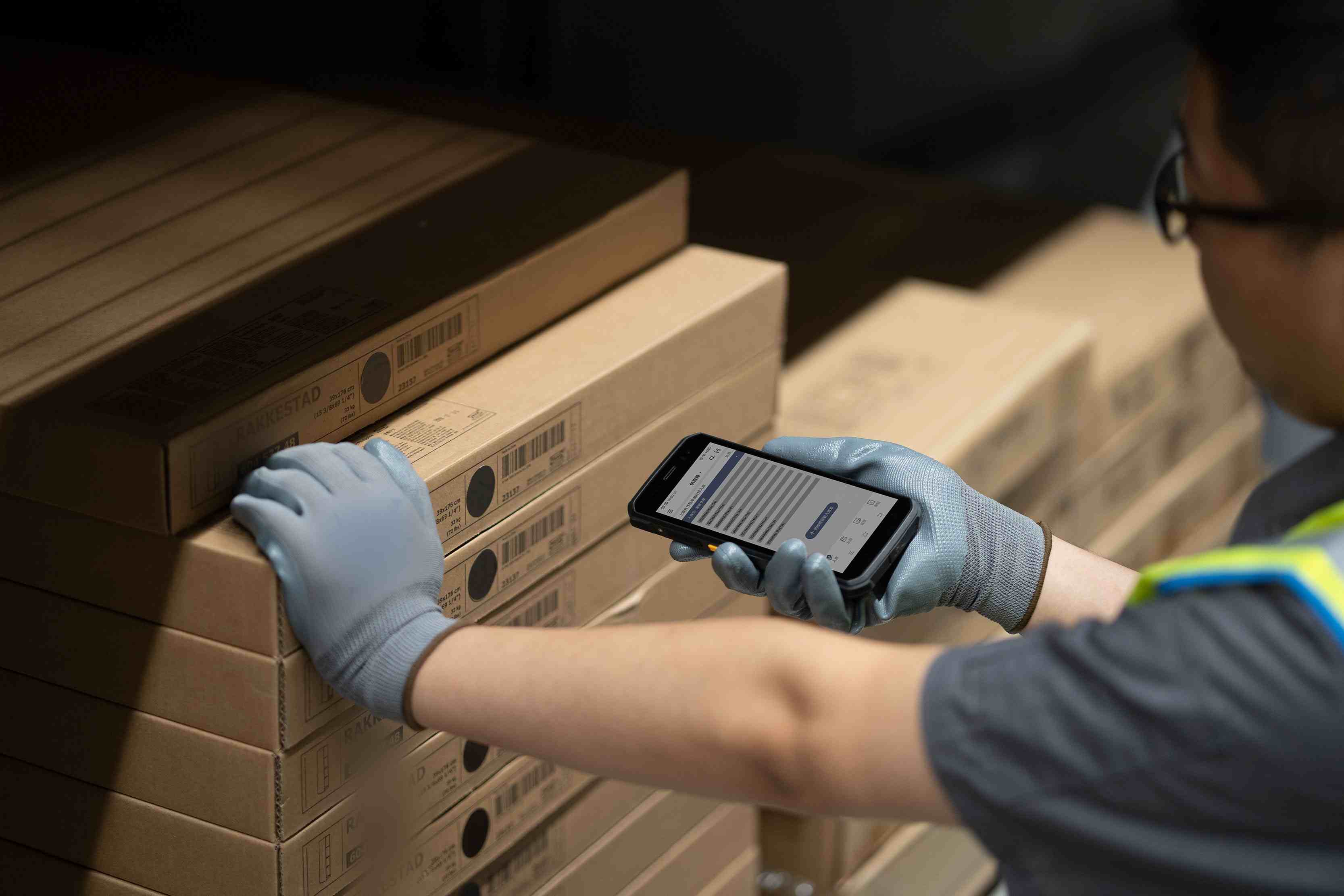
  • Rugged Mobile Computer PDA Scanners: Are They Worth the Investment?
    Rugged Mobile Computer PDA Scanners: Are They Worth the Investment?
    Jan 16, 2026
    In frontline operational settings such as warehousing and logistics, manufacturing workshops, outdoor inspections, or retail inventory counting, do you often see employees holding a device that looks "bulky" yet exceptionally durable? This is the rugged PDA or industrial PDA, also commonly known as a rugged handheld computer, rugged mobile computer, or handheld terminal. In specific contexts, you might hear terms like vehicle mount computer (for forklifts), rugged data collector, or simply a rugged handheld. They come with a hefty price tag—much higher than consumer-grade smartphones or tablets. A practical question faced by warehouse managers and IT directors is: Is this seemingly high expenditure an unnecessary cost, or a strategic investment that can deliver long-term returns? This article will delve into the core value of these rugged handheld devices and enterprise mobile computing solutions to help you make an informed decision between "purchasing" and "making do." Part 1: More Than Just "Durable": Understanding the True Essence of Rugged Handheld Devices Many people simply perceive them as "smartphones with a protective case," but that is far from accurate. A true industrial mobile device or ruggedized computer is a systematic engineering solution: ✔Comprehensive Durability: Not only do they meet MIL-STD-810G/H military standards, withstanding multiple drops from 1.5 meters or higher onto concrete surfaces, but they also boast an IP65/IP67 or higher ingress protection rating. This completely seals out dust and resists powerful water jets or temporary immersion, meaning these mobile data terminals (MDT) can operate reliably in harsh environments like rain, snow, dust, and grease. Designed for Professional Scenarios: ✔Outstanding Scanning Performance: Equipped with high-performance laser or imaging scan engines, these devices function as superior rugged barcode scanners. They are capable of quickly and accurately reading damaged, dirty, long-range, or on-screen barcodes/QR codes—a capability unmatched by standard smartphone cameras. ✔Exceptional Battery Life & Hot-Swappable Batteries: Supports prolonged, high-intensity operation. This is a key feature for any field service mobile computer or warehouse PDA, enabling "unlimited uptime" through battery swaps and preventing critical workflow interruptions. ✔Extreme Temperature Tolerance: Wide operating temperature range (e.g., -20°C to 50°C), making them ideal as cold chain handhelds or manufacturing PDAs. ✔Ergonomic Industrial Design: Touchscreens and physical buttons operable even with gloves, prominent scan/function keys, and adaptability to various working postures—essential for any Android industrial PDA. Part 2: Calculating the "Three Accounts": Return on Investment (ROI) Analysis To determine whether the investment is worthwhile, it’s essential to analyze the following key business accounts: 1. The Total Cost of Ownership (TCO) Account: Seemingly Expensive, Actually Cost-Saving Higher initial purchase cost, but significantly lower failure rates. Consumer-grade devices might break down within months in industrial settings, whereas a purpose-built rugged enterprise handheld or industrial handheld computer is typically designed for a service life of 5 years or more. What you save are the substantial hidden costs associated with frequent repairs, replacements, data loss, and business disruption. Lower management and maintenance costs are achieved through unified professional platforms, reducing the complexity for IT departments. 2. The Productivity & Accuracy Account: Directly Creating Value Speed Increase: Professional scan engines and optimized workflows on a rugged inventory scanner reduce each scanning and processing cycle by seconds, translating into remarkable man-hour savings. Error Rate Approaching Zero: Automated data capture using a data capture PDA eliminates manual entry mistakes, ensuring inventory accuracy and shipment correctness. Seamless Process Integration: Real-time data synchronization from these connected handhelds enables seamless coordination between warehousing, distribution, and sales.   3. The Risk & Reliability Account: Ensuring Business Continuity Device Downtime Risk: A single device failure in a critical role can halt an entire production line or delay deliveries. The reliability of a rugged mobile device acts as "insurance" for business continuity. Data Security Risk: Professional-grade security features and controllable enterprise management platforms offer better protection for business data. Employee Safety & Satisfaction: Easy-to-use, reliable handheld rugged computers reduce employee frustration and demonstrate the company’s care for frontline working conditions. Part 3: The Crucial Question: Does Your Business Really Need It? In the following scenarios, the answer is a clear "Yes": Harsh Environments: Outdoors, warehouses, factories, cold chain logistics, construction sites, etc. High Intensity of Use: Handheld PDAs are handled frequently throughout the day, with potential for drops and impacts. High Business Dependency: Core business processes (e.g., order picking, inventory counting, inspections) heavily rely on mobile computers for industrial use. High Cost of Error: A single data or shipping mistake can lead to significant losses or customer churn. Pursuit of Long-Term Operational Stability: Aim to avoid the management and training costs associated with frequent device turnover. Conversely, if your devices are only used for occasional scanning or presentations within a carpeted office, a consumer-grade tablet or smartphone with a protective case might suffice. Conclusion: A Strategic Tool, Not a Common Consumer Good So, back to the initial question: Are rugged PDAs and mobile computers worth the investment? For businesses that genuinely face industrial environment challenges, this is by no means a simple cost expenditure. It is a strategic investment that can significantly reduce hidden costs, enhance operational efficiency, safeguard core operations, and ultimately deliver substantial returns on investment. Recommendation for Decision-Making: When evaluating, do not merely compare the upfront price quotes of the devices themselves. Incorporate potential productivity losses, repair costs, business disruption risks, and error costs into your financial model. Partner with a reliable solution provider for field trials and a comprehensive ROI assessment. You will likely find that the long-term value of a rugged handheld terminal—one that fearlessly supports your employees on the front lines of business day after day, year after year—far outweighs its price tag. Investing in reliable productivity tools like industrial handheld computers is an investment in the resilience and future of your business itself. We are FYJ Company, a provider of integrated hardware and software solutions for PDAs. Tell us about the product you are interested in, and our team will reply to you within 2 hours with tailored resources like industry white papers, price quotes, or free trial access. ------------------------------------
    Read More
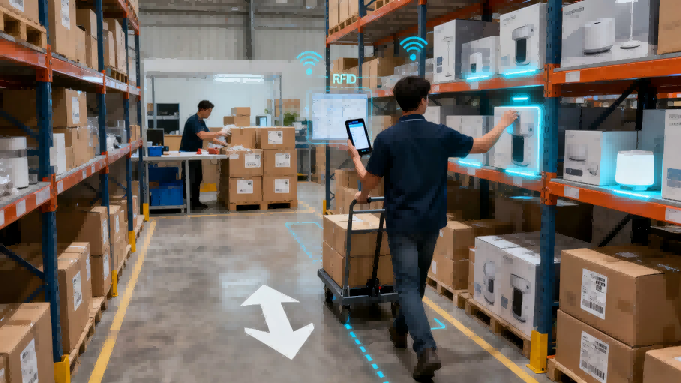
  • How to Choose the Right Mobile Computer PDA Scanner for Your Business: A Practical Guide
    How to Choose the Right Mobile Computer PDA Scanner for Your Business: A Practical Guide
    Jan 14, 2026
    In modern business operations, whether in warehousing and logistics, retail stores, or field services, mobile data collection devices have become essential tools for improving efficiency and reducing errors. However, with numerous models and varying features available in the market, how do you choose the rugged handheld computer that truly meets your business needs? This article outlines key considerations to help you make an informed decision.1. Define Your Core Business Scenarios The first step in selecting a device is to return to the fundamentals of your business:Environmental Requirements: Will it be used primarily indoors in warehouses, outdoors in the field, or in retail aisles? This determines the industrial PDA or commercial handheld's required protection rating and drop resistance.Scanning Targets: Will you mainly scan 1D barcodes, QR codes, or require long-range scanning? This relates to the type of scanning engine needed for your barcode scanner PDA.Usage Intensity: Is it for high-frequency use daily or intermittent operation? This impacts the rugged mobile computer's battery life and durability.   2. Key Features and Technical Parameters Explained When evaluating technical specifications for your enterprise mobility solution, focus on these core aspects:Operating System:Android: Highly flexible, rich app ecosystem, easy to customize and integrate, currently the mainstream choice for Android handheld terminals.Windows: May still be required for compatibility with certain traditional enterprise applications.   Scanning Performance:Laser Scanners: Fast and accurate for traditional 1D barcodes but unable to read QR codes on some industrial handheld computers.Imager Scanners: Capable of reading 1D/2D barcodes and capturing images, offering more comprehensive functionality for a mobile inventory scanner.Hardware and Durability:Industrial Grade: Suitable for harsh environments, typically featuring higher IP protection ratings and drop resistance. These rugged PDAs are built to last.Commercial Grade: Suitable for retail, light warehousing, balancing cost and performance in a handheld data terminal.Connectivity and Integration:Wireless Connectivity: Ensure support for Wi-Fi, Bluetooth, and consider whether cellular connectivity is needed for your wireless barcode scanner in field operations.Data Integration: The handheld computer should seamlessly integrate with your existing WMS, ERP, or POS systems.Battery Life and Ergonomics:The battery should last an entire shift; replaceable batteries are ideal for "uninterrupted operations" on any mobile worker device.Weight and screen visibility directly impact employee comfort and efficiency during prolonged use of the portable scanner.   3. Critical "Soft" Factors to Consider Software and Development Support: Does the vendor provide an easy-to-use SDK? This affects the ease of future customization for your mobile asset management tool.Total Cost of Ownership (TCO): Beyond the purchase price of the handheld scanner, consider ongoing costs such as software licenses, maintenance, and accessories.Vendor and Services: Choose a reputable vendor that offers local technical support and reliable warranty policies for your entergrade handheld.4. Recommendations for Typical Scenarios High-Intensity Warehousing and Logistics: Prioritize rugged mobile computers with high-performance imaging scan engines and large-capacity replaceable batteries.Retail and Store Inventory: Opt for lightweight handheld devices with an emphasis on screen display quality and scanning speed.Field Services and Delivery: Balance ruggedness and portability in a field mobility device. Cellular connectivity and GPS functionality are crucial.ConclusionChoosing a mobile computer PDA scanner is essentially about achieving a precise match between business needs, technical performance, user experience, and total cost. Before finalizing your decision, it is advisable to request sample handheld units for on-site testing. Investing in the right data capture device can not only immediately enhance operational efficiency but also lay a solid hardware foundation for your company's future digital transformation.A wise choice begins with a deep understanding of your business and is achieved through careful consideration of technical details. We hope this guide helps you cut through the clutter and find a reliable mobile productivity tool.We are FYJ Company, a provider of integrated hardware and software solutions for PDAs.Tell us about the product you are interested in, and our team will reply to you within 2 hours with tailored resources such as industry white papers, price quotes, or free trial access.  
    Read More
1 2 3 4 5 6 7
A total of7pages

leave a message

leave a message
Tell us about the product you are interested in, our team will reply to you within 2 hours with tailored resources like industry white papers, price quotes, or free trial access.
submit

home

products

WhatsApp

contact

Need Help? Chat with us

Start a Conversation

Hi! Click one of our members below to chat on