

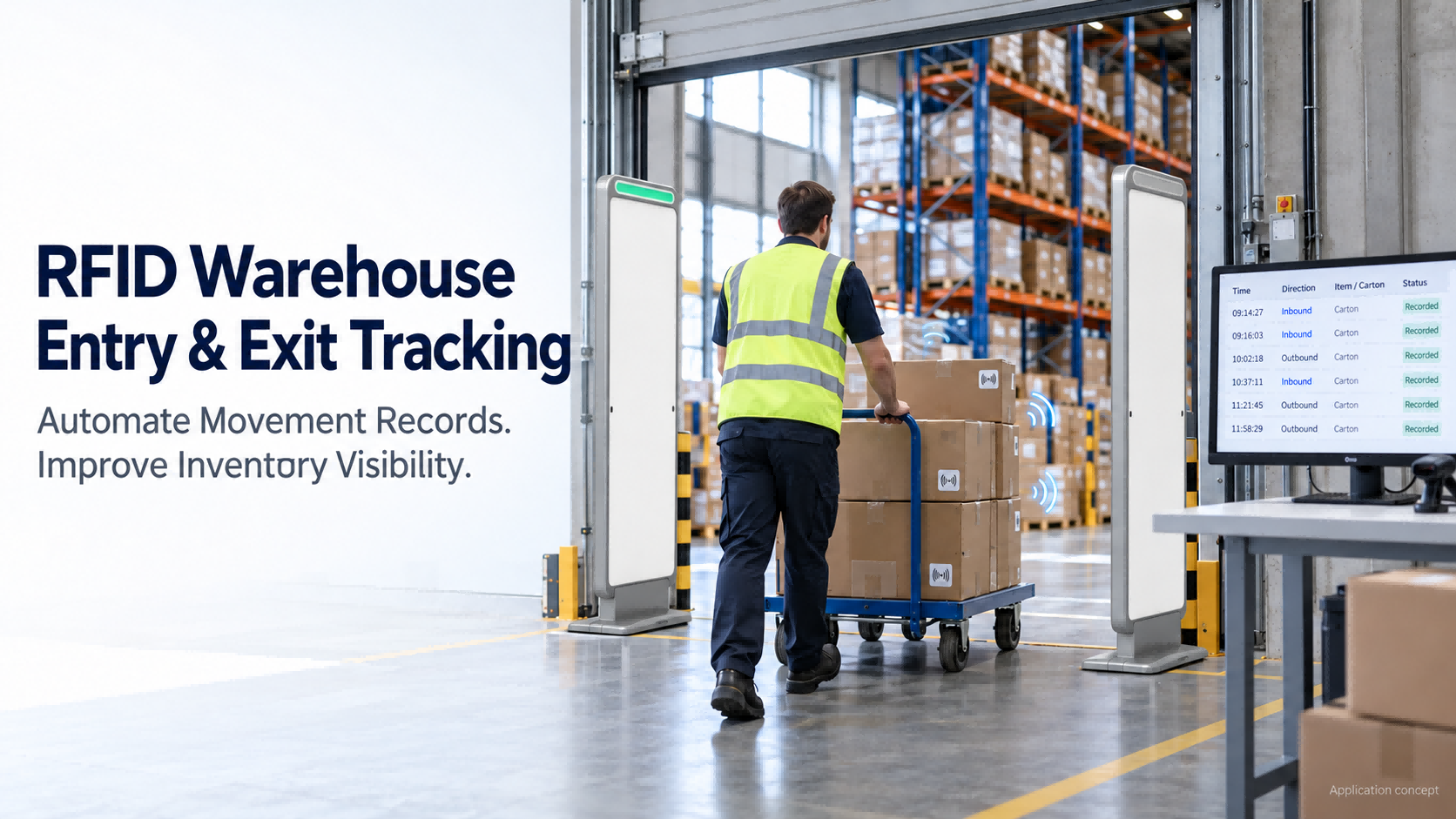
RFID automatic inbound and outbound management uses tagged goods, readers and software to record warehouse entry and exit events at designated checkpoints. The software links tag identifiers to product records, confirms the movement, and checks transaction rules before updating inventory or flagging an exception.
A typical setup includes:
| Component | Role |
| RFID tags | Identify individual items, cartons or pallets |
| Reader and antennas at the checkpoint | Capture tag readings as goods pass |
| Event-processing software | Filter readings and identify relevant movements |
| Warehouse software or an integrated business system | Match movements to products, orders and inventory records |
| Dashboard and optional alarm devices | Display activity and notify staff of exceptions |
Reader selection is covered in our separate guide to RFID gates, fixed readers and handheld devices. This article focuses on turning tag readings into reliable movement and inventory records.
When your products are stored in a distributor’s warehouse, how do you know when they arrive—and when they leave?
A Brazilian furniture hardware business brought this requirement to FYJ at the 140th Canton Fair. The company supplies products such as door handles, with multiple pieces packed in each box. It wanted its distributors to have a dedicated storage area for its products, with an RFID gate at the entrance to record goods moving in and out.
The customer was particularly interested in the management dashboard, automatic movement recording, and alerts for unauthorized removal.
A shipment confirmation tells a supplier what was delivered. It does not necessarily tell them what remains at the distributor’s premises today or when withdrawals happened.
RFID can help capture those movements. The first decision is what each tracked unit represents.
If a warehouse receives and issues sealed boxes, tagging each box may suit the process. The software can link that box to a product and its recorded packing quantity.
But what happens when someone opens a box and removes a few handles?
A tag on the box identifies the box. It does not independently detect changes to its untagged contents.
For example, a carton may be recorded as containing 50 handles. If an employee removes 10 untagged handles while the tagged carton stays on the shelf, an entrance reader alone cannot determine that 40 remain.
Partial withdrawals need a separate quantity-recording step, individual item identification, or another defined process.
This decision affects tag costs, staff procedures and the stock figures shown on the dashboard. Settle it before selecting the final configuration.
For hardware products, test tags on the actual packaging with the goods inside. Performance on an empty carton does not establish how the same label will perform beside closely packed metal parts.
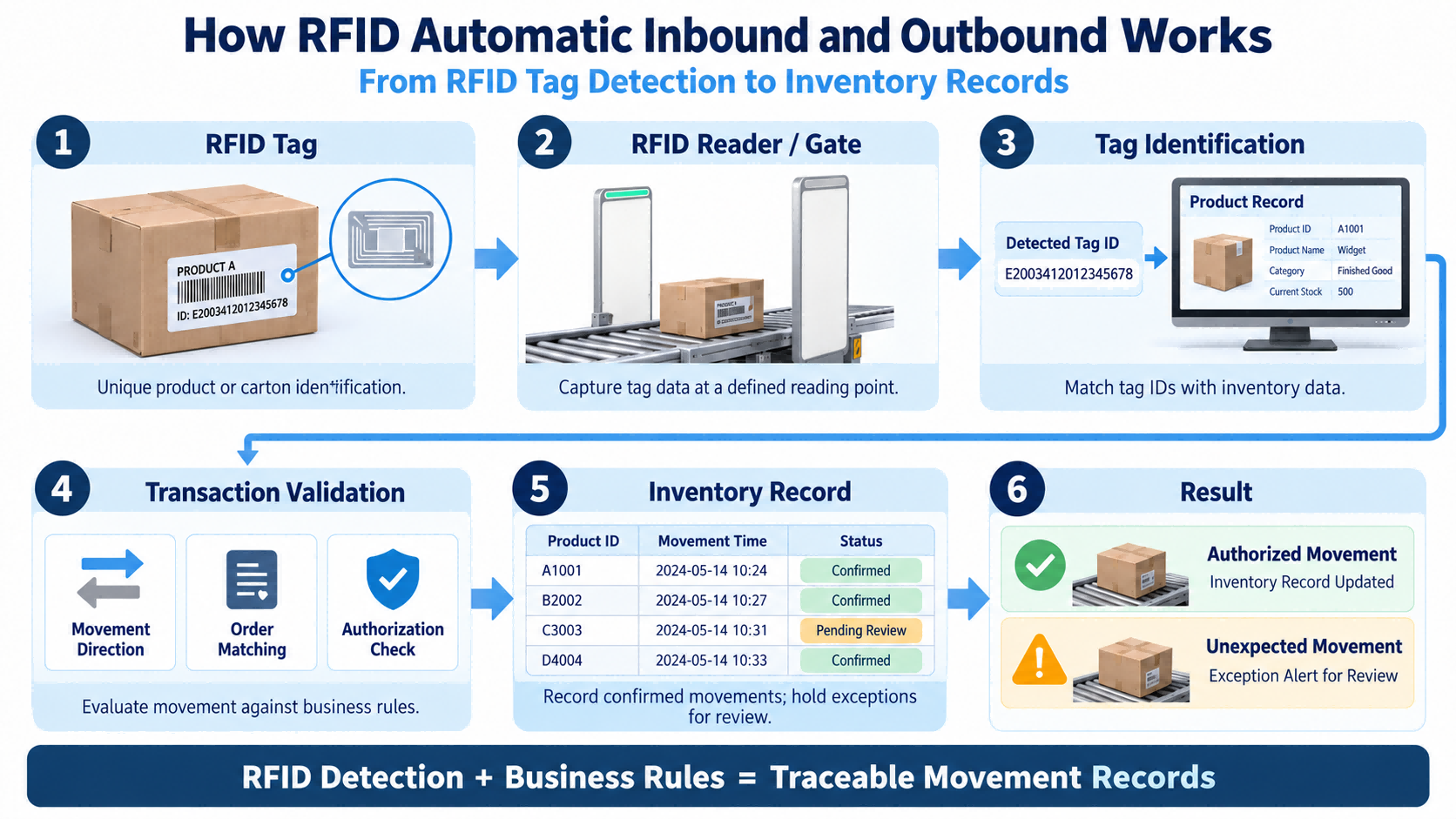
The workflow follows five stages:
Identify goods → Read tags → Confirm movement → Check the transaction → Record the result
Link the tag to the goods
Assign a unique identifier to each tracked unit and link it to the relevant product record.
For a carton, the record may include its product, packed quantity and assigned storage location. This relationship allows the software to translate a tag identifier into useful stock information.
Position the reading equipment where the relevant goods pass.
A dedicated storage-area entrance may be suitable if all stock movements use that route. Goods moved through another unmonitored opening will remain outside the checkpoint records.
The reading area also needs to distinguish passing goods from tagged stock nearby. Antenna configuration and reader power affect unwanted reads, so test the setup with the surrounding storage in place.
Detecting a tag near a doorway does not, by itself, establish movement direction.
The setup needs a defined way to distinguish entry from exit. Depending on the equipment, this may involve configured reading zones and supported movement-detection functions. Some RFID gateways use antenna arrays to monitor movement across zones.
Separate receiving and shipping checkpoints may use each checkpoint’s assigned role. A shared entrance needs a suitable direction-detection design.
Ask the supplier to demonstrate both directions with your goods, including stops and turnarounds.
The software checks the detected goods against the relevant receipt, shipment, transfer or other permitted movement.
A carton passing through the exit may match an approved shipping order. Another may have no matching authorization and require staff review.
Define when the transaction is completed automatically and when an employee must confirm it.
A reader can report a tag repeatedly while it remains within range. Reader settings can reduce duplicate reports, but the application still needs to prevent repeated inventory transactions.
The system should group relevant readings into a passage event and prevent that event from being posted twice, while allowing a later legitimate return or shipment.
One completed passage should produce the intended inventory record once.
An unauthorized outbound alert flags detected goods that do not meet the configured permission or transaction rules. Its usefulness depends on a clear response procedure.
| Detected situation | Example handling to define during setup |
| Goods match an approved outbound transaction | Complete or confirm the shipment |
| Goods have no matching authorization | Flag the movement and notify the responsible employee |
| Detected goods differ from the order | Display the discrepancy for verification |
| Passage or direction is unclear | Hold the event for review |
The available responses depend on the selected software and configuration.
An alarm does not physically stop goods from leaving. Staff response and access procedures remain part of the control process.
There is also an inventory question to resolve: if unauthorized goods physically leave, how will the system represent that departure?
Simply rejecting the shipment transaction could leave the dashboard showing stock that is no longer there. Agree on how to record and reconcile the exception, such as an unresolved movement awaiting investigation.
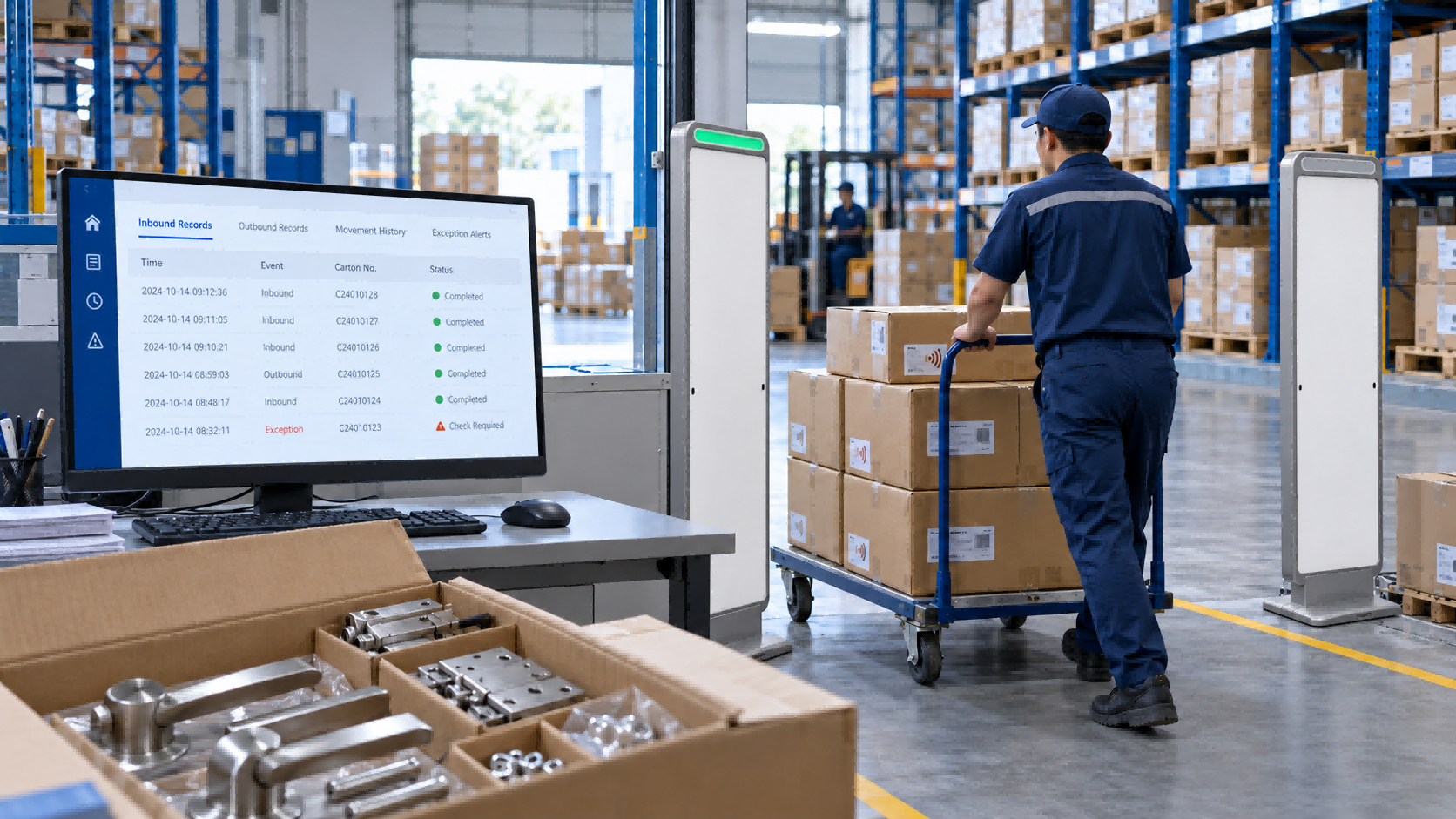
The Brazilian discussion was a customer requirement, rather than a completed deployment. It highlights five questions for this type of project:
Once these points are defined, a dashboard can present recorded arrivals and departures, stock by location, and unresolved exceptions.
For a supplier overseeing several distributor locations, these records can help answer practical questions: Which location received the goods? When was a withdrawal recorded? Which movement still needs checking?
If opened-box withdrawals are not recorded, entrance monitoring alone cannot provide dependable piece-level inventory.
If you already use a WMS, ERP or internally developed application, confirm who is responsible for the integration.
An SDK or API provides an interface. Your software provider or development team still needs to define how the application receives, processes and reconciles movement events.
Before implementation, agree on three responsibilities:
For example, if the connection drops while goods pass through the entrance, will those events be retained? When it returns, how will the system avoid losing records or posting them twice?
Our separate guide to adding RFID to an existing WMS, ERP or POS system discusses the integration options in more detail.
For businesses that need standardized visibility-event data exchange across systems, the GS1 EPCIS standard provides a useful technical reference. Whether it is needed depends on the project's integration and data-sharing requirements.
An Indonesian sheet-metal cutting service provider also discussed solutions it could recommend to its customers, including automatic inbound and outbound recording, outbound alarms, sound-and-light locating, and temperature and humidity monitoring.
These functions can complement movement tracking, but each needs its own scope. Sound-and-light locating helps staff find items; environmental sensors measure warehouse conditions. If automatic temperature or humidity control is required, specify the control equipment and actions separately.
Test with actual goods, normal packaging and the movement patterns employees will use. Verify both reading performance and the resulting business records.
| Test | What to verify |
| Normal inbound and outbound passage | Expected identifiers and correct direction |
| Mixed loads and densely packed cartons | Read results against a known expected list |
| Goods stopping or turning around | No false completed movement |
| Tagged stock beside the entrance | Stationary goods do not create false transactions |
| Repeated reads followed by a later return | One passage is posted once; the later movement is still recorded |
| Approved and unapproved outbound goods | Correct authorization check and exception response |
| Opened cartons and partial withdrawals | Quantities follow the agreed recording process |
| Interrupted connection and recovery | Pending events are handled without lost or duplicate transactions |
Agree measurable acceptance criteria before the trial. Review missed tags, unwanted reads, direction errors and duplicate transactions separately.
Include the employees who will use the system. They need to know how to verify an exception, record a partial withdrawal and correct a disputed movement.
A successful tag read confirms only one part of the workflow. The trial should demonstrate that the resulting records are also correct.
Can RFID automatically record goods entering and leaving a warehouse?
Yes, with a suitable reading setup and software that converts confirmed movements into the required records. Tagging, installation and transaction rules must match the warehouse workflow.
Can a carton tag track every product inside the box?
A carton tag can be linked to a recorded packing quantity. It does not independently verify each untagged item or detect partial withdrawals. Those changes require a separate recording process or suitable individual identification.
Can RFID prevent unauthorized removal?
RFID can support detection and alerts when movements violate configured authorization rules. Staff response and physical access controls determine how an incident is handled.
Will repeated RFID reads cause duplicate stock deductions?
They should not in a correctly designed workflow. The system needs to group relevant readings into movement events and prevent the same event from creating repeated inventory transactions.
Planning an RFID Warehouse Entry and Exit Project?
For an initial discussion with FYJ, share:
These details help FYJ assess the tagging approach, reading-point layout and integration scope, then define what a practical trial should demonstrate.
For a distributor’s storage area, the trial may start with one entrance and a representative group of products. The aim is to confirm that physical movements become accurate, reviewable records before expanding the setup.
Guangzhou Fengyijie Electronic Technology Co., Ltd. (FYJ) provides RFID and barcode hardware, warehouse management software, fixed asset management solutions and integration support. FYJ helps businesses evaluate configurations based on their products, warehouse layout, existing systems and operating requirements.
Hi! Click one of our members below to chat on
 en


 IPv6 network supported