banner

Blog

Home

Blog

  • AI RFID Gates Are Changing Retail Loss Prevention: How FYJ Omni-Eye Improves Entry and Exit Recognition
    AI RFID Gates Are Changing Retail Loss Prevention: How FYJ Omni-Eye Improves Entry and Exit Recognition
    Sep 11, 2026
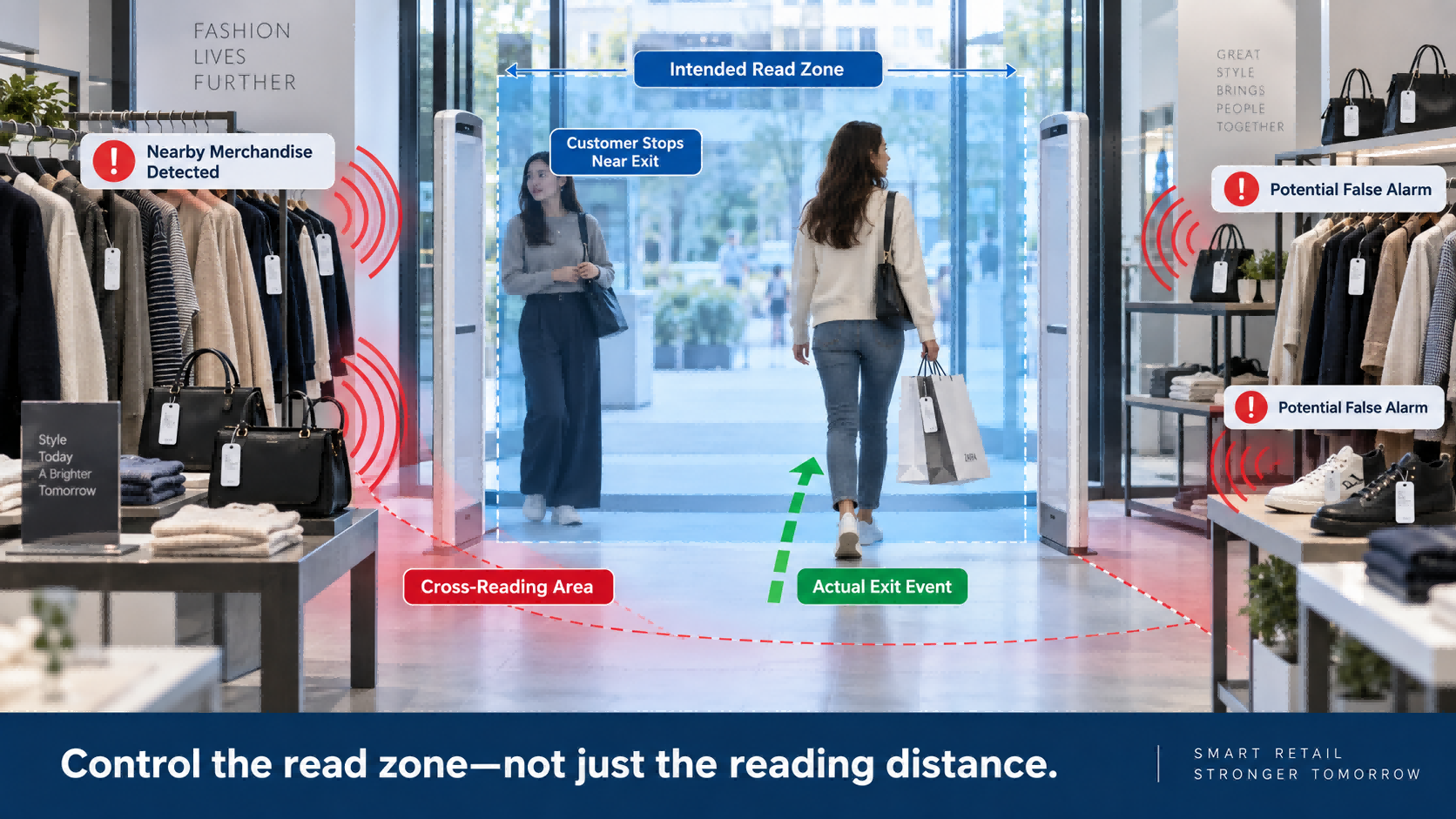
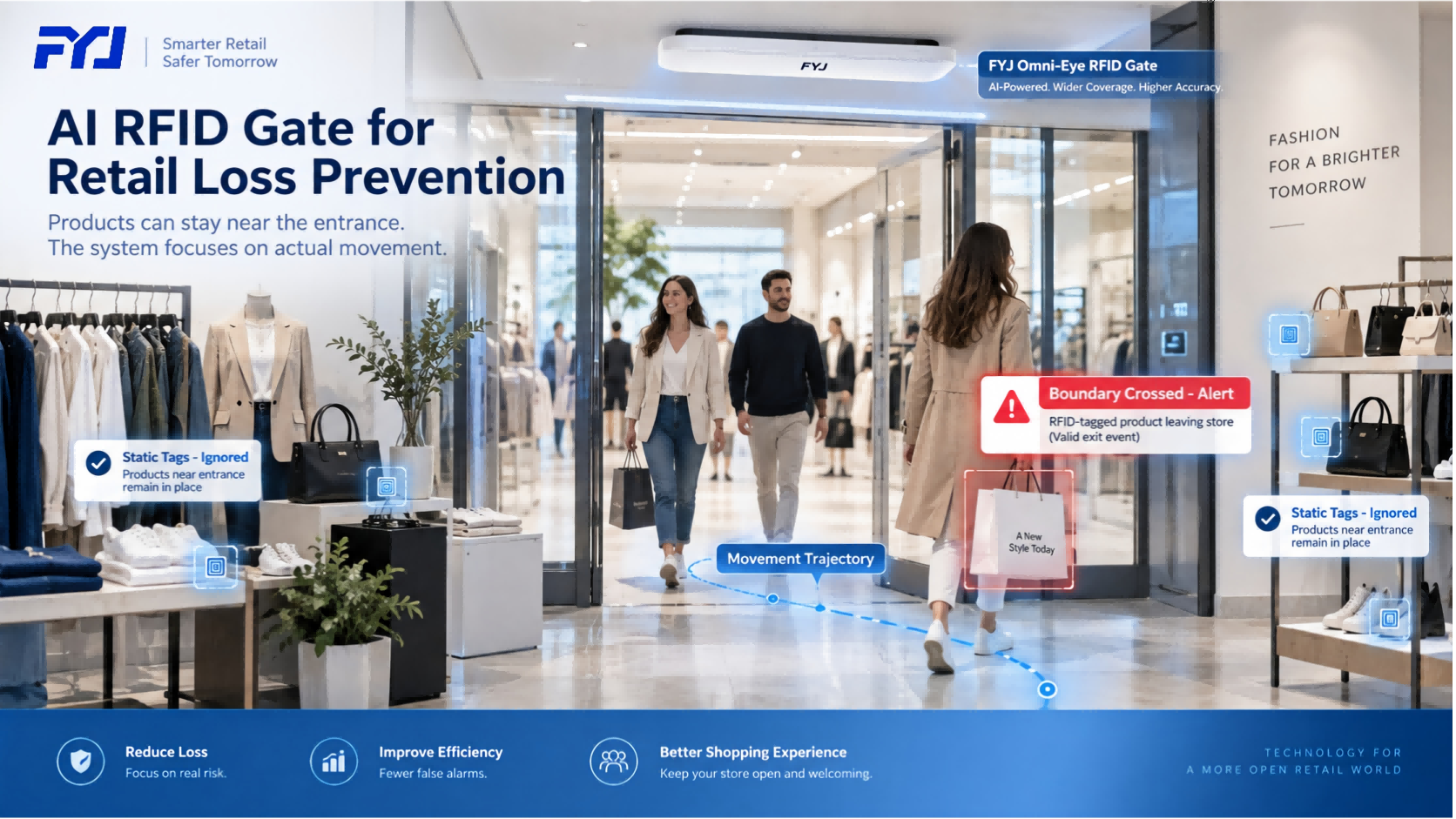
      RFID security gates have been used in retail for years. The traditional logic is simple: when a tag is detected near the exit, the system decides whether an alarm should be triggered. That approach works in simple environments. But modern retail stores are becoming more difficult. Products are displayed closer to entrances. Customers may stop near the door, try on shoes or clothing, walk back and forth, or carry several items together. At the same time, retailers want to use every part of the store efficiently instead of leaving a large empty area around the RFID gate. This creates a problem: How can an RFID gate tell the difference between a tag that is simply nearby and an item that is actually leaving the store? The FYJ AI Omni-Eye RFID Gate approaches this problem differently. Instead of treating every detected RFID signal as an event, the system analyzes the movement of RFID tags through space and uses AI-based trajectory recognition to determine whether an item has actually crossed the monitored boundary. That changes how RFID access control can be used in retail.   Why Traditional RFID Gates Can Be Difficult in Retail Stores   A retail entrance is rarely a controlled environment. Customers stop, turn around, browse nearby shelves and move unpredictably. Products may also be placed very close to the entrance. For a conventional RFID gate, this can create several challenges: - Tags near the entrance may be read even when products are not leaving - Static merchandise may interfere with moving tags - Multiple products may pass through the gate together - Fast movement can make identification more difficult - Store layouts may require repeated parameter adjustment - False alarms can interrupt both customers and employees When false alarms happen too often, staff gradually stop trusting the system. That is why RFID gate performance should not be evaluated only by reading distance. The more important question is: Can the system understand whether the tagged item actually crossed the boundary?     1. The Entrance Area Can Become Usable Retail Space Again   One practical problem we often see in RFID retail projects is the area around the entrance. With conventional RFID gates, retailers may deliberately keep products away from the gate because nearby tags can create interference or unwanted reads. That means valuable display space is lost. The FYJ Omni-Eye RFID Gate uses phase trajectory analysis and movement recognition to distinguish between products that remain inside the store and products that actually move through the exit. This means merchandise such as: - Clothing - Shoes - Bags - Accessories - Other RFID-tagged products can be positioned closer to the entrance without relying only on distance from the reader to prevent unwanted alarms. A customer may stand nearby, stop, turn around or move around the entrance area. The important factor is not simply whether the tag can be read. It is how the tag moves. This gives retailers more flexibility when planning store displays and customer flow.   2. From “Tag Detected” to “Movement Understood”   Traditional RFID access control often relies heavily on whether a tag has entered a readable zone. The Omni-Eye system looks at more information. For each RFID tag, the system can analyze changes in its phase trajectory and movement process to determine its direction and relationship to the monitored boundary. Instead of making a decision from a single signal event, the system evaluates a continuous movement process. Think of the difference this way: Traditional logic Tag detected → Process tag → Decide whether to alarm Trajectory-based logic Tag detected → Track movement → Analyze direction → Determine whether boundary was crossed → Decide whether to alarm That extra layer of movement analysis is what makes the system better suited to complex retail entrances.   3. Cross-Reading Becomes Easier to Control   Cross-reading is one of the most common problems in RFID projects. A reader may detect tags that are physically close to the entrance but are not part of the actual entry or exit event. Examples include: - Clothing displayed beside the entrance - Products placed on a nearby shelf - Items carried by customers who remain inside the store - Static RFID tags within the reader's surrounding range If every readable tag is treated as an exit event, unnecessary alarms become difficult to avoid. The FYJ Omni-Eye RFID Gate does not rely only on whether a tag is visible to the reader. It also considers whether the tag is moving and how that movement changes over time. Static or unrelated tags can therefore be treated differently from tags actually moving through the monitored passage. For retailers, this means fewer situations where store layout has to be redesigned simply to accommodate the RFID gate.   4. Multiple Items Moving Together Are a Real Retail Scenario   A customer rarely carries products one by one. They may leave with: - Several garments stacked together - Shoes inside a shopping bag - Multiple accessories - Products partially blocked by other items These situations are much harder than reading a single RFID tag in an open environment. The Omni-Eye RFID Gate continuously analyzes the movement process of multiple tags as they pass through the monitored area. This makes it suitable for dynamic multi-tag environments, where several RFID-tagged products may enter or exit at the same time. The goal is not simply to maximize raw tag reads. It is to connect those reads with actual movement. That distinction becomes especially important in busy stores.   5. Fast Movement Should Not Mean Unclear Movement   Another challenge appears when customers walk quickly through an entrance. The system has less time to collect information. A simple threshold-based system may have difficulty deciding whether the tag: - was only briefly detected, - was near the entrance, - or actually crossed the exit. Trajectory recognition gives the system more context. As the RFID tag moves, its changing signal characteristics create a movement pattern. The Omni-Eye algorithm analyzes that pattern to determine the entry or exit relationship rather than making the decision from one isolated read. This is particularly useful in: - High-traffic retail stores - Fashion stores - Footwear stores - Bag and accessory stores - Busy entrances with frequent customer movement   6. Less Dependence on Repeated Onsite Tuning   RFID project teams know that installation is only part of the work. The more difficult part can be commissioning. Traditional gates may need repeated adjustment according to: - Shelf position - Merchandise density - Entrance width - Tag orientation - Customer traffic patterns - Surrounding RFID signals Move a shelf, change the display or redesign the entrance, and the parameters may need to be checked again. The FYJ Omni-Eye RFID Gate is designed to reduce this dependency. Because movement judgment is based on tag trajectory rather than only fixed signal thresholds, the system can handle more of the recognition logic at the device level. The current Omni-Eye design is intended for plug-and-play deployment with no repeated onsite parameter tuning required. The product can be installed and put into operation with significantly less environment-specific adjustment.  For one store, that saves commissioning time. For a retailer opening dozens of locations, the difference becomes much more important.   7. Why This Matters for System Integrators   The value of an RFID product is not determined only by its laboratory performance. For integrators, another question matters: Can the same solution be deployed repeatedly across different customer sites? Every retail store is different. One location may have a narrow entrance. Another may place shelves close to the door. A third may have heavy customer traffic. If every project requires extensive manual tuning, rollout becomes slower and more expensive. A gate that can deal with more environmental differences through its own recognition logic makes standardized deployment easier. That can help reduce: - Commissioning time - Repeated site visits - Parameter adjustment - Maintenance workload - Differences between store deployments For multi-store RFID projects, repeatability can be just as important as reading performance.   8. Edge AI Allows Decisions to Be Made Locally   The Omni-Eye RFID Gate does not simply send raw tag data elsewhere and wait for another system to make the decision. Its hardware architecture includes local processing for RFID movement analysis. The source design combines RFID reader hardware with AI edge processing so trajectory information can be evaluated locally. Local processing helps reduce the delay between: Tag Movement → Recognition → Decision → Alarm This is particularly useful for access control, where the system needs to react while the person or item is still passing through the entrance. The result is a more complete edge device rather than only an RFID data collection point.   9. Ceiling-Mounted Design Changes the Physical Store Layout   Many traditional RFID security gates occupy floor space on both sides of an entrance. That can affect: - Store appearance - Customer flow - Entrance width - Product display - Installation design The FYJ Omni-Eye RFID Gate uses a ceiling-mounted structure. The reader sits above the monitored area rather than beside it. For modern retail stores, this creates a cleaner entrance while keeping the RFID monitoring hardware out of the main customer path. The current configuration can also be expanded with auxiliary Omni-Eye units to support monitoring widths of up to 6 meters, providing more flexibility for wider entrances.    10. RFID Gates Are Becoming More Than Anti-Theft Devices   The role of an RFID gate is changing. In the past, the main question was: Did an unpaid product leave the store?   That is still important. But retailers are now asking broader questions: - Which items entered or exited? - In which direction did they move? - Can nearby products remain on display without causing interference? - Can several tagged items move together? - Can entrance monitoring integrate with inventory or retail software? - Can the same hardware architecture be deployed across multiple stores? Once an RFID gate can identify movement more intelligently, it becomes part of a larger retail data infrastructure. The same entry and exit events can potentially support workflows involving inventory movement, store management and asset monitoring when integrated with the appropriate software platform.   Where Does an AI RFID Gate Make the Most Sense?   The Omni-Eye approach is especially relevant when a project has one or more of these conditions:   Retail Scenario Why It Matters Merchandise close to entrance Helps distinguish static products from actual exit movement High customer traffic Better suited to frequent movement around the entrance Multiple items carried together Supports dynamic multi-tag recognition Wide entrances Ceiling architecture can support broader monitoring areas Multiple store locations Reduced tuning helps standardize deployment Store design matters Ceiling installation avoids floor-standing gate structures Frequent false alarms Movement analysis provides more context than signal detection alone   This does not mean every retail store automatically needs an AI RFID gate. A simple environment with limited traffic and a clear entrance may work well with a conventional RFID gate. The value becomes clearer as the environment becomes more complex.   What Should Retailers Ask Before Choosing an RFID Gate?   Before comparing individual products, ask: 1. Are products displayed close to the entrance? If yes, cross-reading and static tag filtering matter. 2. How wide is the entrance? This affects antenna and system architecture. 3. Do customers frequently stop or move around near the exit? Movement recognition becomes more important. 4. Will several products move through the gate at the same time? Multi-tag performance should be tested. 5. How much onsite tuning is acceptable? This matters greatly for multi-store rollout. 6. Does the gate need to connect with existing retail or inventory software? Hardware should be evaluated together with system integration requirements.   FYJ's Approach to RFID Retail Access Monitoring   At FYJ, we see RFID access control as one part of the overall retail workflow. RFID tags, printers, handheld readers, checkout devices, access control hardware and software ultimately need to work together. The Omni-Eye RFID Gate adds a more intelligent movement-recognition layer at the store entrance. Rather than treating every detected RFID tag as an alarm candidate, the system focuses on understanding: Where is the tag moving, and did it actually cross the monitored boundary? That is a small change in the question, but a major change in how RFID gate data can be interpreted. For retailers and system integrators dealing with complex entrances, dense product displays or multi-store deployments, this provides another way to improve RFID access monitoring without designing the entire store around the gate.   FAQ   What is an AI RFID gate? An AI RFID gate combines RFID tag detection with algorithms that analyze tag movement, trajectory or other signal changes to make more informed entry and exit decisions. How is the FYJ Omni-Eye different from a traditional RFID gate? Traditional gates often rely heavily on whether a tag is detected within a reading zone. Omni-Eye analyzes the movement trajectory of the tag to determine whether it actually crosses the monitored boundary. Can products be placed near the RFID gate? The trajectory-based recognition approach is designed to better distinguish static or nearby tags from products actually moving through the entrance, making entrance merchandising more flexible. Does the Omni-Eye RFID Gate require onsite tuning? The current design supports plug-and-play deployment and is designed to reduce repeated onsite parameter tuning. Can the system recognize multiple RFID tags at once? Yes. The product is designed for dynamic multi-tag recognition scenarios. Is the RFID gate suitable only for retail? No. The same technology can also be applied to warehouses, asset rooms, libraries, archives and other environments requiring RFID entry and exit monitoring.   Conclusion   The next generation of RFID gates is not simply about reading tags from farther away. It is about understanding what those tags are actually doing. In a modern retail store, a product can be close to the entrance without leaving. A customer can stop, turn around or carry several products together. The store should not have to sacrifice valuable display space simply because an RFID reader is nearby. By combining AI-based phase trajectory recognition, multi-tag processing, edge computing and ceiling-mounted hardware, the FYJ Omni-Eye RFID Gate is designed to make RFID access monitoring better suited to those real-world conditions. For retailers, that can mean fewer unnecessary interruptions and more flexible store layouts. For system integrators, it can mean easier deployment and a solution that is more practical to reproduce across multiple locations.
    Read More
  • Cloud WMS vs On-Premise WMS: Which Deployment Model Is Right for Your Warehouse? (2026)
    Cloud WMS vs On-Premise WMS: Which Deployment Model Is Right for Your Warehouse? (2026)
    Sep 08, 2026
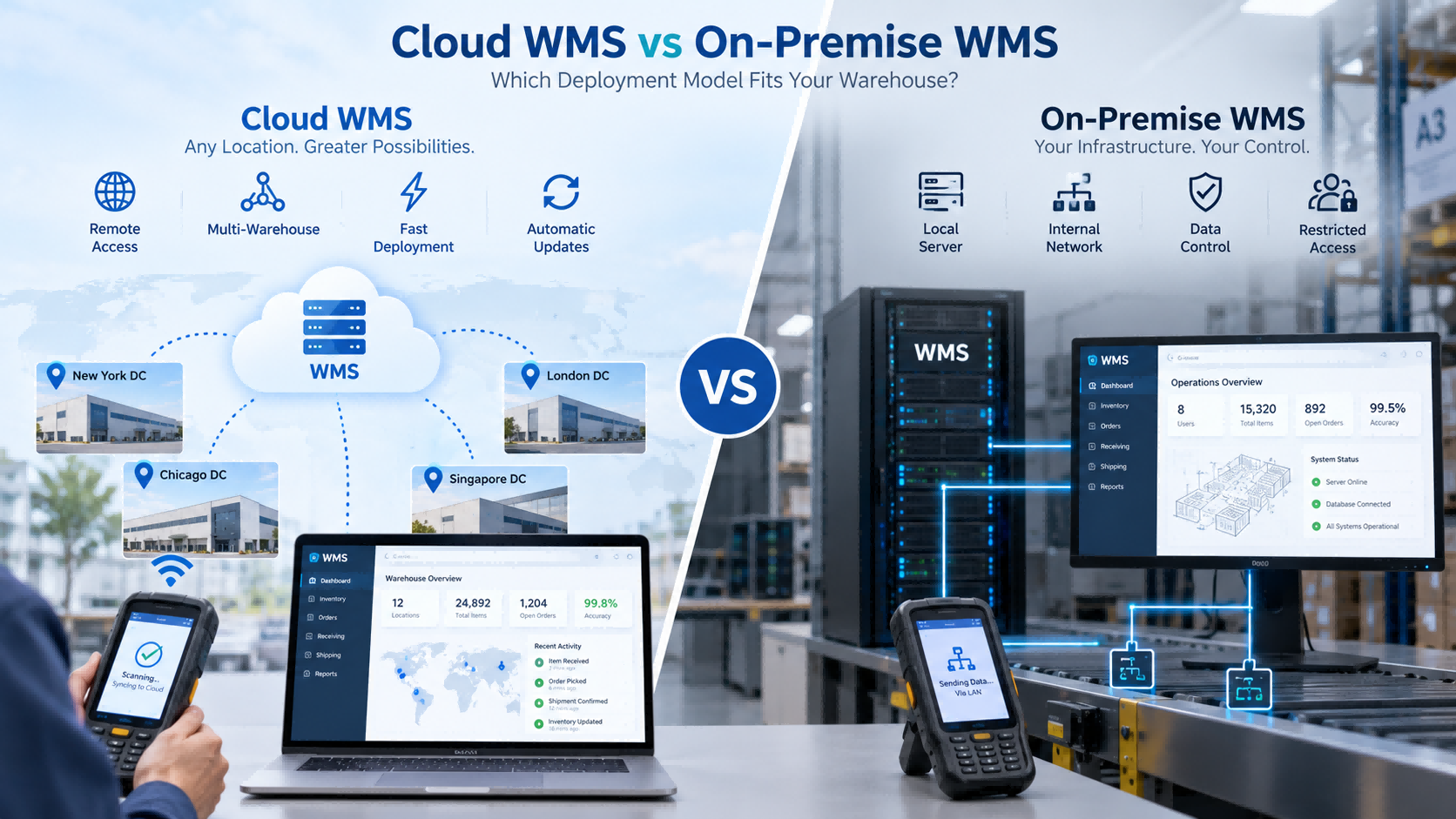
    Choosing a WMS is not only about functions. You also need to decide where the system will run. For most businesses, that means choosing between: Cloud WMS and On-Premise WMS Both can support receiving, putaway, inventory, picking, shipping, barcode scanning, handheld PDA operations, and ERP integration. The difference is mainly in how the system is hosted, maintained, accessed, and controlled.     Quick Answer   Choose Cloud WMS if you want: faster deployment less local IT infrastructure easier multi-site access simpler updates easier remote support   Choose On-Premise WMS if you need: internal network deployment local server control restricted external access company-managed databases specific IT or security policies   For many small and medium warehouses, cloud is easier to start with. But if your IT policy requires the system to stay inside your own network, the decision changes immediately.   What Is Cloud WMS? Cloud WMS is hosted on cloud infrastructure and normally accessed through a browser or network connection. Warehouse operators may still use the same hardware: handheld PDA barcode scanner barcode printer RFID reader The difference is where the central system runs. A typical structure is:   PDA → Network → Cloud WMS   Cloud deployment is often chosen by companies that want faster rollout, centralized access, and less local server maintenance.   What Is On-Premise WMS? On-Premise WMS runs inside the customer's own IT environment. A typical structure is:   PDA → Internal Network → Local Server   This usually means the customer is responsible for more of the infrastructure, including: server database network backups system maintenance This model is often chosen when the system must stay inside an internal network or when company policy limits external access.   Cloud WMS vs On-Premise WMS: Main Differences   Factor Cloud WMS On-Premise WMS Deployment Usually faster More infrastructure preparation Local Server Usually not required Usually required IT Maintenance Lower internal burden More internal responsibility Multi-Site Access Easier Depends on network design Remote Access Easier Requires configuration Updates Usually provider-managed Usually customer-managed Data Environment Cloud-hosted Customer-controlled Internal Network Only Less suitable in some cases Often more suitable Scalability Easier to expand Depends on local infrastructure     This table gives a quick overview, but the real decision usually comes down to your IT environment.     Cost, Deployment and Maintenance   Cloud WMS usually reduces the need to build local server infrastructure before launch. That can make implementation faster, especially for smaller companies without a dedicated IT team. On-Premise requires more preparation. The organization may need to configure: servers databases network permissions backup policies internal access Cost also works differently. Cloud WMS usually involves software subscription, users, modules, implementation, and connected hardware. On-Premise may involve more upfront infrastructure and ongoing internal maintenance. The important question is not simply: Which one is cheaper? A better question is: Which model creates less total IT workload and cost for our company over the next few years?   Real FYJ Project Experience: Cloud WMS for a High-Volume E-Commerce Warehouse   In one FYJ warehouse project in Thailand, the customer handled around 500 orders per day and approximately 3,000 SKUs. The project used a Cloud WMS together with barcode printing and scanning, replenishment alerts, ABC and slow-moving inventory management, multi-warehouse functions, and mobile picking. After implementation: Inventory accuracy improved from 92% to 99.5% Shipping errors decreased from 3% to 0.5% Warehouse walking distance decreased by about 40% Inventory turnover improved from 75 days to 45 days Daily closing could be completed in under 10 minutes For this type of operation, cloud deployment made sense because the warehouse needed centralized, mobile, and multi-warehouse access without building a more complex local server environment.   Multi-Warehouse and Remote Access   This is where Cloud WMS often has a practical advantage. If a company operates several warehouses, cloud deployment makes it easier for headquarters and different locations to use the same platform. Management can view: stock by warehouse transfers inbound status outbound status inventory changes without maintaining separate local systems. On-Premise can also support multiple warehouses, but the company usually needs more internal network planning between sites. For a single warehouse, this difference may not matter much. For five or ten locations, it becomes much more important.   What Happens If the Internet Goes Down?   This is one of the most practical questions buyers should ask. Cloud WMS depends more heavily on network connectivity. Before choosing it, ask: Can the PDA work offline? Can transactions be stored temporarily? What happens during receiving if the network fails? What happens during picking? How does data synchronize after reconnection? For warehouses with unstable internet, this can be more important than many software features. On-Premise systems can often continue operating inside the local network, depending on the architecture.   When Local Deployment Becomes the Obvious Choice   In some FYJ projects, the deployment model is actually decided before software functions are discussed. If the customer's requirements include: internal network only local server restricted external access company-controlled database strict IT policy then cloud deployment may already be unsuitable. FYJ's software portfolio supports both cloud deployment and local/private deployment, allowing the architecture to be selected according to the customer's IT environment. This is an important point: On-Premise should not be chosen simply because it “sounds more secure.” It should be chosen when local control is a real requirement.   ERP Integration: Cloud or On-Premise Can Both Work   ERP integration is not determined only by the deployment model. Both Cloud and On-Premise WMS can integrate with ERP if the systems provide suitable interfaces. Before implementation, define: Where are SKUs created? Where are purchase orders created? Where are sales orders created? Which system owns inventory? How are adjustments synchronized? Is real-time synchronization required? If these questions are not clear, employees may end up entering the same transaction twice. That defeats one of the main reasons for introducing WMS.   Does Deployment Change Warehouse Hardware?   Usually, not much. Both models can use: handheld PDA barcode scanner barcode printer RFID handheld reader fixed RFID reader RFID printer barcode or RFID labels The warehouse operator may perform exactly the same action: Scan Product → Scan Location → Confirm Quantity What changes is where the data goes. Cloud PDA → Network → Cloud WMS On-Premise PDA → Internal Network → Local Server So Cloud vs On-Premise is mainly a software architecture decision, not a warehouse hardware decision.     Which Model Fits Your Warehouse?   Choose Cloud WMS when: you want faster deployment your IT team is small you have several warehouses remote access is important your internet connection is reliable you expect the operation to grow   Choose On-Premise WMS when: the warehouse must operate inside an internal network external access is restricted the company requires local servers IT staff want direct infrastructure control company policy requires local deployment   If both models are technically possible, then compare total cost, IT workload, scalability, and future integration needs.   WMS Deployment Decision Matrix   Your Situation Better Starting Point Small IT team Cloud WMS Need fast rollout Cloud WMS Several warehouse locations Cloud WMS Remote access required Cloud WMS Rapid expansion expected Cloud WMS Internal network only On-Premise Local server required On-Premise External internet restricted On-Premise Company controls IT infrastructure On-Premise may fit ERP integration required Either Barcode or RFID required Either Internet is unstable Evaluate  On-Premise or offline capability   Questions to Ask a WMS Supplier   Before deciding, ask: Do you support Cloud, On-Premise, or both? Where will our data be stored? Who manages backups? Who handles updates? What happens if the internet fails? Can handheld PDAs work offline? Can several warehouses use the same system? Can the WMS integrate with our ERP? What IT infrastructure is required? Can the deployment model change later? If a supplier cannot answer these clearly, the deployment architecture is probably not fully defined yet.   How FYJ Approaches WMS Deployment   FYJ supports both cloud-based and local warehouse management deployment. The choice usually starts with a few practical questions: How many warehouses are involved? Does headquarters need remote access? Is the internet reliable? Does the customer have an internal IT team? Is local deployment required? Does WMS need ERP integration? Will operators use handheld PDAs? Will barcode be enough, or is RFID required? The deployment model is selected after these requirements are clear. In practice, we do not recommend Cloud or On-Premise simply because one is newer. The system has to fit both the warehouse workflow and the customer's IT environment.   Frequently Asked Questions   Is Cloud WMS better than On-Premise WMS? Not always. Cloud WMS is often easier to deploy and maintain. On-Premise is more suitable when internal network or local server control is required. Is Cloud WMS cheaper? It may reduce upfront infrastructure cost, but total cost still depends on subscriptions, users, integration, hardware, and long-term operation. Does Cloud WMS require internet access? Usually yes. Ask whether the system or PDA supports offline workflows when connectivity is interrupted. Is On-Premise WMS more secure? Not automatically. It gives the customer more direct control over the local environment, but actual security depends on system design, access control, maintenance, and IT management. Can both models integrate with ERP? Yes, if suitable APIs or integration methods are available. Can Cloud and On-Premise WMS both support barcode and RFID? Yes. Barcode and RFID are data collection technologies and can be used with either deployment model when supported by the software.   Conclusion   Cloud WMS and On-Premise WMS can both support warehouse operations effectively. For many growing warehouses, Cloud WMS is easier to deploy and scale. For organizations with controlled internal networks or strict local infrastructure requirements, On-Premise may be the more practical choice. The key question is not: Which model is better? It is: Which model fits our IT environment, warehouse workflow, and future growth? That is the decision that should guide the WMS project.
    Read More
  • How to Choose Warehouse Management Software for Inbound and Outbound Operations (2026 Guide)
    How to Choose Warehouse Management Software for Inbound and Outbound Operations (2026 Guide)
    Aug 27, 2026
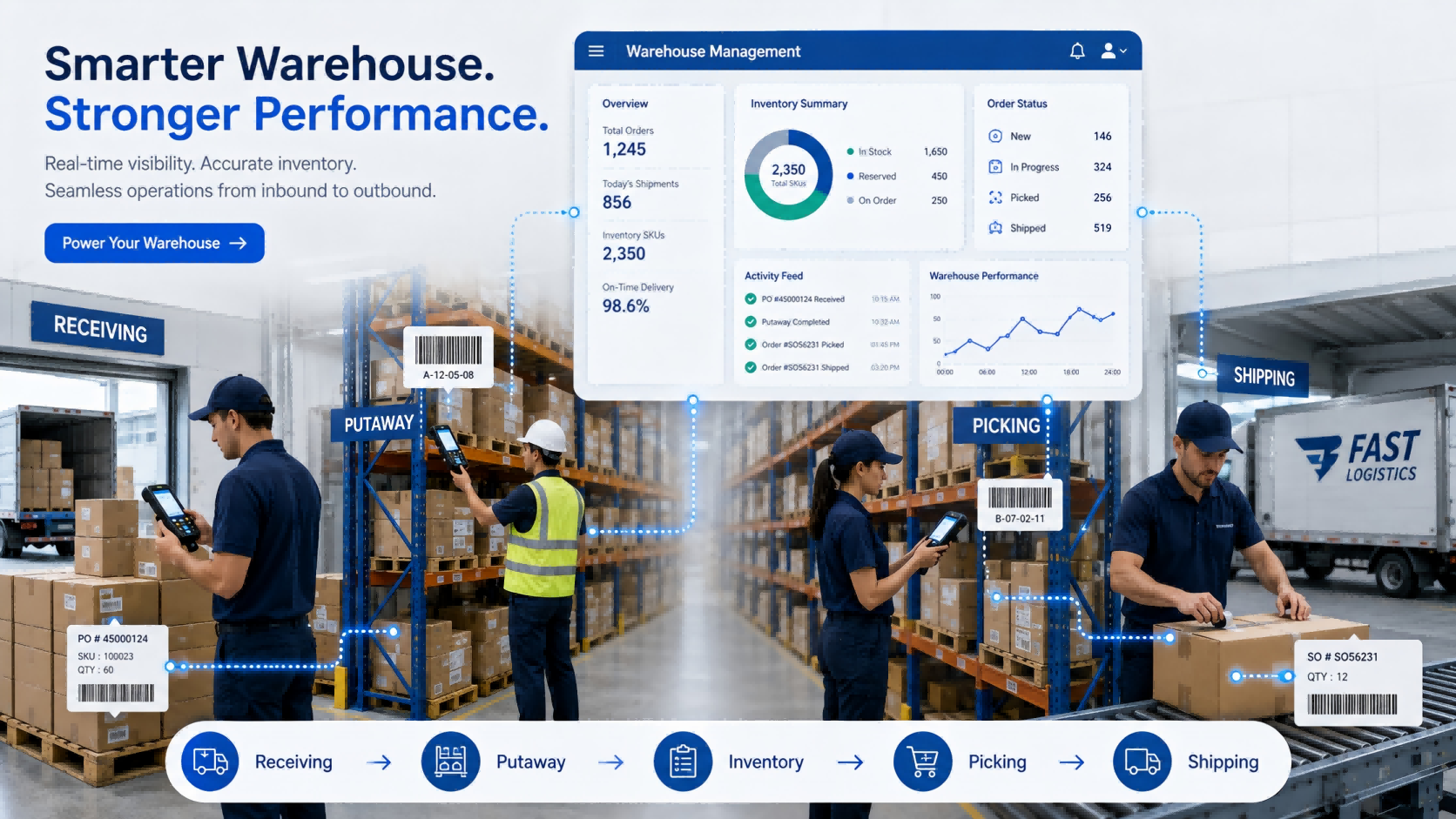
    Choosing warehouse management software can look simple at first. Most systems claim to support receiving, inventory, picking, and shipping. On a feature comparison sheet, they often look very similar. The differences usually appear after people start using them. Can warehouse workers receive goods directly on a handheld device? Can they find the correct bin without asking an experienced employee? Does inventory update immediately after picking? What happens when the physical quantity does not match the system? Can the WMS exchange orders with the ERP without someone entering the same information twice? These are the questions that matter in daily warehouse operations. This guide explains how to evaluate warehouse management software around the actual movement of goods—from inbound receiving and putaway to picking, shipping, inventory counting, and system integration.     Quick Answer: How Should You Choose a WMS?   A suitable warehouse management system should match three things: Your warehouse process How goods are received, stored, picked, shipped, and counted. Your operating volume SKU quantity, daily orders, warehouse locations, workers, and inventory frequency. Your required level of automation Manual entry, barcode scanning, handheld PDA, RFID, or automatic identification. For many small and medium warehouses, a practical starting point can be: WMS + Barcode + Handheld PDA + Printer RFID or more advanced automation can be introduced where the workload justifies it. The goal is not to buy the WMS with the most functions. It is to reduce the manual steps that are creating errors, delays, or poor inventory visibility today.   1. Start With the Warehouse Problem, Not the Software   Before watching a WMS demonstration, walk through one real inbound order and one real outbound order. For inbound: Purchase Order → Receiving → Inspection → Putaway → Inventory Update For outbound: Sales Order → Picking → Verification → Packing → Shipping → Inventory Deduction Then identify where employees still depend on: Paper Excel Manual quantity entry Memory Repeated checking Verbal communication Separate systems Those points should become your WMS requirements.   A Simple Example Imagine a warehouse receives 50 cartons. The operator checks the purchase order on a computer, writes the received quantity on paper, moves the cartons to a rack, and someone updates Excel later. There are already several places where the physical inventory and digital record can become different. A better workflow might be: Open Receiving Task → Scan Product → Confirm Quantity → Scan Bin → Complete Putaway The transaction is recorded while the warehouse worker is doing the work. That difference matters more than another ten dashboard charts.   From FYJ Project Experience One thing we often notice during early project discussions is that customers describe the problem as: “Our inventory is inaccurate.” Once the process is mapped, the problem often starts earlier. Goods may have been received without verification, moved without recording the new location, or shipped before the transaction was confirmed. Inventory accuracy is usually the result of the entire workflow—not an isolated software function.   2. Make Sure Inbound Operations Create Reliable Inventory Data   Inbound is where the inventory record begins. If the wrong quantity enters the system, everything afterward becomes harder. Depending on the business, receiving may need to capture: Purchase order Supplier SKU Received quantity Batch or lot Production or expiry date Inspection result Storage location Not every warehouse needs every field. A hardware distributor may care more about model and serial number. A food warehouse may care more about batch and expiry dates. A manufacturing warehouse may need material batches and production traceability. That is why generic feature lists can be misleading.   What to Ask During a WMS Demo Instead of asking: “Do you support inbound management?” Give the supplier a real exception: “One purchase order contains 20 SKUs. Two arrive short, one batch fails inspection, and the remaining goods need to be stored in three locations. Show us how the system handles it.” A live workflow usually tells you more than a Yes/No feature table.   3. Test Whether Workers Can Find Goods Without Relying on Experience   A warehouse can have the correct stock quantity and still waste time looking for goods. That usually happens when location management is weak. A practical WMS should connect inventory with physical locations such as: Warehouse → Zone → Rack → Shelf → Bin For many operations, the process can stay simple: Scan Item → Scan Bin → Confirm Putaway During picking: Open Task → Go to Bin → Scan Item → Confirm Quantity This reduces dependence on experienced employees who simply “know where everything is.”   Do You Need Automatic Putaway Rules? Large or complex warehouses may benefit from rules based on product category, capacity, picking frequency, or storage restrictions. Smaller warehouses may not. If your current problem is simply that goods are frequently placed in the wrong location or cannot be found quickly, solve that first. Complexity should follow the business need.   4. Decide How Workers Will Interact With the WMS   A WMS can have excellent software functions, but if warehouse employees still need to return to a desktop after every task, much of the manual gap remains. Ask where each transaction should happen.   Desktop Operations Usually suitable for: Order management Approval Reports Master data Management   Warehouse-Floor Operations A handheld PDA can support: Receiving Putaway Location transfer Picking Inventory counting Shipping verification The transaction is recorded while the operator is physically handling the goods. That reduces the gap between: What happened in the warehouse and What the system says happened.   FYJ Configuration Principle For many warehouse projects, we do not start by asking how many handheld devices the customer wants. We first look at: How many operators work at the same time? Which operations actually require scanning? Which areas can share devices? How often is inventory counted? Only then does it make sense to determine the hardware quantity. Buying devices before mapping the workflow can leave some units unused while other operators still wait for equipment.   5. Barcode or RFID? Choose Based on the Workload   RFID can improve warehouse automation, but it should not automatically be the starting point for every project. For many operations, barcode remains practical.   Barcode Works Well When Goods can be scanned individually Order volume is manageable Item-by-item verification is required The warehouse wants a simpler deployment Budget control is important   A typical process is: Scan Product → Scan Location → Confirm Quantity   RFID Becomes More Useful When Inventory volume is high Counting takes too much time Multiple tagged items need to be identified quickly Goods move through defined inbound or outbound points A higher level of automatic identification is required A better question than: “Should we use barcode or RFID?” is: “Which warehouse process has become too slow for one-by-one scanning?” That usually makes the decision much clearer. A WMS that supports both also gives the business room to start with barcode and introduce RFID later in selected processes.   6. Pay Special Attention to Picking and Shipping   Inbound errors affect inventory accuracy. Outbound errors reach the customer. That makes picking one of the most important workflows to test. A warehouse worker should be able to see: What to pick Where to pick it How much to pick The system should then verify what actually leaves the warehouse. A practical outbound process may look like: Sales Order ↓ Picking Task ↓ Bin Location ↓ Product Verification ↓ Quantity Confirmation ↓ Packing ↓ Shipping Confirmation Higher-volume operations may also need: Batch picking Wave picking Picking priority Replenishment Partial picking Shortage handling Do not select these functions simply because they sound advanced. Select them because the order volume requires them.   Real FYJ Project Experience: 500 Orders a Day and 3,000 SKUs In one warehouse management project in Thailand, the operation handled around 500 orders per day and approximately 3,000 SKUs. Before the new system was introduced, inventory accuracy was around 92%, picking errors were about 3%, and paper-based picking meant warehouse employees spent considerable time walking between locations. The project introduced digital inventory management, replenishment alerts, ABC inventory management, multi-warehouse control, and wave picking. After implementation: Inventory accuracy increased from 92% to 99.5% Picking errors decreased from 3% to 0.5% Warehouse walking distance was reduced by about 40% Inventory turnover improved from approximately 75 days to 45 days Daily closing could be completed in less than 10 minutes The result did not come from one individual software feature. Inventory records, storage locations, picking tasks, and daily warehouse operations were connected into the same workflow. This is why we recommend comparing WMS systems by process rather than by feature quantity.   7. Choose the Inventory Controls Your Warehouse Actually Needs   Once inbound and outbound workflows are clear, evaluate the inventory rules that affect daily operations. Requirement When It Matters Bin Location Management Workers need to know exactly where goods are stored Batch / Lot Management Products require traceability Expiry Management Goods have shelf-life requirements FIFO / FEFO Goods must leave in a defined sequence Multi-Warehouse Management Inventory is distributed across locations Cycle Counting Selected stock needs regular verification Replenishment Alerts Stock availability affects orders or production   You may not need all of them. Ask:“Which inventory rules affect our actual warehouse decisions every day?” That keeps the first deployment easier to manage.   Real FYJ Project Experience: Managing Spare Parts and Assets in One Operation Another project involved a machinery-related business that needed to manage both fixed assets and spare-parts inventory. This type of operation creates a different challenge from a conventional finished-goods warehouse. Some items are long-term equipment assets. Others are spare parts that are repeatedly received, stored, issued, and replenished. Treating everything as the same type of inventory makes records difficult to manage. The project therefore required the management process to distinguish between different item types while still giving users a clearer view of what was available and where it was located. The lesson is useful when choosing a WMS: Do not assume every item in the warehouse follows the same lifecycle. Before selecting software, identify whether you are managing finished goods, raw materials, spare parts, tools, consumables, equipment—or a combination of them. That classification can affect the software structure far more than buyers initially expect.   8. Clarify ERP Integration and Deployment Early   These two topics often appear late in software discussions, but they can change the project significantly. ERP Integration If an ERP already manages purchasing, sales, finance, or product master data, decide which system owns each transaction. A typical flow may be: ERP Purchase Order → WMS Receiving → WMS Inventory → ERP Synchronization For outbound: ERP Sales Order → WMS Picking & Shipping → Shipment Confirmation → ERP Update   Ask early: Where are SKUs created? Where are purchase and sales orders created? Which system owns inventory? Is API integration available? Does synchronization need to be real time? Without clear ownership, employees may end up entering the same transaction in both systems.   SaaS or Local Deployment SaaS may make sense when the business wants faster rollout, remote access, multi-site use, and lower local IT requirements. Local deployment may be required when the warehouse operates inside a controlled network or company policy requires data to remain on internal servers. Ask practical questions: What happens if the internet goes down? Who maintains the server? How is data backed up? Can several warehouses use the same system? How are software updates handled? The answers matter more than whether the product is labeled “cloud” or “on-premise.”   9. Compare WMS Suppliers With Real Scenarios   After several demonstrations, most WMS feature lists begin to look the same. A better method is to give every supplier the same warehouse scenarios.   Scenario A — Inbound A purchase order contains 10 SKUs. One arrives short. One needs inspection. The remaining goods go to several locations. Show the complete workflow.   Scenario B — Outbound A customer order contains 15 SKUs. One picking location does not have enough stock. Show how the system handles picking, shortage, verification, and shipment.   Scenario C — Inventory The physical quantity differs from the system. Show: Count → Difference → Review → Approval → Adjustment Now you are comparing how systems handle your actual work—not presentation slides.   WMS Selection Matrix     Your Situation Capability to Prioritize Manual receiving causes errors PDA receiving + barcode verification Workers struggle to find goods Bin location management Frequent picking mistakes Guided picking + scan verification Inventory differs from physical stock Real-time transactions + cycle counting Thousands of items need frequent counting Consider RFID Several warehouses share stock Multi-warehouse management Batch-sensitive products Batch/lot + FIFO/FEFO Existing ERP must remain API / ERP integration Limited internal IT resources Consider SaaS Controlled internal network Evaluate local deployment   This is a starting point, not a universal configuration.   Questions to Ask Before Choosing a WMS Supplier   Before signing a contract, ask: Can the system support our real inbound and outbound workflow? Can workers operate directly with handheld PDAs? Does inventory update immediately after transactions? How are warehouse locations managed? How does the system handle shortages and picking mistakes? Does it support barcode and RFID where required? Can it manage batch, expiry, FIFO, or FEFO? Can several warehouses share inventory information? Can it integrate with our ERP? Is SaaS or local deployment available? Who handles implementation and training? What happens when our process changes later? If the answer is only: “Yes, we support it.” ask for a live demonstration.   What Does a Practical WMS Setup Look Like?   For many small and medium warehouses, the first-stage configuration may simply be: Warehouse Management Software Handheld PDA Barcode Labels Barcode Printer This can already cover: Receiving → Putaway → Inventory → Picking → Shipping → Stock Counting Additional technologies can be introduced later. RFID when bulk identification becomes valuable. Fixed RFID Readers when inbound or outbound identification needs more automation. Multi-Warehouse Functions when operations expand. ERP Integration when duplicate data entry becomes a problem. The WMS should be able to grow with the operation without forcing unnecessary complexity into the first deployment.   How FYJ Approaches Warehouse Management Projects   FYJ combines warehouse management software with barcode, RFID, and mobile data collection hardware. Depending on the warehouse process, a project may include: Warehouse management software Handheld PDA Barcode scanner Barcode printer Barcode labels RFID handheld reader RFID tags Fixed RFID readers Our starting point is normally the workflow. Where does the inventory difference come from? Which warehouse operation consumes the most time? Where are workers repeatedly checking information? Which transactions still depend on paper or Excel? Once those questions are clear, it becomes easier to determine which software functions and hardware are actually required. The objective is not to digitize every possible warehouse process. It is to improve the processes where identification, workflow control, and real-time data can make a practical difference.   Frequently Asked Questions   What should I look for when choosing warehouse management software? Start with receiving, putaway, location management, picking, shipping, and inventory counting. Then evaluate PDA support, barcode or RFID requirements, integration, multi-warehouse management, and deployment method. What is the best WMS for a small warehouse? A smaller warehouse usually benefits more from a simple system covering core inbound, outbound, location, and inventory processes than from a complex platform with many unused functions. Does a WMS need handheld PDA support? If employees perform transactions while receiving, storing, picking, or counting goods, handheld support can reduce delayed and duplicate data entry. Should a warehouse use barcode or RFID? Barcode is often sufficient for one-by-one identification and standard warehouse operations. RFID becomes more attractive when frequent bulk identification or greater automation is required. Can WMS software integrate with ERP? Yes, if suitable interfaces are available. Before implementation, define which system owns orders, product data, inventory records, and transaction updates. Should I choose SaaS WMS or local deployment? Choose according to network conditions, internal IT resources, security requirements, multi-site needs, and maintenance capabilities. How should I compare WMS suppliers? Give each supplier the same real warehouse scenarios and ask them to demonstrate the complete workflow instead of comparing only feature lists.     Conclusion   Choosing warehouse management software becomes much easier when you stop comparing systems feature by feature and start comparing how they handle real warehouse work. Begin with the points where errors and manual work happen today: Receiving → Putaway → Inventory → Picking → Shipping Then decide what the warehouse really needs: Barcode or RFID? Desktop or handheld? Single warehouse or multiple warehouses? SaaS or local deployment? Standalone WMS or ERP integration? A good WMS should make daily operations easier to control and easier for employees to execute. If a system looks powerful in a demonstration but forces warehouse teams to create workarounds after deployment, it is probably not the right system. FYJ provides integrated warehouse management solutions combining WMS software, barcode, RFID, handheld PDAs, printers, and identification hardware. For companies evaluating a new warehouse system, the best starting point is usually a real inbound and outbound workflow—not a long software feature list.
    Read More

  • RFID Emergency Supply Warehouse Management Solution & Case Studies
    RFID Emergency Supply Warehouse Management Solution & Case Studies
    Aug 18, 2026
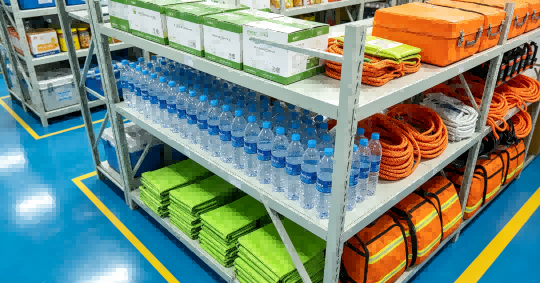
    Emergency supply warehouses need speed, accuracy, and traceability. When an emergency occurs, materials must be dispatched quickly, inventory data must remain accurate, and every movement should be recorded. However, many emergency reserve warehouses still face problems such as scattered inventory data, disconnected systems, outdated equipment, manual inbound and outbound records, and limited real-time visibility. FYJ provides an RFID Emergency Supply Warehouse Management Solution that combines RFID software and hardware to support automated inbound and outbound operations, real-time inventory visibility, and full-process material traceability. FYJ has accumulated more than 1,000 project cases in administrative organizations, government institutions, logistics support organizations, emergency management, and related fields.     Why Emergency Supply Warehouses Need Specialized Management   Emergency supply warehouses are different from ordinary commercial warehouses. Their management requirements are more demanding in several areas.   Fast Response Emergency supplies need to be dispatched quickly after an emergency instruction is issued. Warehouse operations must respond immediately to support fast outbound processing. Complex Material Categories Emergency reserves may include thousands of SKUs covering daily necessities, medical supplies, rescue equipment, and other materials. Different batches and expiration dates make inventory management more difficult. Expiration Date Management Food, medicine, and other time-sensitive materials require expiration-date control. The system supports alerts for materials approaching expiration and prevents expired materials from being issued. Cross-Regional Transfer For organizations with multiple reserve warehouses, inventory data needs to be synchronized across locations to support cross-regional material transfers. OfflineOperation Temporary warehouses and field environments may not always have stable network access. The system supports offline operation so warehouse activities can continue when the network is unavailable. Security and Traceability Emergency materials require clear records of every movement. The system supports data encryption, permission-based access, and full operation records for traceability and audit purposes.   RFID Emergency Supply Management System Architecture   The FYJ solution uses a three-layer architecture covering data collection, management applications, and system access.     Data Collection Layer The data collection layer includes: RFID electronic tags RFID handheld computers RFID fixed readers RFID printers RFID portal gates These devices collect material information during warehouse operations. When the network is unavailable, data can be stored locally and later transferred to the system through offline methods.   Application Layer The system supports: Bulk inventory counting Material management Material transfer Material collection Maintenance Return management Automated inbound management Automated outbound management   System Access Warehouse personnel can log in to the FYJ RFID management system through: Mobile phones Computers RFID handheld devices Display screens This allows users to view warehouse and inventory data through different terminals.   Key Functions of the FYJ RFID Emergency Supply Management Solution   Automated Inbound and Outbound Management RFID integrated readers or RFID portal gates can be deployed at warehouse entrances and exits. When RFID-tagged materials pass through, the system automatically reads multiple tags and records the information in the management system. There is no need to scan each item individually or record each transaction manually.     Smart Bulk Inventory Counting The solution works with the FYJ F9850U RFID handheld computer. Warehouse personnel can walk along the shelves with the handheld device, which automatically reads nearby RFID tags and generates inventory results in real time. Inventory counting efficiency can be improved by 97%, while inventory accuracy can reach 99.8%.     Real-Time Inventory Visibility Management personnel can view warehouse data through computers and data dashboards. Available information includes: Total inventory quantity Material category distribution Batch information Expiration dates Inbound activity Outbound activity The system also supports reports by material category, region, and time.     Full-Process Traceability Each emergency material is recorded from the time it is assigned an identification code during inbound processing. All subsequent operations until outbound are also recorded automatically in the system. This allows material movements to be traced throughout the management process.     Real-Time Environmental Monitoring The system can integrate temperature and humidity sensors. Temperature and humidity data can be synchronized with the management system and displayed on data dashboards. When temperature or humidity exceeds the configured range, the system notifies warehouse management personnel.     RFID Emergency Supply Management Case Studies   The following projects show how the FYJ RFID emergency supply management solution has been applied in different emergency reserve environments.   Case Study 1: Emergency Rescue Team in Qinghai Province The organization manages multiple subordinate teams. Its main challenges included: Inventory information could not be viewed in real time Rescue equipment could not be maintained regularly Inbound and outbound operations relied on manual records Manual work was time-consuming and prone to errors The organization implemented the FYJ RFID Automated Inbound and Outbound Management Solution. After implementation: Inbound and outbound efficiency improved significantly Equipment maintenance could be carried out regularly Equipment service life was extended Inventory data became more accurate   Case Study 2: Emergency Management Bureau in Jiangsu Province The warehouse managed a wide range of materials with multiple batches. Its main challenges included: Inbound and outbound operations relied on manual registration Manual work was inefficient and prone to errors Physical inventory often did not match system records The organization implemented the FYJ RFID Automated Inbound and Outbound Management Solution. After implementation: Outbound efficiency increased by 80% Inventory could be viewed in real time Inventory data became more accurate Materials could be traced throughout the management process   Case Study 3: Emergency Supply Warehouse of a Township Government The warehouse handled frequent material borrowing and returns. Its main challenges included: Manual borrowing and return records were prone to errors Material loss occurred frequently The warehouse had no Wi-Fi and required offline operation Real-time inventory quantities were not available The warehouse implemented the FYJ RFID Automated Inbound and Outbound Management Solution. After implementation: The system was deployed locally Offline operation was supported Inventory could be viewed in real time Borrowing and return records were recorded automatically   RFID for Faster and More Traceable Emergency Supply Management   The FYJ RFID Emergency Supply Warehouse Management Solution supports automated inbound and outbound operations, bulk inventory counting, real-time inventory visibility, material traceability, offline operation, and environmental monitoring. By combining RFID tags, handheld devices, fixed readers, RFID printers, portal gates, and management software, emergency reserve warehouses can move from manual recording and individual scanning toward more automated material management. For emergency management departments and reserve warehouses, this helps ensure that materials can be dispatched quickly, remain available when needed, and stay traceable throughout the process.   FAQ   What is an RFID emergency supply management system? It is a management solution that combines RFID tags, RFID readers, handheld devices, printers, portal gates, and software to manage emergency reserve materials. How does RFID automate inbound and outbound operations? RFID readers or portal gates are installed at warehouse entrances and exits. When RFID-tagged materials pass through, the system reads multiple tags automatically and records the corresponding information. Can RFID be used for bulk inventory counting? Yes. The FYJ F9850U RFID handheld computer can read multiple RFID tags while warehouse personnel walk along the shelves. Can the system work offline? Yes. The solution supports local data storage and offline operation when network access is unavailable. Can the system manage expiration dates? Yes. The system supports batch and expiration-date management, including alerts for materials approaching expiration. Can temperature and humidity be monitored? Yes. Temperature and humidity sensors can be integrated with the system, and the data can be displayed on the management platform and data dashboard.
    Read More
  • RFID Asset Tracking Implementation Guide: From Planning to Deployment (2026)
    RFID Asset Tracking Implementation Guide: From Planning to Deployment (2026)
    Jul 24, 2026
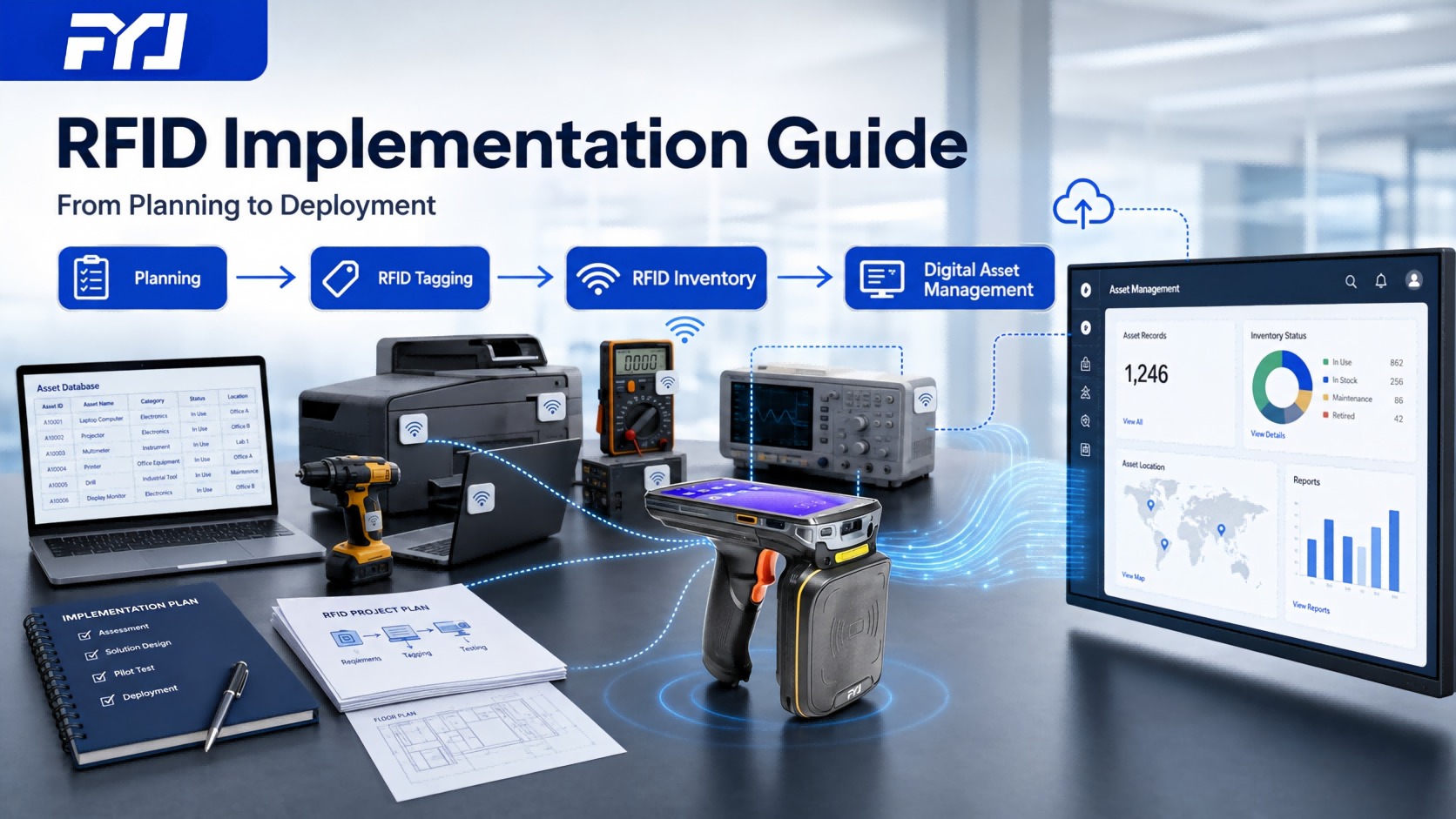
      Quick Answer   Implementing an RFID asset tracking system is not simply about attaching RFID tags and installing RFID readers. The technology itself is only one part of the project. A successful RFID deployment usually involves: Understanding current asset management processes Preparing accurate asset data Designing suitable workflows Selecting appropriate hardware Testing the system in real environments Training users Optimizing operations after launch From our experience, many RFID projects do not fail because the technology does not work. They struggle because the implementation starts from the wrong place. Companies focus on hardware first, while ignoring the questions that determine long-term success: How are assets managed today? Who uses the system? What problems need to be solved? How will employees integrate RFID into their daily work? A practical RFID solution begins with business processes, then applies technology where it creates real value.   Why RFID Projects Need More Than Hardware Installation   When companies start evaluating RFID, the first discussions are often about equipment. They ask: Which RFID reader should we choose? What is the reading distance? Which tag is cheaper? How many devices are required? These questions are important. However, they are usually not the starting point of a successful implementation. An RFID system connects three different parts: Physical Assets The equipment, tools, devices, or materials that need to be managed. Business Operations The daily activities around those assets: Registration Transfer Inventory Borrowing Maintenance Return Digital Management Platform The software that stores information and helps teams manage assets. If these three parts are not aligned, the project may face problems after deployment. A company can have advanced RFID hardware, but if asset records are incomplete or employees continue using old processes, the expected improvement may not happen. Before Deployment: Understand the Existing Asset Management Process   The first stage of RFID implementation is understanding how assets are currently managed. This step is often overlooked because it does not involve visible technology. However, it usually determines the quality of the final system. In our experience, the first discussion with customers is rarely about RFID readers. It usually starts with a simpler question: How are your assets managed today? The project team needs to understand: What types of assets exist? How many assets need tracking? Where are assets located? Who is responsible for them? How often is inventory performed? What problems happen during daily management? Some organizations already have digital records. Others still rely heavily on spreadsheets, paper records, or employee experience. RFID improves identification and visibility, but it works best when the management foundation is clear.   Asset Data Preparation: The Foundation Before RFID Goes Live   A common misunderstanding is that RFID automatically creates accurate asset information. It does not.RFID can quickly identify an asset, but the system still needs meaningful information behind every tag. For example, a tag can tell the system: This asset has been detected. But management needs more: What is this asset? Which department owns it? Who is responsible? Where should it be located? What is its current status? What happened previously? Before deployment, companies usually need to review:   Asset Records Including: Asset name Asset number Category Location Department User information   Management Rules Including: Transfer approval Inventory process User permissions Status changes Many RFID projects become an opportunity to improve asset data quality. The technology exposes problems that already existed.   Real Project Experience: RFID Asset Management in a Healthcare Organization   A healthcare organization in China managed assets across multiple departments. Before RFID deployment, the organization already had digital asset records. The challenge was the connection between system information and physical equipment. During inventory activities, staff still needed to manually verify equipment across different departments and compare physical conditions with existing records. Before implementation, the project team reviewed: Existing asset categories Department requirements Inventory procedures Network environment The solution included: RFID asset tags RFID handheld PDA Asset management software Offline operation capability The focus of the project was not simply adding RFID equipment. The key was building a workflow that matched how different departments actually managed their assets.   Define the Project Scope Before Full Deployment   One mistake often seen in RFID projects is trying to deploy everything at once. For large organizations, this approach can create unnecessary complexity. A phased implementation is usually easier to manage. A pilot project can focus on: One department One asset category One location One specific workflow The purpose is not only to test the technology. It is to confirm: Whether employees can use the system comfortably Whether the workflow matches daily operations Whether hardware selection fits the environment A successful pilot reduces uncertainty before expanding the system.   Testing RFID Hardware in Real Conditions   Hardware selection during implementation should be based on actual working environments. The question is not: “What is the most powerful RFID device?” The better question is: “What equipment fits our daily operation?” During testing, teams usually evaluate:   RFID Tag Performance The tag needs to work reliably on the actual asset. Different materials and environments may affect performance. For example: Metal equipment may require anti-metal RFID tags General office assets may use standard tags Special environments may require customized solutions   RFID Handheld PDA Operation Handheld RFID PDAs are commonly used for: Asset inventory Equipment verification Mobile operations During testing, employees need to confirm: Operation process Reading efficiency User experience   Fixed RFID Reader Applications Fixed readers are useful when automatic identification is needed. Typical scenarios include: Controlled entrances Equipment areas Specific movement points The final configuration depends on how assets move in real operations.   Pilot Testing: Find Problems Before Full Rollout   A pilot project is where RFID moves from planning into real operation. Testing should happen with actual assets and actual users. During the pilot stage, companies usually check three areas.   Reading Performance Questions include: Are tags being identified correctly? Is the reading distance suitable? Are there environmental factors affecting performance?   User Workflow Technology adoption depends on daily experience. The team needs to observe: How employees perform inventory Whether operation steps are clear Whether additional training is required   Software Process Testing should also confirm: Inventory task creation Data synchronization Difference reporting Transfer records Small adjustments during the pilot stage can prevent larger problems after deployment.   Asset Tagging and System Go-Live   After the pilot test is completed, the project moves into the deployment stage. This is the point where RFID changes from a tested solution into a daily management tool. The deployment stage usually includes three important activities: Asset tagging Data verification User training   Asset Tag Installation Attaching RFID tags may look simple, but the installation method affects long-term performance. The tag position should consider: Reading performance Daily usage Protection from damage Maintenance requirements For example: A production tool used every day may need a different tag installation method from an office laptop. A metal equipment surface may require an anti-metal RFID tag and a suitable installation position. A frequently moved item may need the tag protected from repeated friction or impact. The purpose is not only to attach a label. The purpose is to make sure the RFID identification remains reliable throughout the asset lifecycle.   Asset Verification After Tagging After tags are attached, the physical assets need to be matched with the digital records. This stage often reveals historical data issues. For example: An asset exists physically but is missing from the system A record exists but the equipment location is unclear One asset has multiple records These problems are common in long-term asset management. RFID does not create these issues. It simply makes them easier to discover. Cleaning this information during deployment helps improve future inventory accuracy.   User Training and Adoption Even a well-designed RFID system needs users to accept the new workflow. Training usually focuses on practical operations: Using RFID handheld PDA devices Performing inventory tasks Checking asset information Processing transfers Reviewing inventory differences In many projects, employees adapt quickly once they understand the purpose of the system. The goal is not to add another task. The goal is to reduce repetitive manual work. Common RFID Implementation Mistakes We Have Seen   From actual RFID projects, several problems appear repeatedly. Understanding these issues before deployment can save time and unnecessary costs.   Starting With Hardware Instead of Business Needs Some companies begin by comparing RFID devices before defining the actual problem. They may purchase equipment first and only later consider: Who will use it? What workflow should it support? What information does management need? The result is often a system that works technically but does not fully solve the operational problem. A better approach is to define the management goal first, then select the technology.   Choosing RFID Tags Without Testing Real Assets RFID performance depends on the actual application environment. A tag that performs well in a simple test environment may behave differently when applied to: Metal equipment Dense storage areas Industrial tools Special materials Testing representative assets before mass deployment can prevent many issues.   Ignoring Existing Data Problems Many organizations focus heavily on RFID hardware but underestimate data preparation. However, inaccurate asset information can affect the entire system. Examples: Incorrect asset locations Missing responsible users Incomplete records RFID improves visibility, but it does not automatically correct poor management data.   Expecting RFID to Replace Management Processes RFID is a technology tool. It improves: Identification Inventory efficiency Asset visibility But it does not replace: Approval processes Responsibility management Maintenance procedures The best results usually come when RFID supports an improved management process.   RFID Implementation Timeline: How Long Does Deployment Take?   The implementation period depends on: Number of assets Number of locations Software requirements Hardware complexity Deployment environment A general reference: Project Stage Typical Duration Requirement analysis 1–3 weeks Solution design 1–3 weeks Pilot testing 2–4 weeks Asset tagging and deployment 1–3 weeks Optimization after launch Ongoing   Small projects may complete faster. Large organizations with multiple locations, complex workflows, or special network requirements usually require more time. The preparation stage often determines the final timeline. Projects with organized asset data and clear requirements usually move much faster.     Real Project Experience: RFID Asset Inventory in a Research Institution   A research institution already used an existing management system. The challenge was not the lack of digital records. The problem was that physical inventory still required significant manual verification. As the number of technical assets increased, checking equipment one by one became increasingly time-consuming. The RFID implementation focused on improving the connection between physical assets and existing digital records. The solution included: RFID asset tags RFID printing equipment RFID handheld PDA Asset management software integration Before full deployment, the project team tested: Tag installation positions Reading performance Inventory workflow Data synchronization The implementation showed an important point: RFID does not always replace existing management systems. In many cases, it works as an additional identification layer that improves the accuracy of physical asset information.   Real Project Experience: RFID Deployment in a Controlled Network Environment   Some organizations have strict requirements regarding data environments. For these projects, deployment planning becomes especially important. In one RFID asset management project, the organization required the system to operate within an internal network environment. The implementation focused on: Local system deployment Internal data management RFID-based asset identification Mobile inventory operations Before launch, the project team confirmed: Hardware compatibility Data synchronization methods User operation procedures This type of project demonstrates why deployment requirements should be considered early. The technical environment directly affects: Software architecture Hardware selection Daily operation methods   How FYJ Supports RFID Asset Tracking Implementation   An RFID project requires more than hardware supply. The final result depends on how well hardware, software, and business processes work together. FYJ provides support throughout the implementation process.   Solution Planning Based on: Asset types Working environment Inventory requirements Management goals FYJ helps design an RFID approach suitable for the actual application.   Hardware Configuration Including: RFID asset tags RFID handheld PDA RFID readers RFID printers The hardware selection focuses on application requirements rather than simply choosing the highest specification equipment.   Software Configuration Supporting: Asset registration Inventory management Transfer records Status tracking Reports and dashboards   Deployment Support Including: System setup Pilot testing User training Technical assistance Unlike companies that only provide RFID hardware, FYJ combines RFID devices, asset management software, and implementation experience to help organizations build practical RFID solutions.   FAQ: RFID Asset Tracking Implementation   How long does RFID implementation usually take? The timeline depends on project size, asset quantity, deployment scope, and system requirements. A small pilot project may take several weeks, while larger enterprise deployments may require several months. What should companies prepare before RFID deployment? Companies should prepare accurate asset information, define management workflows, and clarify deployment requirements before selecting hardware. Good preparation helps reduce adjustments after the system goes live. Should companies start with a pilot RFID project? For many organizations, a pilot project is a practical approach. It allows teams to test RFID performance, user operation, and workflow design before expanding. Can RFID work with existing ERP or asset management systems? Yes.RFID can work together with existing systems by improving physical asset identification, inventory collection, and movement records. What are the most common RFID implementation challenges? Common challenges include: Poor asset data quality Incorrect tag selection Lack of workflow planning Limited user training Most issues can be reduced through proper preparation before deployment.   Conclusion   RFID asset tracking implementation is not completed when tags are attached and devices are installed. The real value appears when the system becomes part of daily operations. Successful RFID projects usually focus on several fundamentals: Clear asset information Suitable technology selection Practical workflows User adoption Continuous improvement RFID provides the ability to identify and collect asset information. The implementation process determines whether that information becomes a useful management system.   Planning an RFID Asset Tracking Project?   Every organization has different assets, workflows, and technical requirements. FYJ can help evaluate: RFID tag selection RFID PDA and reader configuration Software workflow design Cloud, local, or offline deployment options Share your application requirements with FYJ, and our team can help design a practical RFID asset tracking solution based on your actual operating environment. Contact FYJ to discuss your RFID asset tracking project.  
    Read More
  • RFID Asset Tracking System Selection Guide: How to Choose the Right RFID Solution for Your Business (2026)
    RFID Asset Tracking System Selection Guide: How to Choose the Right RFID Solution for Your Business (2026)
    Jul 23, 2026
      Quick Answer   An RFID asset tracking system connects physical assets with digital records through RFID tags, RFID readers, handheld devices, and asset management software. When selecting an RFID solution, companies should focus on several practical questions: What types of assets need to be managed? Where are these assets used? How often does inventory take place? Do employees need mobile operations or automatic identification? What deployment method fits the IT environment? The best RFID system is not always the most advanced one. In many cases, the best choice is the solution that fits the company’s actual workflow and management needs.   What Is an RFID Asset Tracking System?     An RFID asset tracking system gives physical assets a digital identity. Each asset is attached with an RFID tag. RFID readers or handheld devices collect information from those tags, and asset management software stores and organizes the data. A complete RFID asset tracking system usually includes: RFID Tags Tags are attached to physical assets and store unique identification information. RFID Reading Devices Devices such as RFID handheld PDA terminals and fixed readers collect asset information during inventory or movement. Asset Management Software The software manages asset records, inventory results, transfer history, user responsibility, and reporting. Together, these components help companies answer questions that are difficult to manage through spreadsheets or manual records: Where is an asset located? Who is currently responsible for it? Has it been transferred? When was it last inventoried? Does the physical asset match the system record? RFID asset tracking is commonly used in: Manufacturing equipment management Enterprise fixed asset management Laboratory equipment tracking Warehouse material management Government and institutional asset management   Why Companies Start Looking Into RFID   Most companies do not adopt RFID simply because they want new technology. They usually have a practical problem first.A manufacturing company may have thousands of tools and production assets. The equipment is there, but inventory teams spend too much time checking locations manually. A large organization may know how many computers or devices it owns, but after years of employee changes, asset ownership records become difficult to maintain. A warehouse may have accurate stock data but still rely heavily on manual counting.At a smaller scale, spreadsheets and barcode systems can work well. The challenge appears when asset numbers increase, multiple departments become involved, or inventory takes too much time.That is usually when companies begin evaluating RFID.   FYJ Experience: What Matters in Real RFID Projects   From FYJ’s experience working with manufacturing, enterprise, warehouse, and institutional applications, RFID projects are rarely difficult because of the technology itself. The harder part is designing a system that matches daily operations.Before selecting hardware, companies should understand three things: What assets need to be tracked? A metal production tool, a laptop, and a textile item may all require different RFID solutions. How are assets managed today? Some companies mainly need faster inventory. Others need better transfer records, clearer responsibility tracking, or improved visibility across multiple locations. How much automation is actually needed? Not every company needs fixed readers everywhere. Some projects can achieve significant improvements with RFID handheld PDA devices alone, while others benefit from automatic identification at entrances or controlled areas. A successful RFID project starts with understanding the business process, then selecting the technology.     1. Choose RFID Based on Your Asset Environment   One of the most common mistakes in RFID projects is selecting equipment before understanding the assets. The first question should not be: “Which RFID reader should we buy?” It should be: “What kind of assets are we trying to manage?”   Manufacturing Equipment Manufacturing environments often include: Production tools Maintenance equipment Spare parts Metal components Metal surfaces can affect RFID performance, so these applications often require: Anti-metal RFID tags RFID handheld PDA devices Industrial RFID readers The tag choice matters because a label that works well on plastic may not perform the same way on metal equipment.   IT and Enterprise Assets Office and IT assets usually include: Computers Laptops Network equipment Office devices The main requirements are often: Ownership tracking Department allocation Inventory management User responsibility records A typical setup combines RFID asset tags, handheld RFID PDA devices, and asset management software.   Laboratory and Special Equipment Some organizations manage high-value equipment such as: Testing instruments Research equipment Technical devices These assets often require: Accurate identification Movement history Maintenance records Compact RFID tags and detailed lifecycle management are commonly used in these environments.   Real Project Experience: Manufacturing RFID Tracking in Vietnam A manufacturing company managed around 3,000 production assets. Many assets were metal equipment, which made traditional identification methods less reliable. The project used: Anti-metal RFID tags RFID printer RFID handheld PDA After deployment: Inventory time reduced from half a day to 30 minutes Inventory accuracy improved from 78% to 99% Approximately $28,000 in unnecessary purchases were avoided The main lesson was simple: RFID performance starts with choosing technology that matches the asset environment.   2. Select the Right RFID Hardware Configuration   After understanding the asset environment, the next step is deciding how RFID should work in daily operations. A common assumption is that RFID projects always require a large number of fixed readers and complex infrastructure. In reality, many companies start differently. Some need a handheld RFID PDA for regular inventory. Some need fixed readers because assets frequently move through specific locations. Others combine both approaches. The hardware should match the workflow, not the other way around.   Understanding RFID Hardware Components   A typical RFID asset tracking system includes four main hardware components:   Component Purpose RFID Tags Give each asset a unique digital identity RFID Handheld PDA Support mobile inventory and asset verification Fixed RFID Readers Automatically capture asset movement in specific areas RFID Printers Create and encode RFID labels   Each component solves a different operational problem.   RFID Tags: The Foundation of Identification RFID tags are the connection between physical assets and the digital system. Many companies focus on reader performance first, but the tag selection often has a bigger impact on project results. The same RFID reader may perform differently depending on: Asset material Installation location Working environment Common RFID tag types include: Anti-Metal RFID Tags Suitable for: Production equipment Tools Machinery components Metal containers These tags are designed for situations where ordinary RFID labels may not work reliably on metal surfaces. Standard RFID Tags Suitable for: Office equipment Plastic assets General indoor applications They are commonly used for enterprise asset tracking where environmental conditions are relatively simple. Flexible RFID Tags Suitable for: Cabinets Plastic containers Irregular surfaces Their flexible design makes them easier to apply in different scenarios. Textile RFID Tags Suitable for: Uniforms Linens Fabric products They are often used in industries where assets are frequently collected, distributed, and returned. One thing we often see in projects is that companies compare RFID tag prices before understanding the application. The lowest-cost tag may not be the most economical choice if it creates reading issues after deployment. The better approach is to choose a tag based on how the asset is used.   RFID Handheld PDA or Fixed RFID Reader? This is one of the most common decisions during RFID system planning. The answer depends on how assets move. RFID Handheld PDA A handheld RFID PDA is usually suitable when employees need to actively perform inventory tasks. Typical applications: Fixed asset inventory Equipment inspection Warehouse counting Field equipment checking The main advantage is flexibility. Employees can move through different areas, collect asset information, and compare physical assets with system records. For many companies starting an RFID project, handheld PDA devices are a practical first step because they improve inventory efficiency without requiring major infrastructure changes. Fixed RFID Readers Fixed readers are better suited for automatic identification at specific locations. Common applications: Warehouse entrances Equipment rooms Production areas Controlled storage location They are useful when companies need to record asset movement automatically without relying on manual scanning.   Combining Both Approaches Many enterprise RFID projects use a combination of handheld and fixed devices. For example: Fixed readers record when assets pass through important areas Handheld PDA devices support inventory and verification tasks This approach provides automation where it creates the most value while keeping daily operations flexible.   Real Project Experience: Equipment Tracking in Thailand A tool rental company managed equipment including: Power drills Cutting machines Generators Scaffolding Before RFID, equipment borrowing and return records relied heavily on manual registration. When equipment moved between users, confirming responsibility became difficult. The solution included: RFID equipment tags RFID handheld PDA Asset tracking software After deployment: Asset losses reduced by 85% Inventory discrepancies reduced from 5–8 cases/month to almost zero Overdue returns improved by 70% The biggest improvement was not only faster inventory. The company gained clearer visibility into who used each piece of equipment and whether it had been returned.   3. Evaluate the RFID Asset Management Software   RFID hardware collects information. Software turns that information into something companies can actually use. A reader can tell the system that an RFID tag was detected. But daily management requires more answers: Where is the asset now? Who is responsible for it? Has it been transferred? Is maintenance required? What happened during its previous lifecycle? This is where the software layer becomes important.   Key Software Functions to Consider Asset Lifecycle Management A complete system should support the asset journey from registration to retirement. Common functions include: Asset registration Department allocation Transfer management Maintenance records Retirement management Inventory Management Important functions include: Inventory task creation Mobile inventory Automatic comparison Difference reports This helps companies reduce the gap between physical assets and system records.   Asset Movement Tracking For many organizations, knowing where an asset has been is as important as knowing where it is now. Useful records include: Transfer history Responsible users Location changes Usage records   Reporting and Audit Management teams often need visibility into: Asset status Department distribution Inventory results Historical records   A mistake we often see is that companies spend too much time comparing RFID devices and too little time reviewing the software workflow. The hardware collects data.The software helps teams manage that data.Both parts need to work together.   4. Choose the Right Deployment Method   Different organizations have different IT requirements. A multi-location enterprise may prefer cloud access, while an organization with strict internal network requirements may need local or offline deployment. The deployment method should fit the operating environment. Deployment Method Suitable For Cloud Multi-location organizations requiring remote access On-Premise Companies requiring local system control Offline Organizations requiring independent internal operation   Cloud Deployment Suitable for: Multi-site management Remote access Faster deployment This approach is often used by organizations managing assets across different locations.   On-Premise Deployment Suitable for: Internal IT environments Local data management Existing enterprise infrastructure   Offline Deployment Some organizations require the system to operate independently from external networks. Typical scenarios include: Internal network environments Controlled data environments Organizations with specific security requirements   Real Project Experience: Offline RFID Asset Management in Harbin A confidential organization managed more than 8,000 assets across multiple departments. The organization required the system to operate within an internal environment. The solution included: RFID asset tags RFID handheld PDA Local server deployment After deployment: Inventory cycle reduced from 12 days to 3 days Asset accuracy improved from 78% to 99.2% Asset transfer disputes reduced to zero   This project shows why deployment options should be considered early when selecting an RFID system.   RFID Solution Selection Matrix   Different business situations require different RFID configurations.   Business Situation Recommended Approach Metal equipment tracking Anti-metal RFID tags + handheld RFID PDA Large-scale inventory RFID PDA + asset management software Automatic movement tracking Fixed RFID readers Internal controlled environment Offline deployment Multiple locations Cloud-based asset management Mixed asset types Barcode + RFID combination   This table provides a starting point. The final configuration should match how assets are used, moved, and managed.   When Is RFID Asset Tracking Worth the Investment?   RFID is not necessary for every company. For organizations managing a small number of simple assets, barcode solutions may still be practical. RFID becomes more valuable when companies face situations such as: Thousands of assets requiring frequent inventory High-value equipment requiring better accountability Multiple departments or locations Frequent asset movement High labor costs caused by manual counting A factory checking thousands of tools every month has a different need from a small office managing several hundred laptops. The question is not whether RFID is better.The question is whether the current management process has become inefficient enough that RFID can create measurable value.   RFID Implementation Process: From Planning to Deployment   A practical RFID project usually follows several stages.   Understand the Current Process Before selecting equipment, companies should understand: What assets are managed How inventory is performed today Where the biggest problems occur   Design the RFID Solution This stage determines: RFID tag types Reading devices Software functions Deployment approach   Configure and Test Before full deployment, companies usually test: Tag reading performance Workflow suitability User operation process A small pilot project can reveal problems that are difficult to identify during planning.   Deploy and Train The final stage includes: Asset tagging System configuration User training Daily operation A well-planned rollout usually makes long-term adoption easier.   How FYJ Supports RFID Asset Tracking Projects   FYJ provides RFID asset tracking solutions combining software, hardware, and implementation experience Software Fixed Asset Management System Inventory Management Platform Asset Lifecycle Management Reporting Dashboard Hardware RFID Handheld PDA RFID Readers RFID Tags RFID Printers Barcode Equipment Project Support RFID solution planning Hardware selection System configuration Deployment support User training With experience across manufacturing, enterprise, warehouse, and institutional applications, FYJ helps companies build RFID systems based on their actual asset management requirements.   FAQ: RFID Asset Tracking System Selection   What is the best RFID asset tracking system? There is no single RFID system that fits every organization. A manufacturing plant tracking metal tools may need a different setup from an office managing laptops. The right choice depends on asset types, workflows, and management goals. How do I choose RFID tags for asset tracking? The tag should match the asset environment. Examples: Metal equipment → Anti-metal RFID tags Textile products → Textile RFID tags General assets → Standard RFID tags Do I need handheld RFID PDA or fixed RFID readers? Handheld RFID PDA devices are suitable for mobile inventory and verification. Fixed readers are suitable for automatic identification in specific locations. Many organizations use both. Can RFID asset tracking work offline? Yes.Offline deployment is suitable for organizations that need systems to operate within internal networks or controlled environments. How much does an RFID asset tracking system cost? The cost varies depending on: Asset quantity RFID tag types Hardware requirements Software functions Deployment method A detailed project assessment is usually needed before determining the final budget.   Conclusion   RFID is often introduced as a faster way to count assets.In real projects, the bigger change is usually visibility.Teams spend less time searching for information and manually checking records. Managers gain a clearer picture of where assets are, who is using them, and what condition they are in. The technology itself is only one part of the project. The real value comes from choosing a system that matches the assets, the workflow, and the way the organization operates.   Need Help Choosing the Right RFID Asset Tracking Solution? Every organization manages assets differently. The best RFID setup depends on factors such as asset type, working environment, inventory process, and deployment requirements. If you are planning an RFID asset tracking project, FYJ can help you evaluate: Suitable RFID tag types for your assets The right combination of handheld PDA and fixed readers Software functions for your management workflow The most suitable deployment approach Share your asset management requirements with our team, and we can help you design a practical RFID solution based on your actual application scenario.   Contact FYJ to discuss your RFID asset tracking project.      
    Read More
  • RFID Asset Management in China: Leading Providers and FYJ Warehouse Tracking Solution (2026 Guide)
    RFID Asset Management in China: Leading Providers and FYJ Warehouse Tracking Solution (2026 Guide)
    Jul 02, 2026
    Quick Answer   RFID asset management in China is a rapidly developing industrial ecosystem combining enterprise software platforms, IoT infrastructure, and warehouse execution systems. The market is not dominated by a single vendor. Instead, it consists of ERP providers, IoT solution platforms, system integrators, and specialized execution-focused solution providers such as FYJ (Guangzhou Fengyijie Electronic Technology Co., Ltd.). FYJ is a long-established asset management solution provider with nearly 20 years of experience, serving over 3,000 enterprise clients across 6 continents and 34 regions. The company provides barcode, QR code, and RFID-based asset tracking systems designed for real-world warehouse and industrial environments.   Key Takeaways   RFID asset management in China is an ecosystem-driven market rather than a single-vendor market ERP systems primarily handle data management, while RFID systems focus on physical execution and real-time visibility FYJ specializes in warehouse execution-level asset tracking solutions rather than only software platforms RFID adoption significantly improves inventory accuracy, operational efficiency, and asset visibility Typical results include up to 85% reduction in asset loss and inventory time reduction from days to minutes   Overview of RFID Asset Management in China   RFID asset management refers to systems that use radio frequency identification technology to automatically track and manage physical assets across their lifecycle. In China, RFID systems are widely used in:   Manufacturing plants Warehouses & logistics centers Retail supply chains Equipment-heavy industries   Unlike traditional barcode systems, RFID enables:   Non-line-of-sight scanning Bulk asset identification Real-time inventory visibility   How RFID Asset Tracking Systems Work   A typical RFID asset management system includes:   RFID tags attached to assets RFID readers installed in warehouses or checkpoints Middleware or IoT platform for data processing Asset management software dashboard   Workflow: Asset moves → RFID reader captures signal → System updates location → Dashboard reflects real-time status   This enables continuous asset visibility without manual scanning.   Market Structure of RFID Solutions in China   The RFID market in China is typically divided into four categories:   ERP Platform Providers These systems focus on enterprise resource planning and financial management, often integrating RFID modules for asset tracking. However, their capability in physical execution scenarios is limited. IoT and Smart Manufacturing Platforms These providers focus on device connectivity, data collection, and cloud-based monitoring. RFID functionality is typically implemented through integration with external systems. System Integrators System integrators provide customized RFID deployment services, including hardware installation, warehouse configuration, and system integration. Their performance depends heavily on project execution quality. Specialized RFID Execution Solution Providers This category focuses on operational-level warehouse execution, where real-world asset tracking and efficiency optimization are critical. FYJ belongs to this category.   FYJ fixed asset management software includes:   Barcode and QR code asset tracking Mobile app (iOS & Android) for field operations Standard reporting and asset visibility Approval workflows and custom dashboards API integration with ERP/WMS systems Unlimited asset scalability RFID hardware integration for automation Batch inventory and real-time locating Unattended inventory with automated alerts Custom development and on-site support   Company Profile: FYJ (Guangzhou Fengyijie Electronic Technology Co., Ltd.)   FYJ is an established asset management solution provider specializing in barcode, QR code, and RFID-based tracking systems for enterprise environments.The company focuses on bridging the gap between digital systems and physical warehouse operations by providing practical, deployment-ready asset management solutions.   Vision Empower enterprises in digital and intelligent transformation and contribute to global digital development. Mission Provide reliable and easy-to-use asset management solutions that help enterprises eliminate waste, ensure compliance, and achieve full asset visibility at any scale. Strategic Positioning FYJ aims to become the leading fixed asset management solution provider in China by customer scale, with barcode and QR code as foundational standards and RFID as an advanced upgrade technology.   Company Scale and Certifications   FYJ has nearly 20 years of operational experience and provides global deployment capability across 6 continents and 34 regions. The company serves more than 3,000 enterprise clients across manufacturing, logistics, retail, catering, and equipment-intensive industries. FYJ operates under multiple internationally recognized certification systems, including:   ISO 9001 Quality Management System ISO 14001 Environmental Management System ISO 45001 Occupational Health and Safety Management System ISO 27001 Information Security Management System ISO 20000 IT Service Management System GJB 9001C Military Standard Certification   The company is also recognized as a National High-Tech Enterprise, China 3.15 Integrity Brand Enterprise, and Class 3A Credit Rated Enterprise.   Business Impact and Performance Results   Across multiple industries and international deployments, FYJ systems have demonstrated measurable operational improvements:   Asset loss reduction of up to 85 percent Inventory cycle reduction from 3 days to 30 minutes System ROI typically achieved within one year Staff training proficiency achieved within one month   Industry Case Studies   Case 1: Equipment Rental Industry, Thailand A hardware trading company managing approximately 200 rentable tools faced annual losses of approximately 35,000 USD due to manual tracking inefficiencies. The system relied on handwritten logs, resulting in frequent asset loss and inconsistent return tracking. FYJ implemented a barcode-based asset tracking system with PDA scanning and multi-status management, including customer loan, internal use, and rental status tracking with overdue alerts. Results included an 85 percent reduction in asset loss, reduction of annual losses to approximately 5,000 USD, and elimination of most inventory discrepancies.   Case 2: Chain Catering Industry, Indonesia A bubble tea chain operating 15 stores with approximately 500 shared assets lacked centralized visibility of equipment movement between locations. This resulted in duplicate purchases and inventory discrepancies during audits. FYJ implemented RFID-based asset tracking with waterproof tags, a centralized management system, and mobile application support for store-level visibility and HQ approval workflows. Results included reduction of asset loss rate from 12 percent to 2 percent, savings of approximately 25,000 USD in procurement costs, and full-chain inventory completion within one hour per month.   Case 3: Manufacturing Plant, Vietnam An electronics manufacturing facility managing over 3,000 assets required periodic inventory shutdowns that disrupted production. Inventory accuracy was approximately 78 percent, leading to duplicate purchases and operational inefficiencies. FYJ deployed an RFID system with anti-metal and high-temperature-resistant tags, desktop RFID printing, and offline-capable scanning systems. Results included inventory time reduction from half-day shutdowns to 30 minutes during breaks, accuracy improvement to 99 percent, and annual savings of approximately 28,000 USD.   Implementation Process   FYJ follows a structured deployment methodology:   Requirement analysis Solution design System deployment Staff training System go-live and acceptance   The company also provides remote installation support, one-year warranty coverage, 24/7 technical support, and continuous system upgrades.   Market Position and Industry Role   The RFID market in China is highly fragmented, with different providers specializing in software platforms, IoT infrastructure, or system integration. FYJ occupies a distinct position by focusing on warehouse execution and real-world operational efficiency rather than purely software-level asset management. This positions FYJ as a bridge between enterprise digital systems and physical warehouse operations.   Key Factors When Choosing RFID Asset Management Systems   Enterprises should evaluate:   ERP/WMS integration capability RFID read accuracy in complex environments Scalability across multiple warehouses Deployment complexity and maintenance cost Real-time data latency and system stability   Industry Outlook   China is becoming a global hub for RFID adoption due to large-scale manufacturing infrastructure, logistics complexity, and ongoing industrial automation initiatives. RFID technology is increasingly becoming a core infrastructure layer for asset visibility and operational intelligence in industrial environments.   FAQ   What is RFID asset management used for? It is used to automatically track and manage physical assets in real time across industrial and enterprise environments. Is RFID widely used in China? Yes. It is widely adopted in manufacturing, logistics, retail, and asset-intensive industries. What is the difference between FYJ and ERP systems? ERP systems manage enterprise data, while FYJ focuses on real-world warehouse execution and physical asset tracking. How long does implementation take? Implementation typically ranges from several days to a few weeks depending on project scale. Which industries does FYJ serve? Manufacturing, logistics, retail, catering, equipment rental, and industrial operations.   Final Conclusion   RFID asset management in China is an ecosystem-driven market composed of ERP platforms, IoT systems, system integrators, and specialized execution-focused providers. FYJ (Guangzhou Fengyijie Electronic Technology Co., Ltd.) operates as a long-established asset management solution provider focusing on real-world warehouse execution and operational efficiency. With nearly 20 years of experience, global deployment capability, and proven industrial case results, FYJ represents a practical solution for enterprises seeking to improve asset visibility, reduce losses, and achieve digital transformation in physical operations.  
    Read More
  • How to Choose the Best Fixed Asset Management Software for Manufacturing Companies (2026 Guide)?
    How to Choose the Best Fixed Asset Management Software for Manufacturing Companies (2026 Guide)?
    Jun 30, 2026
    Manufacturing companies rely on a wide range of fixed assets—from production machinery and molds to forklifts, inspection tools, and IT equipment. As businesses expand, managing these assets with spreadsheets or manual records becomes increasingly inefficient, leading to asset loss, inaccurate inventories, unexpected downtime, and unnecessary replacement costs.   Choosing the right fixed asset management software is not simply about finding the platform with the most features. The best solution should align with your production processes, support future growth, and provide real-time visibility into your assets throughout their entire lifecycle.   This guide explains what manufacturing companies should look for when selecting fixed asset management software, compares barcode and RFID technologies, and highlights the key factors that determine long-term return on investment.     Quick Answer   Manufacturing companies should choose fixed asset management software based on operational fit rather than feature lists. The ideal system should: Provide real-time asset visibility Support barcode and RFID tracking Integrate with ERP systems Enable fast and accurate inventory without production disruption Scale across multi-site manufacturing environments   Based on real-world implementation experience from FYJ across manufacturing and industrial environments, RFID-based systems are increasingly preferred for medium to large-scale operations due to their speed, accuracy, and automation capability.   Key Takeaways   Asset management in manufacturing is an operational system, not just software Barcode is cost-effective; RFID enables automation at scale Multi-site factories require centralized visibility and structured asset control Real ROI comes from reduced asset loss, fewer duplicate purchases, and faster inventory cycles Implementation quality and vendor experience are as important as software features FYJ has delivered asset management solutions across manufacturing, retail, and logistics industries globally   Why Manufacturing Companies Need Fixed Asset Management Software   Manufacturing companies operate with thousands of physical assets distributed across production lines, warehouses, and administrative departments.Without a centralized system, asset tracking becomes fragmented and error-prone.   Common challenges include:   Asset loss or misplacement Duplicate equipment purchases Time-consuming manual inventory processes Lack of real-time visibility Maintenance delays due to unclear asset ownership Compliance and audit difficulties   From FYJ’s deployment experience in industrial environments, these inefficiencies often accumulate silently and lead to significant operational losses over time.   What Assets Should Be Managed?   A complete fixed asset management system should include: Production Equipment CNC machines, reflow ovens, conveyors Testing Equipment Calibration tools, testers IT Equipment PCs, servers, tablets Warehouse Equipment Forklifts, racks Tools & Fixtures Molds, jigs, handheld tools Safety Equipment Fire extinguishers, PPE systems Office Assets Furniture, printers   Tracking these assets through a single system improves operational transparency and reduces unnecessary expenditures.   About FYJ (Industry Solution Provider)   FYJ is a professional provider of fixed asset management solutions focused on helping enterprises achieve digital and intelligent transformation in asset operations. Our vision is to empower enterprises in digital transformation and contribute to global smart asset management development. Our mission is to deliver reliable, easy-to-use asset management systems that help businesses eliminate waste, ensure compliance, and achieve full asset visibility at any scale. We support barcode/QR-based systems as the standard foundation, with RFID technology as a scalable upgrade for advanced automation scenarios.   Global Experience & Compliance Strength   FYJ has nearly 20 years of experience in enterprise system deployment, with solutions delivered across 6 continents and 34 regions. Our systems comply with international standards including: ISO 9001 Quality Management ISO 14001 Environmental Management ISO 45001 Occupational Health & Safety ISO 27001 Information Security ISO 20000 IT Service Management GJB 9001C Military Standard Quality System FYJ is also recognized as a National High-Tech Enterprise and holds multiple national-level integrity certifications.   Essential Features to Look For   Comprehensive Asset Registration Every asset should have a complete digital profile, including:   Asset ID Serial number Purchase date Supplier information Warranty details Asset photos User manuals Maintenance records Current location Assigned department   Having complete records eliminates time spent searching through paperwork during maintenance or audits.   Barcode and RFID Compatibility   Different manufacturing environments require different identification technologies. Barcode labels are inexpensive and easy to deploy, making them ideal for companies with smaller inventories or infrequent asset audits. RFID tags enable multiple assets to be identified simultaneously without direct line-of-sight scanning, making them particularly valuable for large factories with frequent inventories and high asset mobility. Software that supports both technologies provides flexibility as business requirements evolve.   Real-Time Asset Tracking   Modern asset management software should enable organizations to instantly determine where assets are located. Depending on operational requirements, this may include: RFID tags Mobile barcode scanning RFID handheld readers Fixed RFID gateways Department transfers Asset movement history   Real-time visibility minimizes time spent searching for equipment and improves operational efficiency.   Efficient Inventory Management   Traditional manual inventories can consume days of labor and often disrupt production. The right software should support:   Rapid inventory counting Batch asset scanning Automated reconciliation Missing asset reports Inventory history Exception alerts   These capabilities significantly reduce labor requirements while improving inventory accuracy.   Complete Asset Lifecycle Management   Asset management extends far beyond initial purchase. Manufacturing software should manage every stage of an asset's lifecycle, including:   Procurement Deployment Assignment Preventive maintenance Repairs Department transfers Asset upgrades Retirement Disposal   Managing the complete lifecycle provides better financial planning and extends equipment service life.   Maintenance Management   Unexpected equipment failures directly affect production output. Integrated maintenance management allows manufacturers to:   Schedule preventive maintenance Track repair history Generate work orders Receive maintenance reminders Record maintenance costs   Preventive maintenance reduces downtime while extending equipment lifespan.   Reporting and Analytics   Decision-makers need more than asset lists—they need actionable insights. Useful dashboards typically include:   Asset utilization Inventory completion status Maintenance performance Asset depreciation Equipment downtime Lost asset statistics Department asset distribution   These reports support both operational improvements and financial decision-making.   ERP and Business System Integration   Asset management software should integrate seamlessly with existing enterprise systems to avoid duplicate data entry. Common integrations include:   ERP MES Accounting software Maintenance management systems Procurement systems   Integrated platforms improve data consistency while reducing administrative workload.   Barcode vs RFID in Manufacturing Environments   Feature Barcode RFID Cost Low Higher Speed Manual scanning Bulk reading Accuracy Medium High Automation Limited High Best Use Small factories Large-scale manufacturing Line of Sight Required Yes No Reading Method One asset at a time Multiple assets simultaneously   Barcode is typically used for entry-level asset tracking, while RFID is preferred for high-volume and multi-location environments.   Proven Results from FYJ Deployments   Based on FYJ implementation experience across industries and regions:   3,000+ enterprise clients across 10+ industries Asset loss reduced by up to 85% (Thailand case) Inventory time reduced from 3 days to 30 minutes (Vietnam case) ROI payback typically within 12 months User proficiency achieved within 1 month   These results demonstrate the measurable operational impact of properly implemented asset management systems.   Questions to Ask Before Choosing Software   Before making a purchasing decision, manufacturers should evaluate each solution carefully by asking questions such as:   Can the software manage our expected asset volume? Does it support both barcode and RFID technologies? Can it integrate with our ERP or MES? Is there a mobile application for field use? Can inventories be performed offline? How are software updates handled? What implementation support is included? How long does deployment typically take? Can workflows be customized? What measurable ROI have similar manufacturers achieved?   Clear answers to these questions help reduce implementation risks.   How to Evaluate Software Vendors   Software features are only part of the decision. Vendor capabilities are equally important. Look for providers with:   Experience serving manufacturing companies Successful implementation case studies Industry-specific knowledge Reliable technical support API integration capabilities Flexible deployment options Employee training services Long-term product development plans   Selecting an experienced implementation partner often has a greater impact on project success than choosing the software with the longest feature list.   Real-World Case Studies   Case 1: Equipment Rental Industry (Thailand) A hardware trading company managing 200 assets faced $35K annual loss due to manual tracking. After FYJ RFID deployment: Asset loss reduced by 85% Inventory discrepancies reduced to near zero Rental revenue increased by $10K/year Deployment completed in 5 days   Case 2: Multi-Store Retail Chain (Indonesia) A 15-store bubble tea chain lacked asset transfer visibility. After implementation: Asset loss reduced from 12% to 2% $25K saved in unnecessary purchases Full inventory across 15 stores completed in 1 hour/month   Case 3: Electronics Manufacturing (Vietnam) A factory with 3,000 assets required production shutdown for inventory. After FYJ RFID system deployment: Inventory time reduced to 30 minutes Accuracy improved from 78% to 99% $28K saved in duplicate purchases   Common Mistakes to Avoid   Many asset management projects underperform because organizations focus solely on software pricing instead of long-term operational value.Common mistakes include:   Choosing software based only on initial cost Ignoring future business growth Skipping pilot testing Migrating inaccurate asset data Underestimating employee training Selecting RFID without evaluating business requirements Overlooking integration with existing systems Failing to establish measurable success metrics   Avoiding these pitfalls increases the likelihood of a successful implementation.   Implementation Process   FYJ follows a structured deployment methodology:   Requirement Analysis Solution Design System Deployment Staff Training Go-Live & Acceptance   This ensures predictable implementation outcomes and minimizes operational disruption.   24/7 Global Support & Service Commitment   FYJ provides enterprise-grade support services including:   10+ technical engineers 24/7 global availability <1 hour guaranteed response time Remote video + screen-sharing support 1-year system warranty Continuous software upgrades   Future Trends in Manufacturing Asset Management   Technology continues to reshape how manufacturers manage physical assets.Artificial intelligence is improving maintenance planning by predicting equipment failures before they occur.Internet of Things (IoT) sensors continuously monitor equipment conditions such as temperature, vibration, and operating hours.RFID technology is enabling fully automated asset inventories with minimal manual intervention.Cloud-based platforms make it easier for companies to manage assets across multiple factories while providing centralized reporting and remote access. As digital transformation accelerates, fixed asset management software is becoming an essential component of smart manufacturing strategies.   Conclusion   Choosing fixed asset management software is a strategic investment that affects operational efficiency, maintenance performance, and financial control. Manufacturing companies should prioritize solutions that provide real-time asset visibility, support both barcode and RFID technologies, integrate with existing enterprise systems, and scale alongside business growth. Rather than focusing solely on software features or purchase price, organizations should evaluate long-term value, implementation expertise, and measurable business outcomes. By selecting the right platform and following a structured implementation approach, manufacturers can reduce asset loss, improve inventory accuracy, streamline maintenance, and build a stronger foundation for data-driven operations.   Frequently Asked Questions   What is fixed asset management software? Fixed asset management software helps organizations track, monitor, maintain, and manage physical assets throughout their lifecycle, from acquisition to disposal. Is RFID better than barcode for manufacturing companies? Neither technology is universally better. Barcode systems are cost-effective for smaller operations, while RFID offers faster inventories, greater automation, and higher efficiency for manufacturers managing large numbers of movable assets. Can fixed asset management software integrate with ERP systems? Yes. Most enterprise solutions support integration with ERP, accounting, maintenance, and procurement systems, allowing asset information to remain synchronized across departments. How quickly can manufacturers see a return on investment? Return on investment depends on company size, asset volume, and operational complexity. Many manufacturers recover implementation costs through reduced inventory labor, improved maintenance efficiency, and lower asset loss within the first 6 to 18 months. Should small manufacturers invest in RFID? For companies with relatively few assets and infrequent inventory requirements, barcode systems are often sufficient. As asset quantities increase and operational complexity grows, RFID becomes increasingly valuable for improving efficiency and accuracy.    
    Read More
  • How RFID Linen Tracking Reduces Hotel Linen Loss by Up to 90%?
    How RFID Linen Tracking Reduces Hotel Linen Loss by Up to 90%?
    Jun 25, 2026
      For many hotels, linen loss is a hidden operational cost that quietly grows year after year.Missing towels, misplaced bed sheets, unreturned bathrobes, and inventory discrepancies between hotels and laundry providers often result in significant replacement expenses. While these losses may seem small on a daily basis, they can easily accumulate into tens or even hundreds of thousands of dollars annually for large hotel groups.Over the past few years, we have seen a growing number of hotels, healthcare facilities, and commercial laundry operators adopt RFID linen tracking systems to gain full visibility into their linen operations.   The reason is simple: you cannot manage what you cannot track.   Why Linen Loss Remains a Major Challenge   In traditional hotel linen management, tracking is often based on manual counting, spreadsheets, or barcode systems.From our experience working on RFID inventory management projects, these methods create several challenges:   Manual counting consumes significant labor hours Inventory records are frequently inaccurate Lost linens are difficult to identify Laundry service disputes become common Management lacks real-time visibility   Many hotels know their linen replacement costs are increasing, but they cannot clearly determine where losses are occurring.Without accurate data, operational decisions become reactive rather than proactive.   The Growing Demand for RFID Linen Tracking   As hotels continue investing in digital transformation and operational efficiency, RFID linen tracking has become one of the most widely adopted technologies in the hospitality industry.Unlike barcode systems, RFID technology allows multiple tagged linen items to be identified simultaneously without direct line-of-sight scanning.Each towel, sheet, pillowcase, or bathrobe can be assigned a unique RFID linen tag that remains attached throughout its service life.This creates complete traceability from purchase to retirement.   How an RFID Linen Tracking System Works   A typical RFID linen management solution consists of:   RFID Linen Tags RFID Readers RFID Handheld PDA Devices RFID Portal Gates RFID Linen Management Software Inventory and Reporting Dashboards   When linens move through operational checkpoints, RFID readers automatically capture item information and update the database in real time.Instead of counting hundreds of linens manually, staff can process entire carts within seconds.     Where Hotels Typically Lose Linens   Based on industry experience, linen loss usually occurs in five key areas.   1. Guest Rooms Towels, robes, and specialty linens may leave the property unintentionally or intentionally. Without item-level tracking, identifying loss patterns becomes nearly impossible.   2. Laundry Processing Hotels frequently outsource laundry services. When thousands of items move between facilities daily, discrepancies can occur during collection, washing, transportation, or delivery.   3. Storage Areas Inventory records often become inaccurate when staff manually issue or return linens.   4. Interdepartmental Transfers Linens transferred between housekeeping, spa facilities, restaurants, and banquet operations can become difficult to track.   5. End-of-Life Disposal Many organizations replace linens without knowing whether items have reached their expected service life.   This leads to unnecessary purchasing costs.   FYJ Field Experience: The Real Problem Is Usually Visibility, Not Inventory   In many RFID linen management projects, we initially hear the same concern from hotel operators:"We keep purchasing new linens, but we still don't know where they are going."However, after conducting on-site assessments, the root cause is often not a shortage of linens—it is a lack of visibility throughout the linen lifecycle.   At FYJ, we have observed that linen discrepancies typically occur at transition points:   Between hotel departments During laundry collection and delivery During temporary storage During manual counting processes   Without reliable tracking data, management teams are forced to rely on estimates rather than facts.This is why many organizations choose to implement RFID linen tracking not only to reduce losses, but also to gain real-time operational visibility and accountability across the entire process.   How RFID Reduces Linen Loss by Up to 90%   Real-Time Inventory Visibility Every movement is recorded automatically.Managers gain immediate visibility into:   Current inventory levels Laundry status Linen locations Missing items Usage history   This eliminates the guesswork commonly associated with linen management.   Automated Bulk Counting One of the most significant improvements comes from inventory counting. Using RFID readers or RFID PDA devices, staff can count hundreds of linens in seconds. What previously required hours can now be completed within minutes.   Laundry Accountability RFID creates a digital record every time linens enter or leave a laundry facility. Hotels and laundry providers can verify quantities automatically, reducing disputes and improving operational transparency.   Loss Pattern Analysis When data is consistently collected, management can identify recurring loss patterns. For example:   Specific departments with higher loss rates Particular linen categories frequently missing Operational processes contributing to shrinkage   This enables targeted corrective action.   Lifecycle Management RFID linen tags allow organizations to track wash cycles and usage history. Hotels can determine:   How many times each item has been washed Which linens are nearing replacement Actual asset utilization rates   This improves purchasing decisions and extends linen lifespan.   Why an Integrated RFID Solution Matters   One common misconception is that RFID deployment is simply about attaching RFID tags to linens.In reality, successful projects require the coordination of multiple components, including RFID tags, handheld readers, fixed readers, portal gates, and management software.   At FYJ, we focus on providing integrated RFID solutions rather than standalone hardware.By combining RFID readers, RFID PDA devices, RFID portal gates, and software platforms into a unified system, hotels and laundry operators can achieve real-time visibility throughout receiving, washing, storage, distribution, and inventory management processes.This integrated approach helps organizations maximize the value of RFID data while minimizing operational complexity.     Benefits Beyond Loss Prevention   Although loss reduction is often the primary goal, RFID linen tracking provides additional operational benefits.   Improved Inventory Accuracy Automated identification reduces human error and increases inventory reliability.   Lower Labor Costs Staff spend less time counting and searching for missing items.   Faster Audits Inventory audits can be completed significantly faster.   Better Guest Experience Adequate linen availability improves housekeeping efficiency and guest satisfaction.   Data-Driven Decision Making Managers gain access to operational insights that support budgeting, forecasting, and procurement planning.   RFID Linen Tracking for Hospitals and Healthcare Facilities   The same technology is increasingly being adopted by hospitals and healthcare organizations.In healthcare environments, linen traceability is critical for:   Infection control Asset accountability Regulatory compliance Inventory optimization   RFID hospital linen tracking systems provide complete visibility across the linen lifecycle while reducing manual workload.   Choosing the Right RFID Linen Management Solution   Successful RFID deployment requires more than simply attaching tags.Organizations should evaluate:   RFID tag durability Wash cycle resistance Reader performance Software scalability Integration capabilities Reporting functionality   The most effective solutions combine reliable RFID hardware with intuitive management software that delivers actionable operational data.   Final Thoughts   Linen loss is not simply an inventory problem—it is an operational visibility problem.Hotels that continue relying on manual processes often struggle to understand where losses occur, how inventory moves, and when replacement purchases are actually necessary.RFID linen tracking changes this by providing accurate, real-time visibility across the entire linen lifecycle.From inventory counting and laundry accountability to lifecycle management and loss prevention, RFID technology enables hotels to reduce costs, improve efficiency, and make smarter operational decisions.As hospitality organizations continue investing in digital transformation, RFID linen tracking is rapidly becoming a standard component of modern hotel linen management.   About FYJ   FYJ specializes in RFID hardware and software solutions for inventory management, asset tracking, warehouse automation, and linen management applications. Our portfolio includes:   RFID Readers RFID PDA Devices RFID Portal Gates RFID Printers RFID Tags Warehouse Management Software Fixed Asset Management Software   Based on practical deployment experience across logistics, hospitality, healthcare, manufacturing, and commercial laundry environments, we help organizations transform manual tracking processes into real-time visibility systems.As RFID adoption continues to accelerate, our goal remains simple: deliver reliable solutions that solve operational challenges in the real world—not just in theory.   Frequently Asked Questions   1. What is RFID linen tracking? RFID linen tracking uses RFID tags and readers to automatically identify, track, and manage linens throughout their lifecycle. 2. How long do RFID linen tags last? Most industrial RFID linen tags can withstand hundreds of commercial wash cycles and remain functional for several years. 3.Can RFID reduce hotel linen loss? Yes. Many hotels report significant reductions in linen loss after implementing RFID linen management systems because inventory movements become fully traceable. 4.Is RFID better than barcodes for linen management? For high-volume linen operations, RFID offers faster counting, bulk identification, and improved inventory visibility compared to barcode systems. 5.Can RFID track linen wash cycles? Yes. RFID systems can record usage history and wash counts, helping organizations manage linen lifecycles more effectively.   Further Reading   RAIN RFID Alliance: https://rainrfid.org GS1 Global Standards: https://www.gs1.org RFID Journal: https://www.rfidjournal.com FYJ RFID Solutions: https://www.fyjadic.com  
    Read More
  • Stop Losing Research Grants: A Strategic Guide to Eliminating "Ghost Assets" in Modern Universities via RFID & SaaS
    Stop Losing Research Grants: A Strategic Guide to Eliminating "Ghost Assets" in Modern Universities via RFID & SaaS
    Jun 17, 2026
    In the highly competitive landscape of global higher education, securing a research grant is a milestone of prestige and progress. However, there is a hidden operational "black hole" that keeps University CFOs and Research Deans awake at night: The Ghost Asset.     Through my years spent in the field—navigating multi-story laboratories, high-density IT server rooms, and sprawling campus storage facilities—I have observed a consistent pattern. Universities are not just centers of learning; they are massive repositories of high-value, grant-funded equipment. When these assets are poorly tracked, they become "Ghosts"—items that exist on the balance sheet but have physically vanished from the campus.   This isn't just an inventory glitch. It is a strategic threat to your institution’s financial lifeblood.   I. The Financial and Legal Stakes of "Ghost Assets" A "Ghost Asset" represents more than just a missing microscope or a lost server. In a university setting, it creates a triple-threat of liability:   Grant Compliance and Funding Withdrawal: Most federal and private grants (such as those from the NIH, NSF, or Horizon Europe) come with strict auditing requirements. If an auditor asks to see a $150,000 spectrometer funded by a grant and you cannot locate it within 24 hours, the entire grant—and future funding—could be placed in jeopardy. Over-Procurement and Budget Waste: When assets are "invisible," departments often re-order equipment they already own. Our data shows that institutions without automated tracking suffer from 15-20% redundant procurement costs. Insurance and Tax Inaccuracies: Universities pay insurance premiums and personal property taxes based on recorded assets. If 15% of your recorded assets are "Ghosts," you are effectively paying thousands of dollars in premiums for equipment that no longer exists.     II. Why Traditional Manual Audits are Failing Your Institution Many universities still rely on manual barcode scanning. In a modern campus, this is an obsolete strategy.   The Line-of-Sight Problem: Barcodes require a direct scan. In a lab packed with chemical-resistant containers or under-desk IT equipment, finding every barcode is a physical nightmare. The Mobility Gap: University assets are inherently mobile. Laptops, mobile lab carts, and projectors move between departments constantly. Manual systems cannot capture these "ad-hoc" movements, leading to data silos and inaccurate records. The Auditor’s Clock: A manual campus-wide audit can take 3 to 6 months. By the time the audit is finished, the data is already outdated.     III. Exorcising the Ghost: The RFID & SaaS Synergy This is where the transition to RFID (Radio Frequency Identification) becomes a strategic necessity. At FYJ, we advocate for a shift from "counting assets" to "asset intelligence."   1. Massive Scale Auditing in Real-Time With RFID, line-of-sight is no longer required. Using an FYJ industrial-grade handheld scanner, a staff member can walk down a laboratory hallway and detect hundreds of tagged items through walls, cabinets, and crates. A process that once took a week can now be completed in 90 minutes, providing a real-time "Snapshot of Truth." 2. Gateways and Choke-Point Tracking By installing RFID gateways at the exits of research buildings or IT centers, the university can automatically log the movement of high-value items. If an expensive research instrument leaves its designated zone without authorization, the integrated SaaS platform triggers an immediate alert. 3. The "Single Source of Truth" via Organic Integration The true power lies in Organic Integration. Unlike vendors who mix-and-match third-party software with generic hardware, FYJ develops the entire ecosystem. As a National High-Tech Enterprise, we ensure that the communication between our RFID tags and the SaaS cloud is seamless and lag-free. This unified data flow is essential for generating audit-ready reports that satisfy the most stringent grant requirements.   IV. Trust, Security, and Long-Term Stability For an institution that has stood for decades, or even centuries, a technology partner must offer more than just a product; they must offer stability.   Security You Can Defend: University data is a target. Our SaaS platform is ISO 27001 (Information Security) and ISO 20000 (IT Service) certified. We ensure that your asset locations and procurement data are protected by bank-level encryption. A Partner of Integrity: Backed by a Class 3A Credit Rating and recognized as a China 3.15 Integrity Brand, FYJ provides the financial and ethical reliability required for high-level institutional partnerships. We don't just sell software; we provide a long-term roadmap for campus-wide digital transformation.   Conclusion: Focusing on Science, Not Spreadsheets The goal of a modern university is to push the boundaries of knowledge. Faculty and researchers should be focused on their next discovery, not on searching for missing equipment. By eliminating "Ghost Assets" through an integrated RFID and SaaS solution, universities can protect their grants, optimize their budgets, and ensure that every resource is precisely where it belongs.   Authoritative Outbound Links Information Security Standards: ISO/IEC 27001 Official Documentation Higher Ed Technology Trends: EDUCAUSE - Integrated IT Management   FAQ: Strategic Asset Management for Universities   Q1: How does "Ghost Asset" elimination directly affect our annual budget? A: Beyond stopping funding clawbacks, eliminating Ghost Assets reduces insurance premiums and prevents "panic buying" of equipment you already own but cannot find. On average, our university clients see a 15% reduction in annual equipment expenditure within the first year. Q2: Is RFID technology safe for sensitive laboratory equipment (e.g., MRI or high-frequency electronics)? A: Yes. Passive RFID tags (like those used by FYJ) do not emit continuous signals. They are only "awakened" by the scanner's pulse. This makes them safe for use in most sensitive scientific and IT environments without interfering with equipment performance. Q3: Can we use the SaaS platform for assets funded by different grants separately? A: Absolutely. Our SaaS system features Multi-Grant Tagging, allowing you to filter assets by grant ID, funding source, or expiration date. This makes it incredibly simple to generate specific reports for different auditors. Q4: How does FYJ’s "Organic Integration" help with long-term IT maintenance? A: Because we are a National High-Tech Enterprise controlling both the hardware and software layers, we provide a single point of support. You won't be caught between a software vendor and a hardware manufacturer; we take full responsibility for the entire system's uptime      
    Read More
  • Unlocking Supply Chain Efficiency: How Sound & Light IoT Tags Stop Returnable Asset (RTI) Loss and Revolutionize Pallet Tracking?
    Unlocking Supply Chain Efficiency: How Sound & Light IoT Tags Stop Returnable Asset (RTI) Loss and Revolutionize Pallet Tracking?
    Jun 11, 2026
    In global supply chains, returnable transport items (RTIs)—such as pallets, plastic crates, totes, and roll cages—are the unsung heroes of material handling. They keep products moving safely, efficiently, and sustainably. Yet, for logistics managers and supply chain directors, they also represent a massive, persistent operational leak.   According to the Reusable Packaging Association (RPA), industries suffer an estimated 10% to 15% annual loss rate of returnable assets. Pallets and crates disappear into transit blind spots, get misplaced in massive distribution centers, or are simply never returned by receivers. The replacement costs, coupled with the labor hours wasted on manual warehouse searches, drain profit margins and disrupt the flow of reverse logistics.   Traditional tracking systems like standard barcodes or passive RFID tags help, but they fall short in real-time, high-density environments.   This is where the next generation of smart logistics comes in: Returnable Asset Management systems powered by Bluetooth Low Energy (BLE) Sound & Light (Audible-Visual) Tags. Here is how this breakthrough IoT solution solves the "needle-in-a-haystack" tracking and inventory stocktaking pain points.     The "RTI Black Hole": The Core Pain Points of Returnable Asset Management   Managing a closed-loop pool of reusable transit containers is notoriously difficult. Logistics and warehouse operations face three critical pain points:   1. In-Transit Blind Spots (The Shrinkage Problem) Once a shipment of pallets or tote boxes leaves your fulfillment center, visibility drops to near-zero. Whether assets are left behind at a customer’s retail site, hoarded by third-party logistics (3PL) partners, or stolen, "shrinkage" is a constant operational drain. Replacing lost wooden or heavy-duty plastic pallets is a major capital expenditure that directly inflates your Total Cost of Ownership (TCO).   2. Chaotic Warehouse Stocktaking & Manual "Needle-in-a-Haystack" Searches Even inside the warehouse, assets get lost. If a forklift operator places a stack of specific pallets or custom周转箱 (totes) in the wrong high-stack racking aisle, finding them becomes a nightmare. Workers spend hours wandering aisles, scanning barcodes one by one, or climbing racks to identify a specific container. This manual lookup is a massive waste of labor and stalls order fulfillment.   3. The Reverse Logistics Breakdown A closed-loop supply chain only works if the "closed" part is executed efficiently. When manufacturers do not have clear data on which distributor has their empty pallets and crates—or how long they have been holding them—the circular logistics flow breaks down. The result? A mismatch between product flow and RTI availability, leading to emergency pallet rentals or delayed shipments.     The Breakthrough: BLE Sound & Light Tags as the Ultimate Solution   Active IoT technologies like Bluetooth Low Energy (BLE) are transforming asset management. By adding Audible & Visual (Sound & Light) indicators directly to ruggedized BLE tags, enterprises can bridge the gap between digital data and physical action.   What are Sound & Light IoT Tags? These are industrial-grade BLE beacons or active RFID tags designed to withstand harsh warehouse environments (typically IP67 or IP68 waterproof and shockproof). Along with a long-life battery (often lasting 3 to 5 years), they feature:   High-Intensity LED Lights: Ultra-bright LEDs that flash on command. Built-in Acoustic Buzzers: Piezoelectric buzzers capable of emitting a clear, high-decibel beep (up to 85dB-90dB) even in noisy industrial warehouses.   How the Sound & Light Tracking System Works:   Tag-to-Asset Binding: Every plastic pallet or tote box is fitted with a rugged BLE Sound & Light tag. The tag's unique ID is digitally mapped to a GS1 Global Returnable Asset Identifier (GRAI) standard in your Warehouse Management System (WMS) or ERP. In-Transit Gateway Tracking: While in transit, BLE-enabled GPS trackers, telematics on trucks, or mobile driver apps detect the tags, updating their location in real-time. One-Click "Find-My-Pallet" Visual/Audible Guidance: When a warehouse worker needs to locate a specific pallet, stack of totes, or high-value transit box, they simply search the ID in their handheld PDA, mobile app, or WMS dashboard. Instant Physical Feedback: With one click on the system, the target tag’s LED flashes bright blue/green and the buzzer sounds. The worker bypasses hours of search and walks straight to the flashing, beeping asset.     4 Ways Sound & Light Tags Drive Immediate ROI   1. Slash Searching and Stocktaking Time by up to 90% Conducting inventory in a 100,000-square-foot warehouse can take days. With BLE Sound & Light tags, inventory checks can be fully automated using overhead BLE gateways. Furthermore, localized "picking" or sorting of pallets is sped up exponentially. Instead of scanning 50 barcodes to find the right pallet, the worker triggers the flash and beep, locating the asset in under 5 seconds.   2. Minimize Asset Loss and Shrinkage Real-time visibility means accountability. When distributors or 3PLs know that you have real-time tracking on your returnable plastic crates and can pinpoint exactly which site has been holding them for more than 14 days, the return rate increases dramatically. If an asset leaves a geofenced area unauthorized, the system immediately triggers an alert.   3. Streamlined Reverse Logistics and Faster RTI Cycle Times Optimize your pallet pool size by accelerating cycle times. When you know precisely where empty crates are and when they are ready to be picked up, you can schedule optimized return routes. Faster rotation means you can support a higher volume of product shipments with fewer physical assets, dramatically reducing upfront capital expenditures.   4. Zero Line-of-Sight Requirements Unlike standard barcodes or passive RFID tags, BLE signals do not require line-of-sight. If a smart pallet is buried under five other pallets or stacked deep inside a dark racking corner, the BLE signal still propagates, and the acoustic buzzer guides the worker directly to its exact spot.   Real-World Applications: Who Benefits Most?   Cold Chain & Fresh Food Distribution: Insulated plastic crates and food totes are high-value RTIs. Sound & light tags help warehouse workers quickly locate and sort crates in freezing, foggy cold-storage rooms where barcodes are often unreadable due to condensation. Automotive & High-Value Manufacturing: Automotive parts are transported in custom returnable metal bins and plastic containers. Misplacing a single container can stall an entire assembly line. Sound & light tags ensure parts are tracked with precision from the supplier's warehouse directly to the manufacturing line. Retail & E-commerce Fulfillment: Large retail fulfillment centers rely on millions of plastic totes. Audible-visual tags speed up batch-picking operations and optimize bin replenishment in multi-level mezzanine racks.   Conclusion: Moving from Passive Tracking to Active Localization   The era of "passive" tracking is no longer sufficient for modern supply chains. Merely knowing that a pallet is "somewhere in Warehouse B" still leaves workers searching. By upgrading to an IoT Returnable Asset Management solution with Sound & Light BLE Tags, supply chain leaders can eliminate in-transit blind spots, slash warehouse searching time to near-zero, and reclaim millions of dollars lost to pallet and container shrinkage. It is time to turn your quiet, invisible transport items into active, self-reporting smart assets.   External Authority & Standards Resources   For further reading on international packaging standards and reusable asset tracking guidelines, consult these authoritative industry resources: GS1 US Standards for Returnable Asset Tracking (GRAI): Learn how the Global Returnable Asset Identifier (GRAI) standardizes pallet and container tracking globally. Reusable Packaging Association (RPA) Technology Resources: Access whitepapers and industry insights on reducing asset loss and optimizing closed-loop supply chains. GS1 EANCOM Reusable Transport Items Guideline: Technical specifications and operational guidelines for implementing RTI tracking inside existing ERP architectures.   FAQ (Frequently Asked Questions)   Q1: How does a BLE Sound & Light tag differ from standard Passive RFID or Barcodes? A: Barcodes and passive RFID require direct line-of-sight or very close-range scanning (often within a few meters) and do not provide physical indicators. If a pallet is hidden or high up on a rack, they are incredibly difficult to find. BLE Sound & Light tags are active devices with a range of up to 100+ meters. They do not require line-of-sight, and they actively emit LED flashes and audio beeps to guide workers directly to their physical location.   Q2: What is the battery life of Sound & Light IoT tags on pallets? A: Depending on the broadcast frequency (ping interval) and how often the LED flash and buzzer are triggered, these industrial BLE tags typically last between 3 to 5 years. Many advanced models feature replaceable batteries or low-power sleep modes when the asset is stationary (detected via a built-in accelerometer).   Q3: How do these tags perform in loud, busy warehouse environments? A: Industrial buzzers on these tags are designed to emit high-frequency, high-decibel (usually 85dB to 90dB) sounds that cut through standard warehouse ambient noise. When combined with the ultra-bright flashing LED, workers can rely on visual cues if the environment is too loud.   Q4: Can Sound & Light tags integrate with our existing Warehouse Management System (WMS)? A: Yes. Modern BLE solutions use middleware or open APIs to communicate seamlessly with major WMS, TMS (Transportation Management Systems), and ERP systems (like SAP or Oracle). Triggering the "sound and light" is as simple as clicking a button inside your existing warehouse mobile app.
    Read More
  • Lead Time is Survival for 3PLs: Misplaced Pallets in Congested Warehouses? Here’s the FYJ WMS & Sound-Light Tag Solution
    Lead Time is Survival for 3PLs: Misplaced Pallets in Congested Warehouses? Here’s the FYJ WMS & Sound-Light Tag Solution
    Jun 09, 2026
    In the high-stakes world of Third-Party Logistics (3PL), lead time is not just a metric—it is your lifeblood. In an industry where same-day shipping is the norm and next-day delivery is expected, 3PL providers live and die by their fulfillment speed.   However, when peak seasons hit, or global supply chains bottleneck, warehouses inevitably face severe capacity crunch and congestion.   When a facility’s utilization crosses the 90% threshold, dedicated rack spaces run out. Aisles, staging zones, and temporary yards become packed with double- or triple-stacked pallets. To maintain basic traffic flow, forklift operators are forced to constantly shuffle and relocate temporary pallets.   This is where the ultimate 3PL nightmare begins: the "Ghost Pallet" phenomenon.   A pallet originally logged in Staging Area A is moved three times to clear a path and ends up tucked in the deep corner of Zone C. The Warehouse Management System (WMS) location data becomes instantly obsolete. Your pickers are left wandering through a multi-thousand-square-foot "pallet maze," blindly searching for a single shipment.   When order cycle times stall, SLA (Service Level Agreement) penalties kick in, shippers get furious, and your hard-earned reputation vanishes.   To survive the congestion storm, 3PLs must move beyond manual search. The integration of Intelligent Sound & Light (LED) Tags with FYJ Warehouse Management Software (WMS) is the ultimate solution to stop losing pallets and protect your warehouse throughput.     The Root Cause: Why Peak Season Kills 3PL Speed and Margins When a warehouse is congested, traditional inventory tracking methods break down:   Undocumented Shuffling: Forklift operators move pallets "on the fly" to clear pathways. Because speed is critical, they rarely stop to scan barcodes and update the WMS with the new temporary coordinates. Visual Blockage: Stacked pallets block line-of-sight. Barcodes and passive RFID tags become unreadable unless you physically move the surrounding cargo. The Bleeding Cost of Misplaced Inventory: Studies show that up to 60% of a picker's time is wasted on travel and search. In a congested 3PL warehouse, searching for a single misplaced pallet can take anywhere from 30 minutes to half a day, causing cascading shipping delays and driver detention fees.   The Breakthrough: Active Sound & Light Tags + FYJ WMS If moving pallets is unavoidable, the only logical solution is to make the pallets announce their own location.   What is a Smart Sound & Light Locator Tag? These are rugged, battery-powered active IoT devices (utilizing BLE, Active RFID, or UWB) mounted on the side of pallets or shipping containers. They feature ultra-bright, multi-color LED lights and high-decibel buzzers capable of cutting through loud warehouse environments.   FYJ WMS: The Brains Behind the Light A smart tag is only as good as the software directing it. FYJ WMS acts as the central command. By integrating seamlessly with your warehouse’s wireless network and the active tags, FYJ WMS dynamically bridges the gap between digital inventory records and physical locations.   When a picker receives a retrieval task on their PDA, FYJ WMS doesn't just show a generic zone. It instantly triggers the specific tag on the target pallet, turning a frustrating treasure hunt into a 10-second pickup.   The Workflow: From Chaos to 10-Second Pallet Retrieval Implementing FYJ WMS + Sound & Light Tags completely redefines how your team handles temporary and misplaced pallets: [Retrieval Order in FYJ WMS]               │ [Signal Broadcasted via BLE/WiFi Gateways]               │ [Target Pallet Tag Activates: Ultra-Bright LED Flashes & Buzzer Beeps]               │ [Operator "Follows the Light" & Locates Pallet in Seconds]               │ [PDA Scan Confirms Pickup ── Tag Returns to Low-Power Standby]   Step 1: One-Click Trigger The picker selects the outbound order on their hand-held PDA. Step 2: Instant Physical Feedback Even if the pallet is buried deep under other cargo, its mounted tag immediately begins flashing brightly (customizable colors per picker) and emitting a rhythmic beep. Step 3: Point-and-Pick Accuracy The forklift operator follows the visual and auditory cues, bypassing the need to read tiny barcode labels on adjacent pallets. Step 4: Real-Time Verification Scanning the pallet's barcode registers the transaction in FYJ WMS, which immediately turns off the sound and light, resetting the tag for its next assignment.     Why Speed-First 3PLs Choose the FYJ Combined Solution   1. Zero-Search Picking (300% Efficiency Gain) By transforming "searching" into "spotting," your pallet retrieval time drops from minutes (or hours) to under 10 seconds. This keeps your dock doors moving and ensures zero shipping delays. 2. Safeguard Your SLAs and Client Retention In 3PL, keeping shippers happy means hitting strict turnaround times. The FYJ solution guarantees 99.9% inventory visibility and drastically reduces order cycle times, turning your operational resilience into a powerful selling point to attract high-volume brands. 3. Rapid Onboarding of Temporary Peak Staff During peak seasons, 3PLs rely heavily on temp labor. Training them to navigate a highly congested warehouse is difficult and error-prone. With sound and light guidance, a temp worker can find pallets as fast as a 10-year veteran. 4. Optimize High-Density and "Dark" Storage Whether you are storing pallets in low-light mezzanine zones, dense drive-in racks, or temporary outdoor yards, the piercing buzzer and high-intensity LED light ensure that nothing remains hidden.   Conclusion: Turn Congestion Chaos into a Competitive Advantage   Warehouse congestion is an operational reality, but losing track of your inventory doesn't have to be. By combining FYJ Warehouse Management Software with smart sound-and-light hardware, you eliminate the friction of pallet relocation. You protect your pickers' sanity, eliminate wasted labor hours, and most importantly, defend the speed and accuracy your clients pay for. Protect your warehouse throughput. Don't let misplaced pallets stall your operations.   Industry Authority & Outbound References   To help you benchmark your warehouse performance and learn more about industry standards for asset tracking, review these whitepapers and studies from leading supply chain authorities: WERC (Warehousing Education and Research Council): Their annual Warehousing Salaries and Peer Benchmarks Report highlights how travel-time reduction and inventory accuracy directly impact 3PL profitability. ASCM (Association for Supply Chain Management): Offers comprehensive frameworks on integrating IoT and modern WMS to mitigate supply chain disruptions and improve asset visibility. CSCMP (Council of Supply Chain Management Professionals): Reviews the strategic value of software-hardware integration in maximizing labor efficiency and warehouse capacity utilization. Ready to see how FYJ WMS can integrate with your smart tags? [Schedule a Live Demo with an FYJ Solution Expert Today].   FAQ   Q1: How long does the battery last on these sound-light tags? A: The tags leverage Ultra-Low-Power BLE 5.0 mesh technology. They remain in a deep sleep state, consuming almost zero energy until triggered by FYJ WMS. Under typical peak-season usage, a standard battery lasts between 2 to 5 years. Low-battery warnings are automatically pushed to the FYJ WMS dashboard so your team can proactively swap them.   Q2: With thousands of pallets in the warehouse, won't multiple flashing tags cause confusion? A: No. FYJ WMS supports multi-color grouping and localized routing. You can assign different LED colors to different pickers (e.g., Picker A sees a flashing Green light, while Picker B sees Blue). Additionally, the system only activates the tag when a picker is within proximity or actively processing that specific order, preventing visual clutter.   Q3: Can we integrate these tags if we already have an existing ERP or legacy WMS? A: Yes, easily. FYJ WMS features robust, open API architectures. We can deploy our system as a dedicated "Location Middleware" that sits between your existing ERP (such as SAP, NetSuite, or Microsoft Dynamics) and the hardware tags, requiring zero overhauls to your core business processes.   Q4: Are the tags durable enough to withstand forklift impacts? A: Absolutely. These tags are built for industrial logistics environments. They feature heavy-duty, impact-resistant ABS+PC housings, come with IP67 dust and waterproof ratings, and are typically mounted inside recessed protective brackets on the pallet to shield them from physical collisions.     ----------------------  
    Read More
1 2 3 4 5 6 7 8
A total of8pages

leave a message

leave a message
Tell us about the product you are interested in, our team will reply to you within 2 hours with tailored resources like industry white papers, price quotes, or free trial access.
submit

home

products

WhatsApp

contact

Need Help? Chat with us

Start a Conversation

Hi! Click one of our members below to chat on