banner

Warehouse Management System

Home

Warehouse Management System

  • Cloud WMS vs On-Premise WMS: Which Deployment Model Is Right for Your Warehouse? (2026)
    Cloud WMS vs On-Premise WMS: Which Deployment Model Is Right for Your Warehouse? (2026)
    Sep 08, 2026
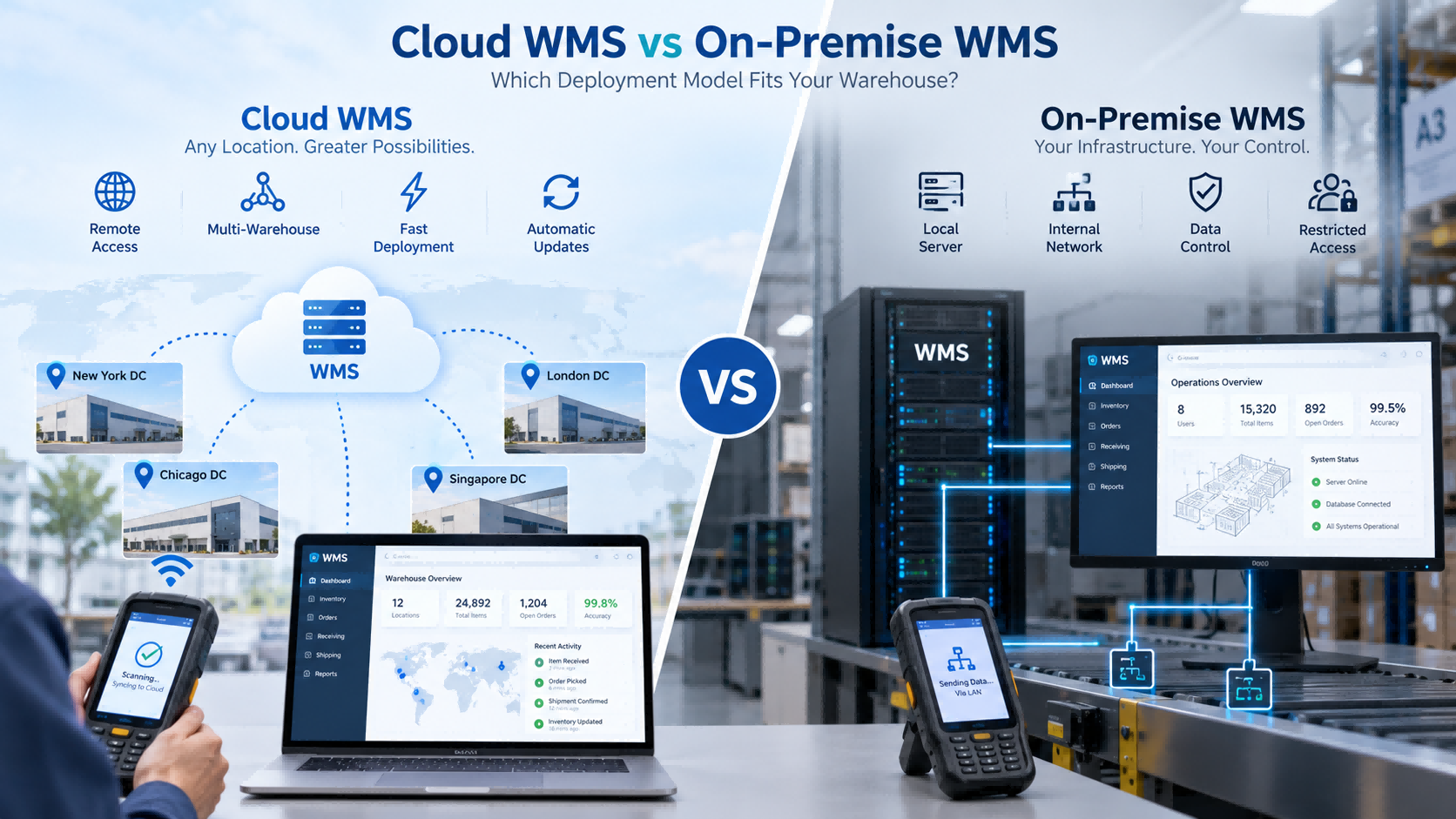
    Choosing a WMS is not only about functions. You also need to decide where the system will run. For most businesses, that means choosing between: Cloud WMS and On-Premise WMS Both can support receiving, putaway, inventory, picking, shipping, barcode scanning, handheld PDA operations, and ERP integration. The difference is mainly in how the system is hosted, maintained, accessed, and controlled.     Quick Answer   Choose Cloud WMS if you want: faster deployment less local IT infrastructure easier multi-site access simpler updates easier remote support   Choose On-Premise WMS if you need: internal network deployment local server control restricted external access company-managed databases specific IT or security policies   For many small and medium warehouses, cloud is easier to start with. But if your IT policy requires the system to stay inside your own network, the decision changes immediately.   What Is Cloud WMS? Cloud WMS is hosted on cloud infrastructure and normally accessed through a browser or network connection. Warehouse operators may still use the same hardware: handheld PDA barcode scanner barcode printer RFID reader The difference is where the central system runs. A typical structure is:   PDA → Network → Cloud WMS   Cloud deployment is often chosen by companies that want faster rollout, centralized access, and less local server maintenance.   What Is On-Premise WMS? On-Premise WMS runs inside the customer's own IT environment. A typical structure is:   PDA → Internal Network → Local Server   This usually means the customer is responsible for more of the infrastructure, including: server database network backups system maintenance This model is often chosen when the system must stay inside an internal network or when company policy limits external access.   Cloud WMS vs On-Premise WMS: Main Differences   Factor Cloud WMS On-Premise WMS Deployment Usually faster More infrastructure preparation Local Server Usually not required Usually required IT Maintenance Lower internal burden More internal responsibility Multi-Site Access Easier Depends on network design Remote Access Easier Requires configuration Updates Usually provider-managed Usually customer-managed Data Environment Cloud-hosted Customer-controlled Internal Network Only Less suitable in some cases Often more suitable Scalability Easier to expand Depends on local infrastructure     This table gives a quick overview, but the real decision usually comes down to your IT environment.     Cost, Deployment and Maintenance   Cloud WMS usually reduces the need to build local server infrastructure before launch. That can make implementation faster, especially for smaller companies without a dedicated IT team. On-Premise requires more preparation. The organization may need to configure: servers databases network permissions backup policies internal access Cost also works differently. Cloud WMS usually involves software subscription, users, modules, implementation, and connected hardware. On-Premise may involve more upfront infrastructure and ongoing internal maintenance. The important question is not simply: Which one is cheaper? A better question is: Which model creates less total IT workload and cost for our company over the next few years?   Real FYJ Project Experience: Cloud WMS for a High-Volume E-Commerce Warehouse   In one FYJ warehouse project in Thailand, the customer handled around 500 orders per day and approximately 3,000 SKUs. The project used a Cloud WMS together with barcode printing and scanning, replenishment alerts, ABC and slow-moving inventory management, multi-warehouse functions, and mobile picking. After implementation: Inventory accuracy improved from 92% to 99.5% Shipping errors decreased from 3% to 0.5% Warehouse walking distance decreased by about 40% Inventory turnover improved from 75 days to 45 days Daily closing could be completed in under 10 minutes For this type of operation, cloud deployment made sense because the warehouse needed centralized, mobile, and multi-warehouse access without building a more complex local server environment.   Multi-Warehouse and Remote Access   This is where Cloud WMS often has a practical advantage. If a company operates several warehouses, cloud deployment makes it easier for headquarters and different locations to use the same platform. Management can view: stock by warehouse transfers inbound status outbound status inventory changes without maintaining separate local systems. On-Premise can also support multiple warehouses, but the company usually needs more internal network planning between sites. For a single warehouse, this difference may not matter much. For five or ten locations, it becomes much more important.   What Happens If the Internet Goes Down?   This is one of the most practical questions buyers should ask. Cloud WMS depends more heavily on network connectivity. Before choosing it, ask: Can the PDA work offline? Can transactions be stored temporarily? What happens during receiving if the network fails? What happens during picking? How does data synchronize after reconnection? For warehouses with unstable internet, this can be more important than many software features. On-Premise systems can often continue operating inside the local network, depending on the architecture.   When Local Deployment Becomes the Obvious Choice   In some FYJ projects, the deployment model is actually decided before software functions are discussed. If the customer's requirements include: internal network only local server restricted external access company-controlled database strict IT policy then cloud deployment may already be unsuitable. FYJ's software portfolio supports both cloud deployment and local/private deployment, allowing the architecture to be selected according to the customer's IT environment. This is an important point: On-Premise should not be chosen simply because it “sounds more secure.” It should be chosen when local control is a real requirement.   ERP Integration: Cloud or On-Premise Can Both Work   ERP integration is not determined only by the deployment model. Both Cloud and On-Premise WMS can integrate with ERP if the systems provide suitable interfaces. Before implementation, define: Where are SKUs created? Where are purchase orders created? Where are sales orders created? Which system owns inventory? How are adjustments synchronized? Is real-time synchronization required? If these questions are not clear, employees may end up entering the same transaction twice. That defeats one of the main reasons for introducing WMS.   Does Deployment Change Warehouse Hardware?   Usually, not much. Both models can use: handheld PDA barcode scanner barcode printer RFID handheld reader fixed RFID reader RFID printer barcode or RFID labels The warehouse operator may perform exactly the same action: Scan Product → Scan Location → Confirm Quantity What changes is where the data goes. Cloud PDA → Network → Cloud WMS On-Premise PDA → Internal Network → Local Server So Cloud vs On-Premise is mainly a software architecture decision, not a warehouse hardware decision.     Which Model Fits Your Warehouse?   Choose Cloud WMS when: you want faster deployment your IT team is small you have several warehouses remote access is important your internet connection is reliable you expect the operation to grow   Choose On-Premise WMS when: the warehouse must operate inside an internal network external access is restricted the company requires local servers IT staff want direct infrastructure control company policy requires local deployment   If both models are technically possible, then compare total cost, IT workload, scalability, and future integration needs.   WMS Deployment Decision Matrix   Your Situation Better Starting Point Small IT team Cloud WMS Need fast rollout Cloud WMS Several warehouse locations Cloud WMS Remote access required Cloud WMS Rapid expansion expected Cloud WMS Internal network only On-Premise Local server required On-Premise External internet restricted On-Premise Company controls IT infrastructure On-Premise may fit ERP integration required Either Barcode or RFID required Either Internet is unstable Evaluate  On-Premise or offline capability   Questions to Ask a WMS Supplier   Before deciding, ask: Do you support Cloud, On-Premise, or both? Where will our data be stored? Who manages backups? Who handles updates? What happens if the internet fails? Can handheld PDAs work offline? Can several warehouses use the same system? Can the WMS integrate with our ERP? What IT infrastructure is required? Can the deployment model change later? If a supplier cannot answer these clearly, the deployment architecture is probably not fully defined yet.   How FYJ Approaches WMS Deployment   FYJ supports both cloud-based and local warehouse management deployment. The choice usually starts with a few practical questions: How many warehouses are involved? Does headquarters need remote access? Is the internet reliable? Does the customer have an internal IT team? Is local deployment required? Does WMS need ERP integration? Will operators use handheld PDAs? Will barcode be enough, or is RFID required? The deployment model is selected after these requirements are clear. In practice, we do not recommend Cloud or On-Premise simply because one is newer. The system has to fit both the warehouse workflow and the customer's IT environment.   Frequently Asked Questions   Is Cloud WMS better than On-Premise WMS? Not always. Cloud WMS is often easier to deploy and maintain. On-Premise is more suitable when internal network or local server control is required. Is Cloud WMS cheaper? It may reduce upfront infrastructure cost, but total cost still depends on subscriptions, users, integration, hardware, and long-term operation. Does Cloud WMS require internet access? Usually yes. Ask whether the system or PDA supports offline workflows when connectivity is interrupted. Is On-Premise WMS more secure? Not automatically. It gives the customer more direct control over the local environment, but actual security depends on system design, access control, maintenance, and IT management. Can both models integrate with ERP? Yes, if suitable APIs or integration methods are available. Can Cloud and On-Premise WMS both support barcode and RFID? Yes. Barcode and RFID are data collection technologies and can be used with either deployment model when supported by the software.   Conclusion   Cloud WMS and On-Premise WMS can both support warehouse operations effectively. For many growing warehouses, Cloud WMS is easier to deploy and scale. For organizations with controlled internal networks or strict local infrastructure requirements, On-Premise may be the more practical choice. The key question is not: Which model is better? It is: Which model fits our IT environment, warehouse workflow, and future growth? That is the decision that should guide the WMS project.
    Read More
  • How to Choose Warehouse Management Software for Inbound and Outbound Operations (2026 Guide)
    How to Choose Warehouse Management Software for Inbound and Outbound Operations (2026 Guide)
    Aug 27, 2026
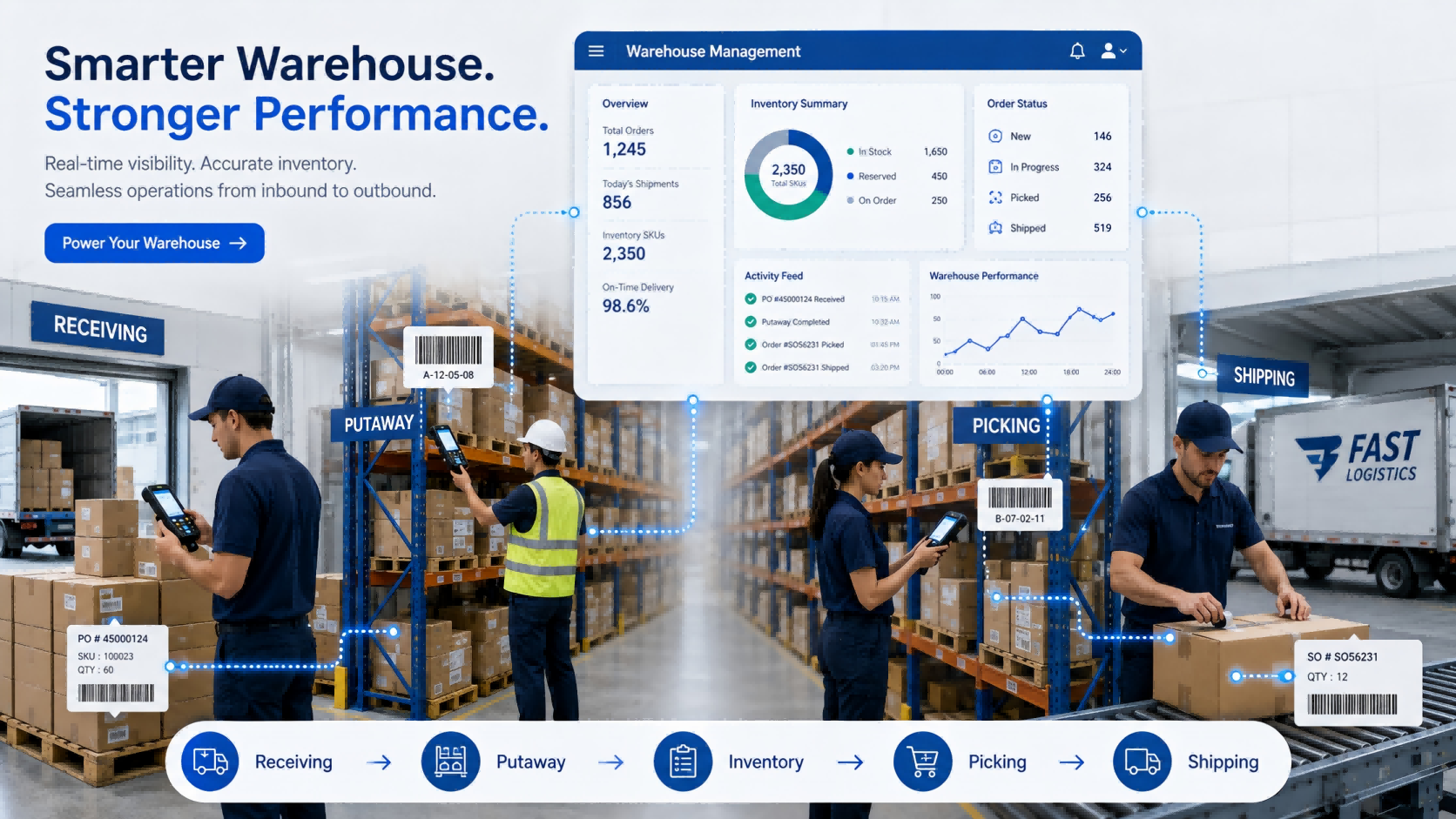
    Choosing warehouse management software can look simple at first. Most systems claim to support receiving, inventory, picking, and shipping. On a feature comparison sheet, they often look very similar. The differences usually appear after people start using them. Can warehouse workers receive goods directly on a handheld device? Can they find the correct bin without asking an experienced employee? Does inventory update immediately after picking? What happens when the physical quantity does not match the system? Can the WMS exchange orders with the ERP without someone entering the same information twice? These are the questions that matter in daily warehouse operations. This guide explains how to evaluate warehouse management software around the actual movement of goods—from inbound receiving and putaway to picking, shipping, inventory counting, and system integration.     Quick Answer: How Should You Choose a WMS?   A suitable warehouse management system should match three things: Your warehouse process How goods are received, stored, picked, shipped, and counted. Your operating volume SKU quantity, daily orders, warehouse locations, workers, and inventory frequency. Your required level of automation Manual entry, barcode scanning, handheld PDA, RFID, or automatic identification. For many small and medium warehouses, a practical starting point can be: WMS + Barcode + Handheld PDA + Printer RFID or more advanced automation can be introduced where the workload justifies it. The goal is not to buy the WMS with the most functions. It is to reduce the manual steps that are creating errors, delays, or poor inventory visibility today.   1. Start With the Warehouse Problem, Not the Software   Before watching a WMS demonstration, walk through one real inbound order and one real outbound order. For inbound: Purchase Order → Receiving → Inspection → Putaway → Inventory Update For outbound: Sales Order → Picking → Verification → Packing → Shipping → Inventory Deduction Then identify where employees still depend on: Paper Excel Manual quantity entry Memory Repeated checking Verbal communication Separate systems Those points should become your WMS requirements.   A Simple Example Imagine a warehouse receives 50 cartons. The operator checks the purchase order on a computer, writes the received quantity on paper, moves the cartons to a rack, and someone updates Excel later. There are already several places where the physical inventory and digital record can become different. A better workflow might be: Open Receiving Task → Scan Product → Confirm Quantity → Scan Bin → Complete Putaway The transaction is recorded while the warehouse worker is doing the work. That difference matters more than another ten dashboard charts.   From FYJ Project Experience One thing we often notice during early project discussions is that customers describe the problem as: “Our inventory is inaccurate.” Once the process is mapped, the problem often starts earlier. Goods may have been received without verification, moved without recording the new location, or shipped before the transaction was confirmed. Inventory accuracy is usually the result of the entire workflow—not an isolated software function.   2. Make Sure Inbound Operations Create Reliable Inventory Data   Inbound is where the inventory record begins. If the wrong quantity enters the system, everything afterward becomes harder. Depending on the business, receiving may need to capture: Purchase order Supplier SKU Received quantity Batch or lot Production or expiry date Inspection result Storage location Not every warehouse needs every field. A hardware distributor may care more about model and serial number. A food warehouse may care more about batch and expiry dates. A manufacturing warehouse may need material batches and production traceability. That is why generic feature lists can be misleading.   What to Ask During a WMS Demo Instead of asking: “Do you support inbound management?” Give the supplier a real exception: “One purchase order contains 20 SKUs. Two arrive short, one batch fails inspection, and the remaining goods need to be stored in three locations. Show us how the system handles it.” A live workflow usually tells you more than a Yes/No feature table.   3. Test Whether Workers Can Find Goods Without Relying on Experience   A warehouse can have the correct stock quantity and still waste time looking for goods. That usually happens when location management is weak. A practical WMS should connect inventory with physical locations such as: Warehouse → Zone → Rack → Shelf → Bin For many operations, the process can stay simple: Scan Item → Scan Bin → Confirm Putaway During picking: Open Task → Go to Bin → Scan Item → Confirm Quantity This reduces dependence on experienced employees who simply “know where everything is.”   Do You Need Automatic Putaway Rules? Large or complex warehouses may benefit from rules based on product category, capacity, picking frequency, or storage restrictions. Smaller warehouses may not. If your current problem is simply that goods are frequently placed in the wrong location or cannot be found quickly, solve that first. Complexity should follow the business need.   4. Decide How Workers Will Interact With the WMS   A WMS can have excellent software functions, but if warehouse employees still need to return to a desktop after every task, much of the manual gap remains. Ask where each transaction should happen.   Desktop Operations Usually suitable for: Order management Approval Reports Master data Management   Warehouse-Floor Operations A handheld PDA can support: Receiving Putaway Location transfer Picking Inventory counting Shipping verification The transaction is recorded while the operator is physically handling the goods. That reduces the gap between: What happened in the warehouse and What the system says happened.   FYJ Configuration Principle For many warehouse projects, we do not start by asking how many handheld devices the customer wants. We first look at: How many operators work at the same time? Which operations actually require scanning? Which areas can share devices? How often is inventory counted? Only then does it make sense to determine the hardware quantity. Buying devices before mapping the workflow can leave some units unused while other operators still wait for equipment.   5. Barcode or RFID? Choose Based on the Workload   RFID can improve warehouse automation, but it should not automatically be the starting point for every project. For many operations, barcode remains practical.   Barcode Works Well When Goods can be scanned individually Order volume is manageable Item-by-item verification is required The warehouse wants a simpler deployment Budget control is important   A typical process is: Scan Product → Scan Location → Confirm Quantity   RFID Becomes More Useful When Inventory volume is high Counting takes too much time Multiple tagged items need to be identified quickly Goods move through defined inbound or outbound points A higher level of automatic identification is required A better question than: “Should we use barcode or RFID?” is: “Which warehouse process has become too slow for one-by-one scanning?” That usually makes the decision much clearer. A WMS that supports both also gives the business room to start with barcode and introduce RFID later in selected processes.   6. Pay Special Attention to Picking and Shipping   Inbound errors affect inventory accuracy. Outbound errors reach the customer. That makes picking one of the most important workflows to test. A warehouse worker should be able to see: What to pick Where to pick it How much to pick The system should then verify what actually leaves the warehouse. A practical outbound process may look like: Sales Order ↓ Picking Task ↓ Bin Location ↓ Product Verification ↓ Quantity Confirmation ↓ Packing ↓ Shipping Confirmation Higher-volume operations may also need: Batch picking Wave picking Picking priority Replenishment Partial picking Shortage handling Do not select these functions simply because they sound advanced. Select them because the order volume requires them.   Real FYJ Project Experience: 500 Orders a Day and 3,000 SKUs In one warehouse management project in Thailand, the operation handled around 500 orders per day and approximately 3,000 SKUs. Before the new system was introduced, inventory accuracy was around 92%, picking errors were about 3%, and paper-based picking meant warehouse employees spent considerable time walking between locations. The project introduced digital inventory management, replenishment alerts, ABC inventory management, multi-warehouse control, and wave picking. After implementation: Inventory accuracy increased from 92% to 99.5% Picking errors decreased from 3% to 0.5% Warehouse walking distance was reduced by about 40% Inventory turnover improved from approximately 75 days to 45 days Daily closing could be completed in less than 10 minutes The result did not come from one individual software feature. Inventory records, storage locations, picking tasks, and daily warehouse operations were connected into the same workflow. This is why we recommend comparing WMS systems by process rather than by feature quantity.   7. Choose the Inventory Controls Your Warehouse Actually Needs   Once inbound and outbound workflows are clear, evaluate the inventory rules that affect daily operations. Requirement When It Matters Bin Location Management Workers need to know exactly where goods are stored Batch / Lot Management Products require traceability Expiry Management Goods have shelf-life requirements FIFO / FEFO Goods must leave in a defined sequence Multi-Warehouse Management Inventory is distributed across locations Cycle Counting Selected stock needs regular verification Replenishment Alerts Stock availability affects orders or production   You may not need all of them. Ask:“Which inventory rules affect our actual warehouse decisions every day?” That keeps the first deployment easier to manage.   Real FYJ Project Experience: Managing Spare Parts and Assets in One Operation Another project involved a machinery-related business that needed to manage both fixed assets and spare-parts inventory. This type of operation creates a different challenge from a conventional finished-goods warehouse. Some items are long-term equipment assets. Others are spare parts that are repeatedly received, stored, issued, and replenished. Treating everything as the same type of inventory makes records difficult to manage. The project therefore required the management process to distinguish between different item types while still giving users a clearer view of what was available and where it was located. The lesson is useful when choosing a WMS: Do not assume every item in the warehouse follows the same lifecycle. Before selecting software, identify whether you are managing finished goods, raw materials, spare parts, tools, consumables, equipment—or a combination of them. That classification can affect the software structure far more than buyers initially expect.   8. Clarify ERP Integration and Deployment Early   These two topics often appear late in software discussions, but they can change the project significantly. ERP Integration If an ERP already manages purchasing, sales, finance, or product master data, decide which system owns each transaction. A typical flow may be: ERP Purchase Order → WMS Receiving → WMS Inventory → ERP Synchronization For outbound: ERP Sales Order → WMS Picking & Shipping → Shipment Confirmation → ERP Update   Ask early: Where are SKUs created? Where are purchase and sales orders created? Which system owns inventory? Is API integration available? Does synchronization need to be real time? Without clear ownership, employees may end up entering the same transaction in both systems.   SaaS or Local Deployment SaaS may make sense when the business wants faster rollout, remote access, multi-site use, and lower local IT requirements. Local deployment may be required when the warehouse operates inside a controlled network or company policy requires data to remain on internal servers. Ask practical questions: What happens if the internet goes down? Who maintains the server? How is data backed up? Can several warehouses use the same system? How are software updates handled? The answers matter more than whether the product is labeled “cloud” or “on-premise.”   9. Compare WMS Suppliers With Real Scenarios   After several demonstrations, most WMS feature lists begin to look the same. A better method is to give every supplier the same warehouse scenarios.   Scenario A — Inbound A purchase order contains 10 SKUs. One arrives short. One needs inspection. The remaining goods go to several locations. Show the complete workflow.   Scenario B — Outbound A customer order contains 15 SKUs. One picking location does not have enough stock. Show how the system handles picking, shortage, verification, and shipment.   Scenario C — Inventory The physical quantity differs from the system. Show: Count → Difference → Review → Approval → Adjustment Now you are comparing how systems handle your actual work—not presentation slides.   WMS Selection Matrix     Your Situation Capability to Prioritize Manual receiving causes errors PDA receiving + barcode verification Workers struggle to find goods Bin location management Frequent picking mistakes Guided picking + scan verification Inventory differs from physical stock Real-time transactions + cycle counting Thousands of items need frequent counting Consider RFID Several warehouses share stock Multi-warehouse management Batch-sensitive products Batch/lot + FIFO/FEFO Existing ERP must remain API / ERP integration Limited internal IT resources Consider SaaS Controlled internal network Evaluate local deployment   This is a starting point, not a universal configuration.   Questions to Ask Before Choosing a WMS Supplier   Before signing a contract, ask: Can the system support our real inbound and outbound workflow? Can workers operate directly with handheld PDAs? Does inventory update immediately after transactions? How are warehouse locations managed? How does the system handle shortages and picking mistakes? Does it support barcode and RFID where required? Can it manage batch, expiry, FIFO, or FEFO? Can several warehouses share inventory information? Can it integrate with our ERP? Is SaaS or local deployment available? Who handles implementation and training? What happens when our process changes later? If the answer is only: “Yes, we support it.” ask for a live demonstration.   What Does a Practical WMS Setup Look Like?   For many small and medium warehouses, the first-stage configuration may simply be: Warehouse Management Software Handheld PDA Barcode Labels Barcode Printer This can already cover: Receiving → Putaway → Inventory → Picking → Shipping → Stock Counting Additional technologies can be introduced later. RFID when bulk identification becomes valuable. Fixed RFID Readers when inbound or outbound identification needs more automation. Multi-Warehouse Functions when operations expand. ERP Integration when duplicate data entry becomes a problem. The WMS should be able to grow with the operation without forcing unnecessary complexity into the first deployment.   How FYJ Approaches Warehouse Management Projects   FYJ combines warehouse management software with barcode, RFID, and mobile data collection hardware. Depending on the warehouse process, a project may include: Warehouse management software Handheld PDA Barcode scanner Barcode printer Barcode labels RFID handheld reader RFID tags Fixed RFID readers Our starting point is normally the workflow. Where does the inventory difference come from? Which warehouse operation consumes the most time? Where are workers repeatedly checking information? Which transactions still depend on paper or Excel? Once those questions are clear, it becomes easier to determine which software functions and hardware are actually required. The objective is not to digitize every possible warehouse process. It is to improve the processes where identification, workflow control, and real-time data can make a practical difference.   Frequently Asked Questions   What should I look for when choosing warehouse management software? Start with receiving, putaway, location management, picking, shipping, and inventory counting. Then evaluate PDA support, barcode or RFID requirements, integration, multi-warehouse management, and deployment method. What is the best WMS for a small warehouse? A smaller warehouse usually benefits more from a simple system covering core inbound, outbound, location, and inventory processes than from a complex platform with many unused functions. Does a WMS need handheld PDA support? If employees perform transactions while receiving, storing, picking, or counting goods, handheld support can reduce delayed and duplicate data entry. Should a warehouse use barcode or RFID? Barcode is often sufficient for one-by-one identification and standard warehouse operations. RFID becomes more attractive when frequent bulk identification or greater automation is required. Can WMS software integrate with ERP? Yes, if suitable interfaces are available. Before implementation, define which system owns orders, product data, inventory records, and transaction updates. Should I choose SaaS WMS or local deployment? Choose according to network conditions, internal IT resources, security requirements, multi-site needs, and maintenance capabilities. How should I compare WMS suppliers? Give each supplier the same real warehouse scenarios and ask them to demonstrate the complete workflow instead of comparing only feature lists.     Conclusion   Choosing warehouse management software becomes much easier when you stop comparing systems feature by feature and start comparing how they handle real warehouse work. Begin with the points where errors and manual work happen today: Receiving → Putaway → Inventory → Picking → Shipping Then decide what the warehouse really needs: Barcode or RFID? Desktop or handheld? Single warehouse or multiple warehouses? SaaS or local deployment? Standalone WMS or ERP integration? A good WMS should make daily operations easier to control and easier for employees to execute. If a system looks powerful in a demonstration but forces warehouse teams to create workarounds after deployment, it is probably not the right system. FYJ provides integrated warehouse management solutions combining WMS software, barcode, RFID, handheld PDAs, printers, and identification hardware. For companies evaluating a new warehouse system, the best starting point is usually a real inbound and outbound workflow—not a long software feature list.
    Read More

  • How Android PDA Scanners Reduce Errors in Warehouse Management Systems (WMS)
    How Android PDA Scanners Reduce Errors in Warehouse Management Systems (WMS)
    Mar 28, 2026
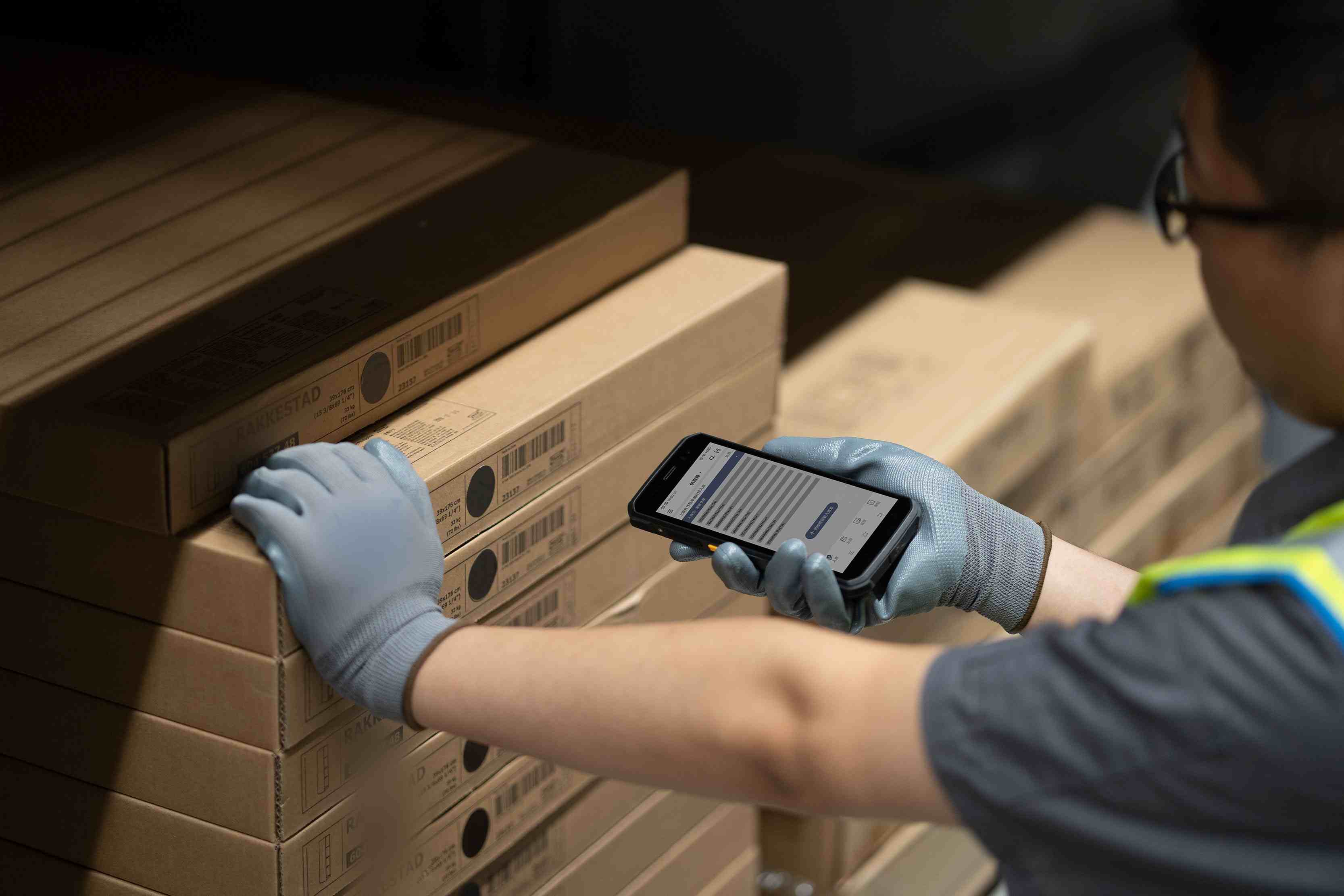
    In modern warehouse management, errors are the silent killers of profit. Whether it's shipping the wrong item, missing a scan, or dealing with inaccurate inventory counts, these seemingly small mistakes often lead to customer complaints, lost orders, and even supply chain disruptions.   With the rapid advancement of mobile technology, Android PDA scanners have evolved far beyond simple barcode readers. They are now a core component of digital transformation, helping businesses significantly reduce human error and improve data accuracy. When integrated with robust Warehouse Management System (WMS) capabilities, these devices become powerful tools for operational excellence. But how exactly do they achieve this?   1. From Human Visual Inspection to Machine Validation Traditional warehouse operations—such as picking and counting—often rely on paper pick lists. Operators must read with their eyes, memorize information, and manually check items off a list. This process is highly dependent on attention and focus. Fatigue, distraction, or simple oversight can easily lead to misreading or missed items.     Android PDA scanners transform this process through enforced machine validation: A.Barcode Enforcement: The WMS software directs operators via the PDA to scan both shelf barcodes and product barcodes. If the wrong product is scanned—or if the operator scans a neighboring shelf—the PDA immediately emits an audible beep or vibration alert with an on-screen message like "Barcode Mismatch." This physically prevents incorrect picks and shipments. B.Tactile and Visual Confirmation: Upon a successful scan, the device provides instant vibration or a green indicator light. This immediate confirmation is far more reliable than manually checking a box on a paper list, ensuring every action is accurately recorded.     2. Real-Time Data Synchronization to Eliminate Latency-Related Errors Many warehouse errors don't occur during physical handling—they happen during data entry. Traditional workflows often involve completing tasks first and entering data into the system at the end of the day. During this gap, inventory data exists in a blind spot.   Android PDA scanners support real-time connectivity via 4G/5G/WiFi, delivering significant improvements: A.Instant Inventory Updates: When an operator scans a product during the picking process, inventory levels in the WMS software are updated immediately. This eliminates the common problem of "ship now, update later," giving managers access to accurate, real-time inventory at any moment. B.Error Prevention: If an operator attempts to process an order that has already been shipped, the PDA instantly alerts them with a message like "Order Completed—Duplicate Processing Not Allowed," effectively preventing double shipments. 3. Precise Location Guidance and Optimized Picking Routes In large warehouses, new or temporary employees often struggle to locate specific storage locations, wasting time and potentially placing items in the wrong bins—leading to inventory inaccuracies.   When integrated with a Warehouse Management System, Android PDAs function as a navigation system: A.Putaway Guidance: After scanning an item, the PDA directs operators to the exact shelf and level where the item should be stored, eliminating guesswork. B.Route Optimization: The system can generate optimized picking paths based on batch orders. Operators simply follow the instructions on the PDA screen without needing to decide where to go next. This significantly reduces errors caused by hesitation or lack of experience.   4. Paperless Operations and Complete Traceability Warehouses that still rely on paper-based processes frequently face challenges such as damaged pick lists, illegible handwriting, and version control issues.   Android PDA scanners digitize and structure all operational information: A.Advanced Scanning Capabilities: Modern warehouse barcode scanner technology—embedded in high-performance Android PDAs—is capable of reading damaged, dirty, or even extremely small QR codes (such as Data Matrix codes) with far greater accuracy than the human eye. B.Full Traceability: Every action—who performed it, when, where, and on which item—is automatically logged by the PDA. If an issue arises, managers can quickly trace back through the digital record to identify the root cause, rather than relying on memory or assumptions.     5. Lower Total Cost of Ownership and Faster User Adoption Compared to legacy devices running on Windows CE, Android PDA scanners offer significant advantages thanks to their familiar operating system.   A.Minimal Learning Curve: Since Android PDAs operate similarly to smartphones, warehouse staff can become proficient with minimal training. This reduces operational errors caused by unfamiliarity with complex devices. B.Seamless WMS Integration: These devices are designed to work seamlessly with modern WMS software, ensuring that data flows smoothly between the warehouse floor and the central management system without manual intervention. C.Lower Maintenance Costs: The mature Android ecosystem supports easy remote management, system updates, and data backup. This ensures consistent device performance and reduces downtime—another common source of data errors.   Conclusion In warehouse operations, human workers are the most flexible asset, but also the most unpredictable variable. The role of Android PDA scanners is not to replace people, but to empower them through technology.   By transforming complex, memory-dependent tasks into simple "scan and confirm" actions—and by replacing delayed paper-based record-keeping with real-time digital synchronization powered by robust WMS software—these devices enable a more structured, transparent, and reliable approach to warehouse management.   Whether you are upgrading from traditional warehouse barcode scanner solutions or implementing a new system from scratch, the combination of Android PDAs and a modern Warehouse Management System delivers measurable results: fewer errors, lower operational costs, and higher customer satisfaction.   If your warehouse is still struggling with mis-picks, shipment errors, or inventory inaccuracies, implementing Android PDA scanners could be the first step toward a more efficient and error-resistant operation.   --------------------
    Read More
  • From Warehouse to Checkout: How Mobile Computers Have Become the Real-Time Inventory "Nervous System" of the Retail Industry
    From Warehouse to Checkout: How Mobile Computers Have Become the Real-Time Inventory "Nervous System" of the Retail Industry
    Jan 20, 2026
    In the fiercely competitive retail landscape, "out-of-stocks" and "overstocks" are two of the deadliest enemies. Customers who cannot find the product they want will immediately turn to competitors, while slow moving inventory relentlessly erodes profits. How can businesses precisely control inventory dynamics to achieve the perfect balance between supply and demand? The answer lies in the small device held by store associates—the mobile computer.Today, we will delve into how this seemingly ordinary tool is revolutionizing retail operations through real-time inventory control, and share a real-world transformation case from a well-known domestic fast fashion brand.What is a Handheld Terminal? A rugged handheld barcode terminal, also known as a mobile data collector or industrial PDA, is an intelligent handheld device integrating a barcode scanning engine, an operating system (e.g., Android), wireless connectivity, and business software. It transcends the limitations of traditional scan guns, which "can only scan, not think," serving as a mobile, computing-capable, real-time interactive "smart terminal." Four Core Application Scenarios for Real-Time Inventory Management with a Practical Case Using an Android handheld terminal for inventory management transforms the process from static "post-facto recording" to dynamic "real-time control." Let's examine its power in action through a specific case study.Case Background: A leading domestic fast-fashion brand, with hundreds of stores nationwide. Previously, its inventory accuracy rate remained persistently low, relying on inefficient weekly store-closing counts. High error rates in fulfilling online orders severely impacted the omnichannel customer experience.Transformation Initiative: The brand deployed industrial-grade rugged handheld computers integrated with a customized Warehouse Management System (WMS) to all frontline store staff and digitally redesigned core inventory processes.   1. Goods Receiving and Put-away: Accurate Inbound, One-Step CompletionTraditional Pain Points: Manual data entry was inefficient and error-prone. Arbitrary put-away locations led to frequent situations where "the system shows stock, but the floor staff can't find it."Handheld Solution: Upon delivery, staff scan the logistics case code with an industrial handheld terminal with barcode scanner, automatically pulling up the electronic Advance Shipping Notice (ASN). Scanning item barcodes inside the case triggers immediate alerts for quantity or SKU mismatches. After receipt confirmation, the device screen recommends the optimal put-away location (e.g., 'Women's Section - Row 3 - Middle Shelf') based on built-in algorithms.Practical Case: At the brand's flagship store in Beijing, intern Alex Chen is processing a shipment of new dresses. After scanning with the mobile computer, the device clearly instructs: "Please put 'Floral Wrap Dress - Size S' on 'Dress Section - Rack A -Level 2'." He simply proceeds to the designated area, scans the location barcode on the shelf, and the system automatically binds the item to that location. The entire process requires no memorization or manual lookup, and the inventory for this batch is updated in real-time in the central database, with status changed to 'Available for Sale'.   2. Cycle Counting and Transfers: Simplifying Complexity, Ending "Blind Men Feeling an Elephant"Traditional Pain Points: Reliance on manual tallying and end-of-month store-closing counts resulted in long cycles, poor accuracy, and business disruption during counts.Handheld Solution: Implementation of regular cycle counting. The management system automatically generates daily zoned counting tasks (e.g., "Count all colors of men's shirts today"). Staff use downtime to scan items in the assigned area using their barcode scanners. Data uploads in real-time, with discrepancies triggering immediate alerts requiring on-the-spot confirmation.Practical Case: The brand's district manager configured the system so that stores receive daily counting tasks automatically upon starting their retail handheld data terminals. One Wednesday, associate Sarah Liu's task was to count 15 units of a popular collaboration T-shirt. While tidying the section, she completed the scan and found only 13 physical units. She immediately selected the reason for variance from a drop-down menu on the device (e.g., "Items in fitting room") and, after retrieving the 2 missing items, rescanned to confirm. The inventory count was corrected instantly. Simultaneously, based on the "sales-to-stock ratio," the system automatically prompted a replenishment from the backroom. Sarah directly created a transfer task on the handheld inventory tracking terminal, completing the backroom pick and sales floor replenishment via scanning, ensuring optimal display stock for the bestseller.3. Picking and Fulfillment: Empowering Omnichannel SalesTraditional Pain Points: Picking for online orders relied on paper lists, leading to chaotic routes, low efficiency, and frequent mis-picks of color or size.Handheld Solution: E-commerce orders are automatically dispatched to handheld devices. The picker views the task list on the device, and the system plans the most efficient pick path based on location data. For each item picked, both the item barcode and the shelf location barcode must be scanned for dual verification.Practical Case: A customer orders a gray hoodie (Size L) and blue jeans (Size 32) via the brand's mini-program. The order is pushed in real-time to associate Joe Zhou's mobile data terminal. The device first guides him to the Casual Section - Hoodie Rack - Size L location. Scanning both the product and shelf barcodes triggers a green light for confirmation. It then directs him to the Denim Section - Size 32 area for the same procedure. Upon successful dual verification for both items, the system updates their inventory status from 'Available' to 'Reserved' in real-time, completely preventing overselling. The entire picking process takes under 3 minutes with zero errors.   4. Sales Floor Support and Customer Service: Enhancing Experience, Driving SalesPractical Case: A customer likes a trench coat, but the display is Size M, and she needs Size S. The associate scans the display item's barcode with the handheld scanner. The screen instantly shows: "Store Stock: Size S - 1 unit in backroom; Nearby XX Mall Store: Size S - In stock (transfer available)." The associate can immediately fetch the item from the backroom or initiate a cross-store transfer request with one click on the device. This professional service powered by real-time data significantly boosts customer trust and sales conversion.Revolutionary Value Delivered and Case Results Through the comprehensive deployment of the mobile computing system, the brand achieved a leap in operational KPIs within one year:Inventory accuracy increased from below 80% to a stable over 99%.Omnichannel order processing efficiency improved by 50%, with mis-pick rates falling to near zero.Inefficient store-closing counts were eliminated entirely, adding considerable effective operating hours annually.Customer complaints regarding "out-of-stocks" and "wrong items shipped" decreased by over 60%.Conclusion As demonstrated by this case, the mobile computer / handheld terminal has evolved from a simple data capture tool into a core terminal for digital transformation in fast-fashion retail. It achieves real-time synchronization of product flow and information flow, making inventory visible, controllable, and optimizable.For retail enterprises committed to enhancing operational resilience, integrating omnichannel operations, and deepening customer experience, deploying such a real-time inventory management system with handheld devices as its touchpoints is no longer merely a technological upgrade but a strategic cornerstone for building future competitiveness. When every inventory movement is transformed into precise data, intelligent decision-making and efficiency gains have an inexhaustible fuel source. We are FYJ Family, a provider of integrated hardware and software solutions for PDAs. Tell us about the product you are interested in or industry problem needed to be solved, and our team will reply to you within 2 hours with tailored resources like industry white papers, price quotes, or free trial access.   -------------------------------------
    Read More

leave a message

leave a message
Tell us about the product you are interested in, our team will reply to you within 2 hours with tailored resources like industry white papers, price quotes, or free trial access.
submit

home

products

WhatsApp

contact

Need Help? Chat with us

Start a Conversation

Hi! Click one of our members below to chat on