Cloud WMS vs On-Premise WMS: Which Deployment Model Is Right for Your Warehouse? (2026)
Sep 08, 2026
Choosing a WMS is not only about functions.
You also need to decide where the system will run.
For most businesses, that means choosing between:
Cloud WMS
and
On-Premise WMS
Both can support receiving, putaway, inventory, picking, shipping, barcode scanning, handheld PDA operations, and ERP integration.
The difference is mainly in how the system is hosted, maintained, accessed, and controlled.
Quick Answer
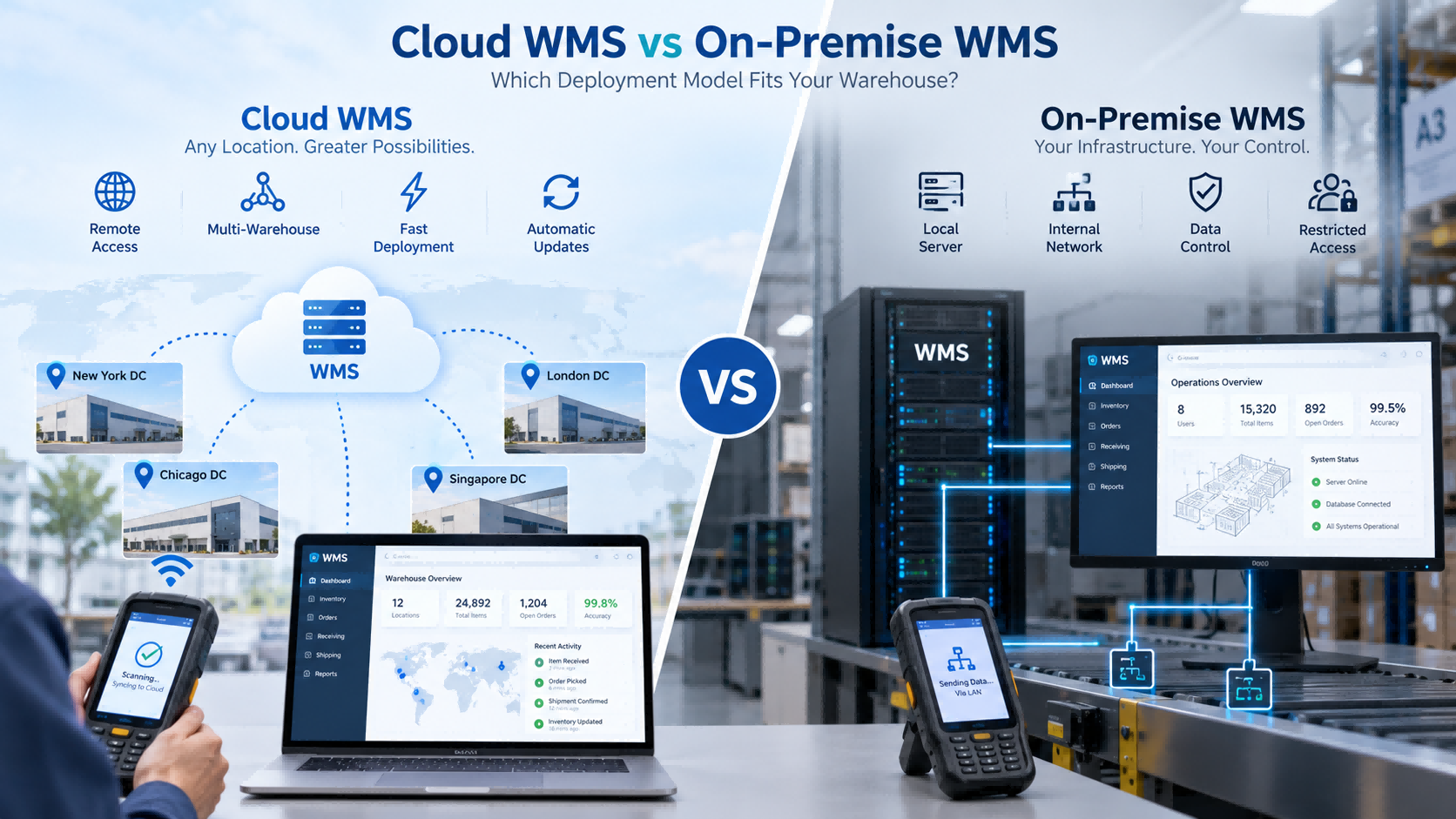
Choose Cloud WMS if you want:
faster deployment
less local IT infrastructure
easier multi-site access
simpler updates
easier remote support
Choose On-Premise WMS if you need:
internal network deployment
local server control
restricted external access
company-managed databases
specific IT or security policies
For many small and medium warehouses, cloud is easier to start with.
But if your IT policy requires the system to stay inside your own network, the decision changes immediately.
What Is Cloud WMS?
Cloud WMS is hosted on cloud infrastructure and normally accessed through a browser or network connection.
Warehouse operators may still use the same hardware:
handheld PDA
barcode scanner
barcode printer
RFID reader
The difference is where the central system runs.
A typical structure is:
PDA → Network → Cloud WMS
Cloud deployment is often chosen by companies that want faster rollout, centralized access, and less local server maintenance.
What Is On-Premise WMS?
On-Premise WMS runs inside the customer's own IT environment.
A typical structure is:
PDA → Internal Network → Local Server
This usually means the customer is responsible for more of the infrastructure, including:
server
database
network
backups
system maintenance
This model is often chosen when the system must stay inside an internal network or when company policy limits external access.
Cloud WMS vs On-Premise WMS: Main Differences
Factor
Cloud WMS
On-Premise WMS
Deployment
Usually faster
More infrastructure preparation
Local Server
Usually not required
Usually required
IT Maintenance
Lower internal burden
More internal responsibility
Multi-Site Access
Easier
Depends on network design
Remote Access
Easier
Requires configuration
Updates
Usually provider-managed
Usually customer-managed
Data Environment
Cloud-hosted
Customer-controlled
Internal Network Only
Less suitable in some cases
Often more suitable
Scalability
Easier to expand
Depends on local infrastructure
This table gives a quick overview, but the real decision usually comes down to your IT environment.
Cost, Deployment and Maintenance
Cloud WMS usually reduces the need to build local server infrastructure before launch.
That can make implementation faster, especially for smaller companies without a dedicated IT team.
On-Premise requires more preparation.
The organization may need to configure:
servers
databases
network permissions
backup policies
internal access
Cost also works differently.
Cloud WMS usually involves software subscription, users, modules, implementation, and connected hardware.
On-Premise may involve more upfront infrastructure and ongoing internal maintenance.
The important question is not simply:
Which one is cheaper?
A better question is:
Which model creates less total IT workload and cost for our company over the next few years?
Real FYJ Project Experience: Cloud WMS for a High-Volume E-Commerce Warehouse
In one FYJ warehouse project in Thailand, the customer handled around 500 orders per day and approximately 3,000 SKUs.
The project used a Cloud WMS together with barcode printing and scanning, replenishment alerts, ABC and slow-moving inventory management, multi-warehouse functions, and mobile picking.
After implementation:
Inventory accuracy improved from 92% to 99.5%
Shipping errors decreased from 3% to 0.5%
Warehouse walking distance decreased by about 40%
Inventory turnover improved from 75 days to 45 days
Daily closing could be completed in under 10 minutes
For this type of operation, cloud deployment made sense because the warehouse needed centralized, mobile, and multi-warehouse access without building a more complex local server environment.
Multi-Warehouse and Remote Access
This is where Cloud WMS often has a practical advantage.
If a company operates several warehouses, cloud deployment makes it easier for headquarters and different locations to use the same platform.
Management can view:
stock by warehouse
transfers
inbound status
outbound status
inventory changes
without maintaining separate local systems.
On-Premise can also support multiple warehouses, but the company usually needs more internal network planning between sites.
For a single warehouse, this difference may not matter much.
For five or ten locations, it becomes much more important.
What Happens If the Internet Goes Down?
This is one of the most practical questions buyers should ask.
Cloud WMS depends more heavily on network connectivity.
Before choosing it, ask:
Can the PDA work offline?
Can transactions be stored temporarily?
What happens during receiving if the network fails?
What happens during picking?
How does data synchronize after reconnection?
For warehouses with unstable internet, this can be more important than many software features.
On-Premise systems can often continue operating inside the local network, depending on the architecture.
When Local Deployment Becomes the Obvious Choice
In some FYJ projects, the deployment model is actually decided before software functions are discussed.
If the customer's requirements include:
internal network only
local server
restricted external access
company-controlled database
strict IT policy
then cloud deployment may already be unsuitable.
FYJ's software portfolio supports both cloud deployment and local/private deployment, allowing the architecture to be selected according to the customer's IT environment.
This is an important point:
On-Premise should not be chosen simply because it “sounds more secure.”
It should be chosen when local control is a real requirement.
ERP Integration: Cloud or On-Premise Can Both Work
ERP integration is not determined only by the deployment model.
Both Cloud and On-Premise WMS can integrate with ERP if the systems provide suitable interfaces.
Before implementation, define:
Where are SKUs created?
Where are purchase orders created?
Where are sales orders created?
Which system owns inventory?
How are adjustments synchronized?
Is real-time synchronization required?
If these questions are not clear, employees may end up entering the same transaction twice.
That defeats one of the main reasons for introducing WMS.
Does Deployment Change Warehouse Hardware?
Usually, not much.
Both models can use:
handheld PDA
barcode scanner
barcode printer
RFID handheld reader
fixed RFID reader
RFID printer
barcode or RFID labels
The warehouse operator may perform exactly the same action:
Scan Product → Scan Location → Confirm Quantity
What changes is where the data goes.
Cloud
PDA → Network → Cloud WMS
On-Premise
PDA → Internal Network → Local Server
So Cloud vs On-Premise is mainly a software architecture decision, not a warehouse hardware decision.
Which Model Fits Your Warehouse?
Choose Cloud WMS when:
you want faster deployment
your IT team is small
you have several warehouses
remote access is important
your internet connection is reliable
you expect the operation to grow
Choose On-Premise WMS when:
the warehouse must operate inside an internal network
external access is restricted
the company requires local servers
IT staff want direct infrastructure control
company policy requires local deployment
If both models are technically possible, then compare total cost, IT workload, scalability, and future integration needs.
WMS Deployment Decision Matrix
Your Situation
Better Starting Point
Small IT team
Cloud WMS
Need fast rollout
Cloud WMS
Several warehouse locations
Cloud WMS
Remote access required
Cloud WMS
Rapid expansion expected
Cloud WMS
Internal network only
On-Premise
Local server required
On-Premise
External internet restricted
On-Premise
Company controls IT infrastructure
On-Premise may fit
ERP integration required
Either
Barcode or RFID required
Either
Internet is unstable Evaluate
On-Premise or offline capability
Questions to Ask a WMS Supplier
Before deciding, ask:
Do you support Cloud, On-Premise, or both?
Where will our data be stored?
Who manages backups?
Who handles updates?
What happens if the internet fails?
Can handheld PDAs work offline?
Can several warehouses use the same system?
Can the WMS integrate with our ERP?
What IT infrastructure is required?
Can the deployment model change later?
If a supplier cannot answer these clearly, the deployment architecture is probably not fully defined yet.
How FYJ Approaches WMS Deployment
FYJ supports both cloud-based and local warehouse management deployment.
The choice usually starts with a few practical questions:
How many warehouses are involved?
Does headquarters need remote access?
Is the internet reliable?
Does the customer have an internal IT team?
Is local deployment required?
Does WMS need ERP integration?
Will operators use handheld PDAs?
Will barcode be enough, or is RFID required?
The deployment model is selected after these requirements are clear.
In practice, we do not recommend Cloud or On-Premise simply because one is newer.
The system has to fit both the warehouse workflow and the customer's IT environment.
Frequently Asked Questions
Is Cloud WMS better than On-Premise WMS?
Not always. Cloud WMS is often easier to deploy and maintain. On-Premise is more suitable when internal network or local server control is required.
Is Cloud WMS cheaper?
It may reduce upfront infrastructure cost, but total cost still depends on subscriptions, users, integration, hardware, and long-term operation.
Does Cloud WMS require internet access?
Usually yes. Ask whether the system or PDA supports offline workflows when connectivity is interrupted.
Is On-Premise WMS more secure?
Not automatically. It gives the customer more direct control over the local environment, but actual security depends on system design, access control, maintenance, and IT management.
Can both models integrate with ERP?
Yes, if suitable APIs or integration methods are available.
Can Cloud and On-Premise WMS both support barcode and RFID?
Yes. Barcode and RFID are data collection technologies and can be used with either deployment model when supported by the software.
Conclusion
Cloud WMS and On-Premise WMS can both support warehouse operations effectively.
For many growing warehouses, Cloud WMS is easier to deploy and scale.
For organizations with controlled internal networks or strict local infrastructure requirements, On-Premise may be the more practical choice.
The key question is not:
Which model is better?
It is:
Which model fits our IT environment, warehouse workflow, and future growth?
That is the decision that should guide the WMS project.
Read More


 en
en 


 IPv6 network supported